

Latest Version
August 29, 2026
SAND STUDIO
Tools
Android
125
Free
com.sand.airmirror
Report a Problem
More About AirMirror: Remote Control – Control Android Devices From Another Phone
What is AirMirror?
AirMirror is a free utility from SAND STUDIO that enables one Android phone or tablet to act as a remote console for another Android device. By establishing a temporary link, you can see the screen, control the interface, and exchange voice or text messages, making it useful for troubleshooting, monitoring, or simple remote assistance.
Main Features
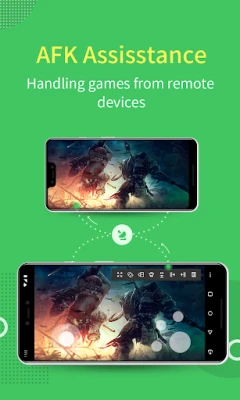
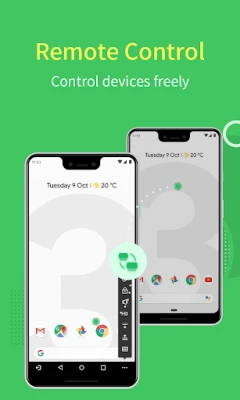
- Remote Control – Take full control of another Android device’s screen and input, as if the device were in your hand.
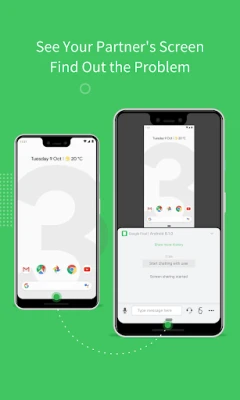
- Screen Mirroring – View the remote device’s display in real time, with optional one‑way audio to hear ambient sounds.
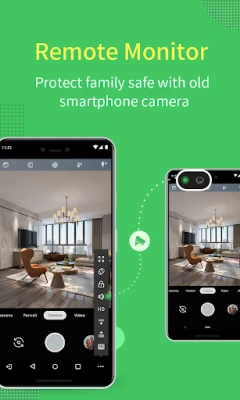
- Remote Camera – Switch between the front and rear cameras of the remote device to use it as a temporary security camera.
- Voice Call & Messaging – Communicate through voice calls, text messages, or voice notes while connected.
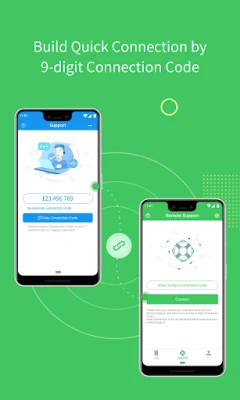
- Quick Connection – Use a 9‑digit connection code; no permanent account is required.
How It Works
Both devices need the AirMirror app installed. The controlling device generates a short numeric code that the remote device enters, establishing a direct session. Once connected, the controller can see the remote screen, tap, swipe, or type, and switch camera views. Audio from the remote device can be streamed to the controller if one‑way audio is enabled.
Practical Uses
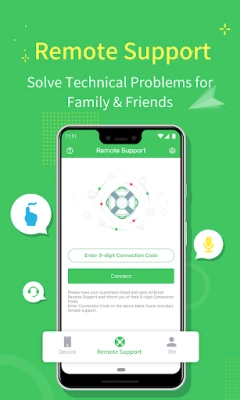
- Technical Support – Help a friend or family member solve a problem without being physically present.
- Parental Monitoring – Check a child’s device screen or use the camera as a quick check‑in tool.
- Device Setup – Configure a new phone for someone else by controlling it remotely.
- Temporary Security – Turn a spare device into a live camera feed for short‑term monitoring.
Installation Information
Download AirMirror from the Google Play Store, then install it on both the controlling and the remote Android devices. The app does not require a paid license and runs without additional fees.
Things to Know Before Installing
- The remote device must allow screen sharing and input control; on non‑rooted devices, certain permissions may need to be granted manually.
- Both phones need an active internet connection for the session to be established.
- Audio is transmitted one‑way only—from the remote device to the controller.
Who May Find It Useful?
Anyone who needs occasional remote access to another Android device—family members, friends, small‑business IT staff, or educators—can benefit from AirMirror’s straightforward connection method.
Frequently Asked Questions
Do I need an account?
No. AirMirror uses a temporary 9‑digit code, so you can start a session without creating an account.
Is the connection secure?
The session is limited to the duration of the code’s validity and is not stored after the connection ends.
Can I control a device that is not rooted?
Yes. Non‑rooted devices can be controlled after granting the required permissions during the initial setup.
What Android versions are supported?
AirMirror works on most recent Android releases; specific version requirements are listed on the Play Store page.
Rate the App
User Reviews















Popular Apps










 Games
 Entertainment
 Communication
 E-mail
 Security
 Tools
 Media
 Internet
 Finance
 Design
 Education
 Android Firmwares
 Travel & Local
 Android
 Windows
 Linux