
Latest Version
Latest
August 28, 2026
SAND STUDIO
Tools
Android
94
Free
com.sand.airdroid
Report a Problem
More About AirDroid: File & Remote Access – Manage Your Android from a PC
What is AirDroid?
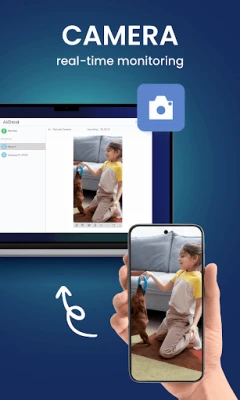
AirDroid is a free utility that connects your Android phone or tablet to a desktop computer or web browser. It provides a range of tools for moving files, viewing the device screen, and performing basic remote actions without needing to root the device.
Main features
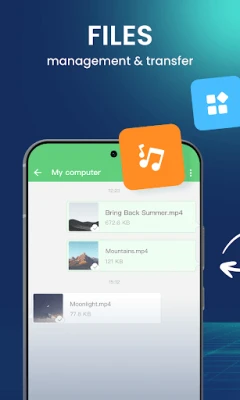
- File transfer and management – Drag and drop files between your Android device and PC, organize photos, videos, music, and documents from a familiar desktop interface.
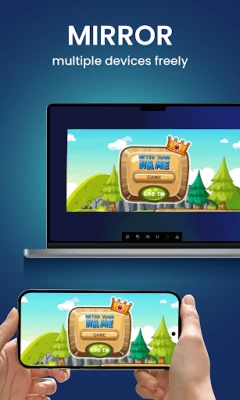
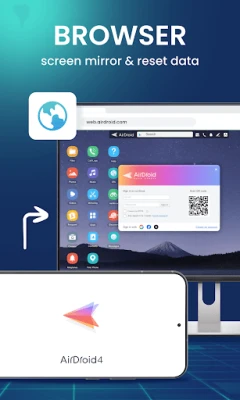
- Screen mirroring – View your phone’s screen on a larger monitor in real time, which is handy for presentations, troubleshooting, or enjoying media.
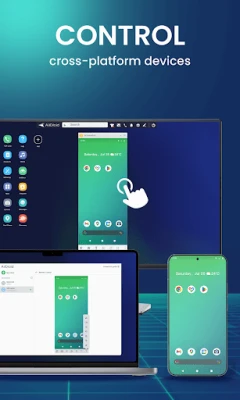
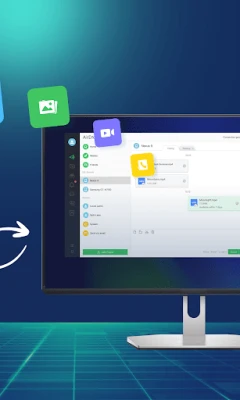
- Remote control – Use your computer’s mouse and keyboard to interact with the Android device, allowing you to type messages, launch apps, or navigate settings from a distance.
- SMS handling – Read and reply to text messages on the computer, keeping communication streamlined while you work.
How it works
After installing AirDroid on your Android device, you create or log into an account. The app establishes a secure connection with the companion desktop client or the web portal (airdroid.com). Once linked, the two devices communicate over the local network or the internet, depending on your preference.
Practical uses
- Backup photos and videos to a PC without cables.
- Present a mobile app or demo on a larger screen during a meeting.
- Send a quick text reply while working at a desk.
- Access a forgotten file on your phone while you are away from it.
Installation information
Download AirDroid from the Google Play Store, then follow the on‑screen prompts to grant the necessary permissions for file access and screen capture. The desktop component is available for Windows, macOS, and Linux; installation is straightforward and requires no additional drivers.
Things to know before installing
- The app needs permission to read and write storage, as well as to capture the screen for mirroring.
- Remote control works best when both devices have a stable internet connection; performance may vary on slower networks.
- Some advanced features, such as multi‑device syncing, may be offered through optional in‑app purchases.
Who may find AirDroid useful?
Students, professionals, and hobbyists who frequently move media between a phone and a computer will appreciate the convenience. Developers can also use the tool to test apps on a larger screen without a physical device.
Frequently asked questions
Is a root required for remote control?
No. AirDroid provides basic remote interaction without rooting the device.
Can I use AirDroid without an internet connection?
Yes. When both devices are on the same Wi‑Fi network, file transfer and mirroring work locally without external internet.
Is my data encrypted?
The connection between the Android device and the desktop client is encrypted, helping to protect the data that passes through the app.
Rate the App
User Reviews















Popular Apps










 Games
 Entertainment
 Communication
 E-mail
 Security
 Tools
 Media
 Internet
 Finance
 Design
 Education
 Android Firmwares
 Travel & Local
 Android
 Windows
 Linux