

Latest Version
September 16, 2026
InnovaLife
Tools
Android
69
Free
com.ask.browser.ai
Report a Problem
More About AI Browser – Private & Smart
What is AI Browser – Private & Smart?
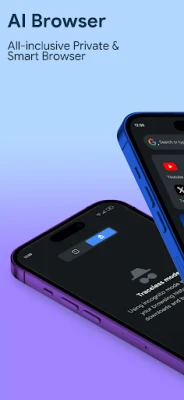
AI Browser is a mobile web browser developed by InnovaLife for Android devices. It is designed to give users a more private and intelligent browsing experience. By integrating AI‑driven search and a set of privacy tools, the app aims to reduce tracking while keeping navigation fast and convenient.
Main features
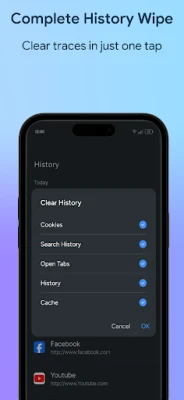
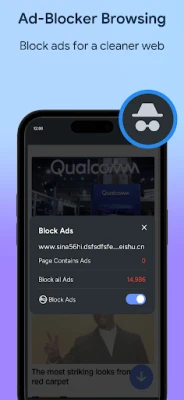
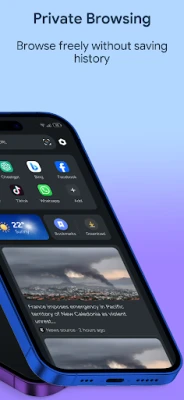
- Privacy‑first browsing: The browser blocks third‑party trackers and offers options to clear cookies and site data automatically.
- AI‑enhanced search: Search queries are processed with an on‑device AI model that suggests relevant results and shortcuts, helping you find information faster.
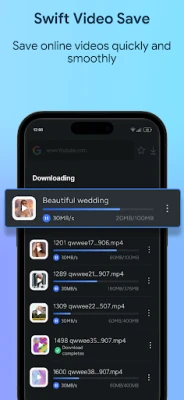
- Integrated video downloader: When you encounter a video, a single tap can save it for offline viewing, subject to the source’s terms of service.
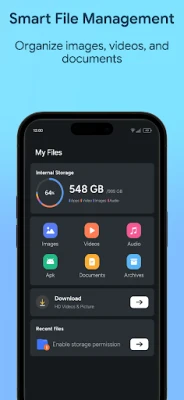
- File manager: The built‑in file manager lets you organize downloads without leaving the browser.
- News and weather feed: A customizable feed aggregates headlines and weather updates from selected sources, keeping you informed while you browse.
How it works
The browser uses a lightweight rendering engine optimized for Android, which balances speed with low memory consumption. When you type a query, the AI component analyses the text locally and offers suggestions or direct answers, reducing the need to open multiple tabs. Privacy settings are accessible from the main menu, where you can enable tracker blocking, automatic cookie deletion, and secure HTTPS‑only connections.
Practical uses
- Researching topics without being profiled by advertisers.
- Downloading videos for offline playback on the go.
- Keeping track of favorite news sources and weather updates in one place.
- Managing downloaded files without switching to a separate app.
Installation information
The app is available as a free download from the Appitika store. Simply tap the “Install” button, grant the standard permissions required for web access and storage, and launch the browser from your app drawer.
Things to know before installing
- The app requires Android version 5.0 (Lollipop) or higher to run.
- Because it includes a video downloader, you should respect copyright rules for any content you save.
- Privacy features work best when you regularly clear browsing data through the settings menu.
Who may find it useful?
Anyone who values privacy while browsing, students who need quick AI‑assisted search results, travelers who want offline video access, and users who prefer an all‑in‑one browser with news and weather widgets will benefit from AI Browser.
Frequently asked questions
Is the browser free to use?
Yes, AI Browser – Private & Smart is offered at no cost, with optional in‑app purchases for additional features.
Does it collect my personal data?
The app is built to minimize data collection. It blocks many trackers by default and does not require a user account.
Can I use it on tablets?
Yes, the interface adapts to larger screens, making it suitable for tablets as well as phones.
Rate the App
User Reviews















Popular Apps










 Games
 Entertainment
 Communication
 E-mail
 Security
 Tools
 Media
 Internet
 Finance
 Design
 Education
 Android Firmwares
 Travel & Local
 Android
 Windows
 Linux