

Latest Version
Latest
September 06, 2026
AdGuard Software Limited
Tools
Android
7
Free
com.adguard.android.contentblocker
Report a Problem
More About AdGuard: Content Blocker – Ad‑blocking for Yandex Browser & Samsung Internet
What is AdGuard: Content Blocker?
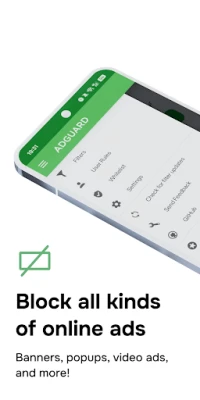
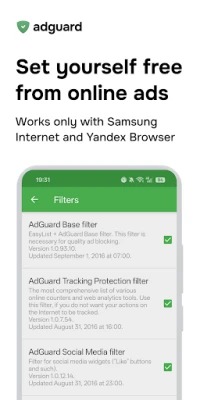
AdGuard: Content Blocker is a free Android utility that works specifically with Yandex Browser and Samsung Internet. It intercepts web requests made by these browsers and removes advertisements, tracking scripts, and other unwanted content before the page is displayed.
Main features
- Browser‑specific filtering – The app integrates with Yandex Browser and Samsung Internet, so you do not need a system‑wide ad‑blocker or root access.
- Multiple filter lists – Choose from a collection of pre‑configured lists that cover general ads, regional ads, and language‑specific content.
- Whitelist support – Add domains or individual pages to a whitelist so they are displayed without filtering.
- Custom rules – Create your own filter rules to block specific elements or allow them later.
- Data and battery savings – By preventing heavy media ads from loading, the app can reduce data consumption and lower battery drain.
How it works
When you open Yandex Browser or Samsung Internet, the app registers a local VPN‑style interface that monitors outgoing web requests. Each request is checked against the active filter lists. If a request matches a rule that blocks an advertisement or tracker, the request is cancelled, and the content is omitted from the page. Because the filtering happens locally, no traffic is sent to external servers for processing.
Practical uses
- Enjoy cleaner web pages on your mobile device, especially on news sites, video platforms, and social media.
- Reduce mobile data usage when browsing on limited plans.
- Extend battery life by avoiding the download of large video or animated ads.
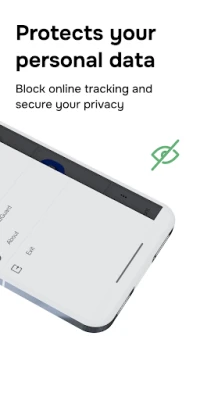
- Maintain privacy by blocking common tracking scripts that collect browsing habits.
Installation information
Search for AdGuard: Content Blocker in the Google Play Store, then tap Install. The app requires permission to create a local VPN connection; this is standard for content‑blocking tools that operate without root. After installation, open the app and follow the on‑screen prompts to enable the filter for the supported browsers.
Compatibility
The application is designed for Android devices that can run Yandex Browser or Samsung Internet. It does not depend on a particular Android version, but the device must support the VPN‑based filtering method used by the app.
Things to know before installing
- The app only affects Yandex Browser and Samsung Internet; other browsers on the device will not be filtered.
- Because it uses a local VPN interface, you cannot enable another VPN service simultaneously.
- Some websites may rely on ad scripts for essential functionality; using the whitelist feature can prevent accidental blocking of needed content.
Who may find it useful?
Anyone who primarily uses Yandex Browser or Samsung Internet on Android and wants a lightweight way to block ads without rooting the device. It is also helpful for users on limited data plans or those who want to improve battery endurance while browsing.
Frequently asked questions
Do I need to root my phone?
No. The app works with a local VPN interface and does not require root access.
Can I use the app with Chrome or Firefox?
Currently the filter is limited to Yandex Browser and Samsung Internet. Other browsers are not affected.
Will the app affect my internet speed?
Filtering generally reduces the amount of data that needs to be downloaded, which can make page loading feel faster, especially on slower connections.
How do I add a site to the whitelist?
Open the app, go to the whitelist section, and enter the domain or specific URL you want to exclude from filtering.
Rate the App
User Reviews















Popular Apps










 Games
Games Entertainment
 Communication
 E-mail
 Security
 Tools
Tools Media
Media Internet
 Finance
 Design
 Education
 IT Tools
 Travel & Local
 Android
 Windows
 Linux
Linux