

Latest Version
Latest
September 13, 2026
CloudEx Inc.
Tools
Android
10
$4.99
jp.snowlife01.android.ad_blocker
Report a Problem
More About Ad Blocker Pro: Popup Block – CloudEx Inc.
What is Ad Blocker Pro?
Ad Blocker Pro: Popup Block, developed by CloudEx Inc., is a paid Android application that focuses on reducing unwanted advertising and tracking elements while you browse the web. The app combines a dedicated browser with a local VPN‑based filter, allowing you to enjoy cleaner pages without routing your traffic through external servers.
Main features
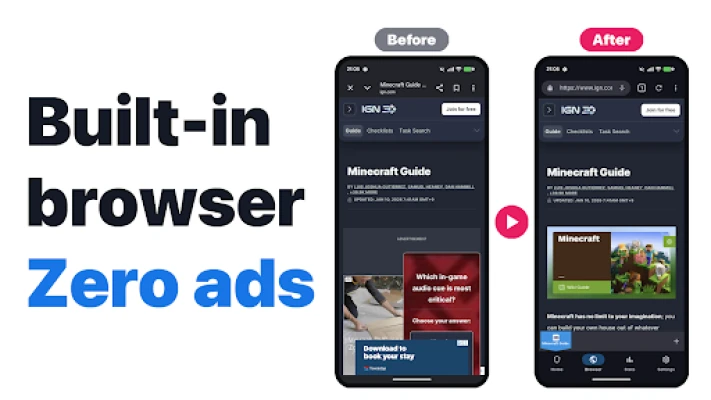
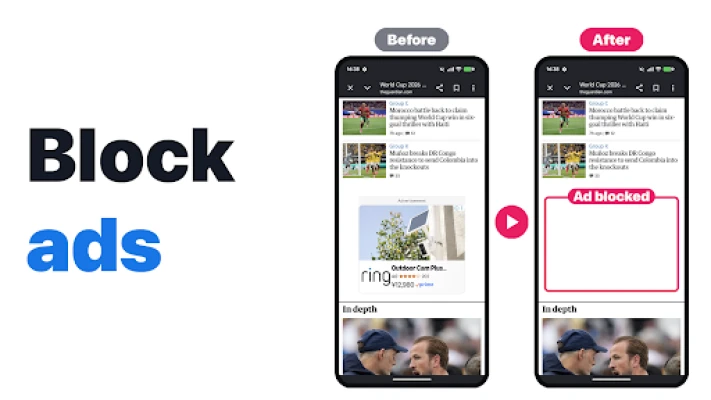
- Integrated ad‑blocking browser – A full‑screen browser that automatically applies filter rules to remove banner ads, video overlays, and pop‑ups.
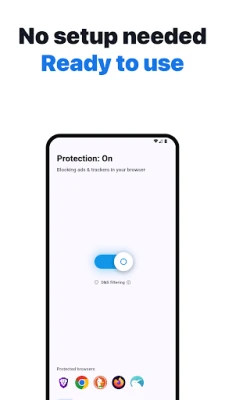
- Device‑wide VPN filtering – When enabled, the app creates a local VPN connection that intercepts DNS requests and blocks known ad and tracker domains across any browser or app that uses the network.
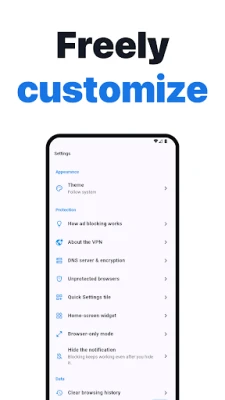
- One‑tap control – A quick‑settings tile and a floating shield button let you toggle protection on or off without leaving the current screen.
- Multi‑tab support – Open several pages at once, pin frequently visited sites, and switch between tabs with swipe gestures.
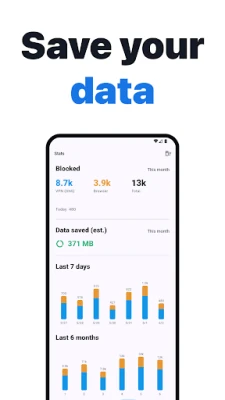
- Real‑time statistics – The interface shows how many requests have been blocked during a session, giving you insight into the level of protection.
How it works
The application uses a local VPN interface that runs entirely on your device. When the VPN is active, DNS queries are examined against a built‑in list of known ad and tracker domains. Requests that match are dropped before they reach the network, preventing the content from loading. Because the traffic never leaves the device, there is no external server involved, which helps preserve privacy and keeps latency low.
Practical uses
- Reduce data consumption by preventing large video ads from downloading.
- Speed up page loads, especially on slower connections.
- Limit exposure to intrusive pop‑ups while reading articles or watching videos.
- Protect against some known malicious domains that are commonly listed alongside ad servers.
Installation information
Ad Blocker Pro is available for purchase at $4.99. After purchasing, download and install the APK from the Appitika page. The app will request permission to create a VPN connection; this is required for the system‑wide filtering feature. Follow the on‑screen prompts to enable the VPN and start blocking.
Things to know before installing
- The VPN filter works for network traffic but does not modify ads that are embedded directly inside other apps, in compliance with Google Play policies.
- Because the app runs a local VPN, you may see a VPN icon in the status bar while protection is active.
- Turning off the VPN or disabling the app will restore normal network behavior.
Who may find it useful?
Anyone who spends a significant amount of time browsing on Android and wants a smoother, less cluttered experience will benefit. The tool is especially handy for users on limited data plans, those who find pop‑ups disruptive, and privacy‑conscious individuals who prefer a solution that does not rely on external servers.
Frequently asked questions
Does Ad Blocker Pro affect my Wi‑Fi or mobile data speed?
The local VPN operates on the device and does not route traffic through remote servers, so any impact on speed is minimal. In many cases, blocking ads actually speeds up page loading.
Can I use the app with other browsers?
Yes. While the built‑in browser provides out‑of‑the‑box protection, the VPN filter applies to any browser or app that accesses the internet.
Is my personal data sent anywhere?
No. All filtering is performed locally; the app does not transmit browsing data to external services.
Rate the App
User Reviews















Popular Apps










 Games
Games Entertainment
 Communication
 E-mail
 Security
 Tools
Tools Media
Media Internet
 Finance
 Design
 Education
 IT Tools
 Travel & Local
 Android
 Windows
 Linux
Linux