

Latest Version
Latest
September 09, 2026
CloudEx Inc.
Tools
Android
7
Free
jp.snowlife01.android.trial2_ad_blocker
Report a Problem
More About Ad Blocker: Block Ads & Popups – CloudEx Inc.
What is Ad Blocker: Block Ads & Popups?
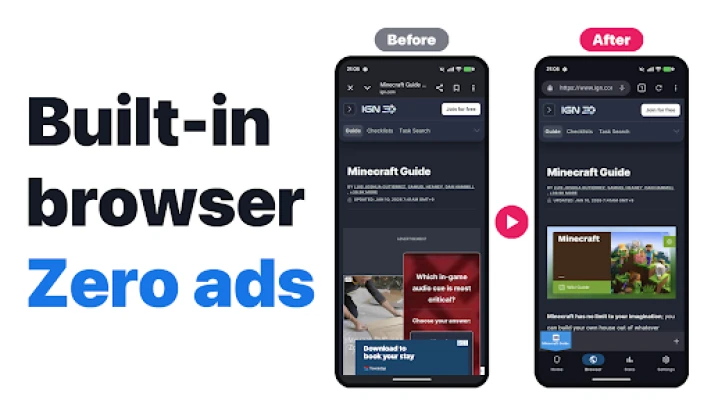
Ad Blocker: Block Ads & Popups is a free Android application developed by CloudEx Inc. It provides ad‑blocking capabilities both inside its own built‑in browser and across other browsers on the device. The app uses a local VPN approach, meaning it filters traffic on the device without sending data to external servers.
Main features
- Built‑in ad‑blocking browser – A dedicated browser that removes most banner, video and pop‑up ads before they appear.
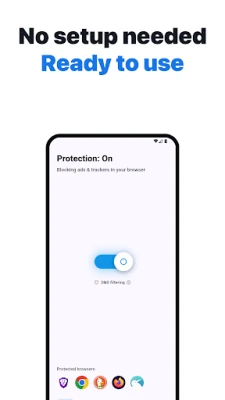
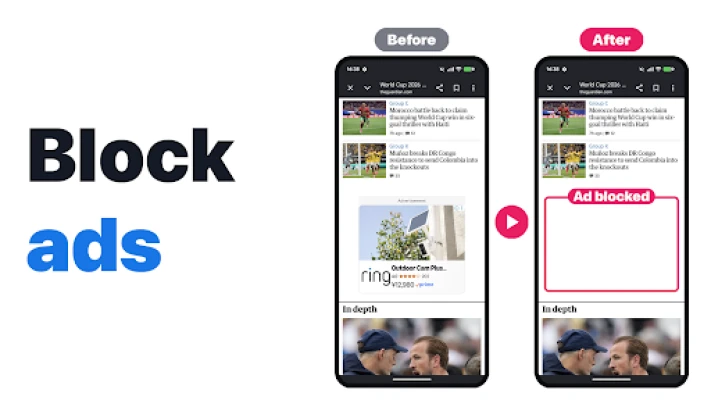
- Device‑wide filtering – DNS‑based rules work with any browser you choose, reducing ads and trackers system‑wide.
- Local VPN technology – All filtering happens locally, preserving privacy and avoiding additional latency.
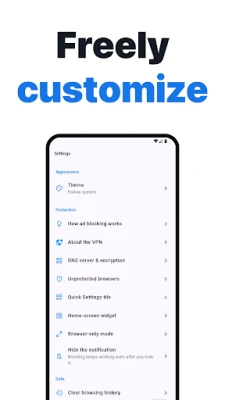
- Quick toggle – A floating shield button and a Quick Settings tile let you enable or disable protection with a single tap.
- Automatic mode – The app can turn protection on only while you are using a browser, keeping the status‑bar icon hidden otherwise.
How it works
The application creates a virtual private network interface on your device. Traffic that passes through this interface is examined against a set of filter rules. When a request matches a rule that identifies an ad or a known tracking domain, the request is blocked locally. Because the VPN is confined to the device, no data leaves your phone for third‑party servers.
Practical uses
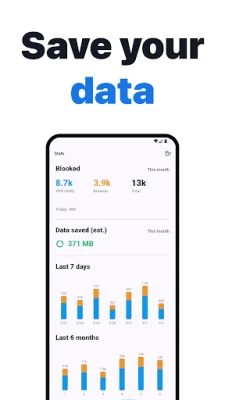
- Reduce data consumption by preventing large video ads from loading.
- Speed up page loads, especially on slower connections.
- Minimize visual clutter for a cleaner reading experience.
- Limit exposure to known tracking domains that collect browsing habits.
Installation information
Install the app from the Android marketplace, then grant the VPN permission when prompted. After the initial setup you can launch the dedicated browser from its home‑screen icon or enable the floating shield to protect other browsers.
Things to know before installing
- The app blocks ads in browsers; in‑app ads shown by non‑browser applications are not affected, in line with platform policies.
- Because it relies on a VPN interface, you may see a VPN icon in the status bar while protection is active.
- Some websites may detect ad‑blocking and request you to disable it to view content.
Who may find it useful?
Anyone who spends time browsing on Android and wants to reduce interruptions from ads will benefit. The tool is especially handy for users on limited data plans, those who prefer faster page loads, or anyone concerned about privacy‑related tracking.
Frequently asked questions
Does the app affect my internet speed?
Because filtering occurs locally and does not route traffic through external servers, the impact on speed is minimal. In many cases, pages load faster because ads are not downloaded.
Is my personal data sent anywhere?
No. The local VPN filters traffic on the device only; it does not forward browsing data to remote services.
Can I use the app with any browser?
Yes. The DNS‑based rules apply to all browsers installed on the device, while the built‑in browser offers an integrated experience.
Do I need to be online to block ads?
Ad blocking works whenever you have an internet connection. The filter rules are stored locally, so they are available offline as well.
Rate the App
User Reviews














Popular Apps










 Games
Games Entertainment
 Communication
 E-mail
 Security
 Tools
Tools Media
Media Internet
 Finance
 Design
 Education
 IT Tools
 Travel & Local
 Android
 Windows
 Linux
Linux