

Latest Version
September 02, 2026
Nobita Inc
Tools
Android
10
Free
com.rapp.secondline
Report a Problem
More About 2nd Line – Virtual Numbers for SMS Verification
What is 2nd Line?
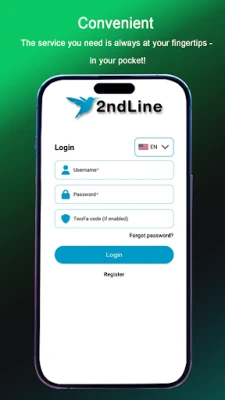
2nd Line, developed by Nobita Inc., is a free Android app that provides virtual phone numbers for receiving SMS messages. The service is aimed at users who need a disposable number for account registration, two‑factor authentication, or any situation where sharing a personal mobile number is undesirable.
Main Features
- Virtual numbers from multiple regions – Access numbers that can receive SMS from services worldwide.
- Instant SMS delivery – Messages appear in the app as soon as they are received.
- Temporary usage – Numbers can be used for short‑term verification or kept longer for ongoing access.
- Free tier – Basic functionality is available without charge.
How It Works
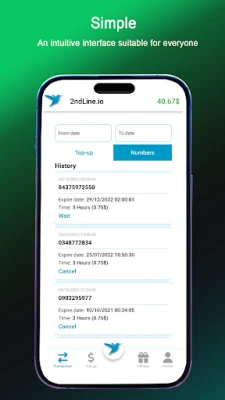
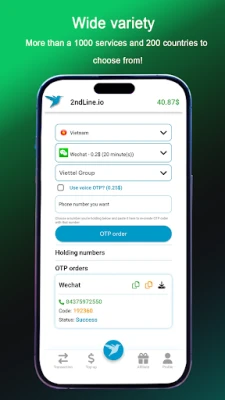
After installing the app, you select a virtual number from the list of available regions. The chosen number is then linked to your device, and any SMS sent to that number is displayed inside the app. Because the numbers are virtual, they are not tied to a physical SIM card, which helps protect your real phone number from exposure.
Practical Uses
- Signing up for online services that require a phone number.
- Receiving one‑time passwords (OTPs) for two‑factor authentication without using your personal line.
- Testing applications that need SMS verification during development.
- Maintaining privacy when posting on forums or marketplaces that request a contact number.
Installation Information
The app can be downloaded from the Google Play Store. Installation follows the standard Android process: tap Install, grant any required permissions, and launch the app. No additional configuration is needed to start receiving messages.
Things to Know Before Installing
- The app may request permission to read SMS messages so it can display incoming texts.
- Virtual numbers are shared resources; availability can vary by region.
- While the basic service is free, some advanced options (such as longer‑term number rental) may involve in‑app purchases.
Who May Find It Useful?
Anyone who values privacy when creating online accounts can benefit from 2nd Line. This includes frequent travelers, developers testing SMS workflows, marketers managing multiple accounts, and everyday users who simply prefer not to expose their personal phone number.
Frequently Asked Questions
Is the app safe to use?
2nd Line operates like other virtual‑number services: it does not store personal data beyond what is necessary to deliver SMS messages. Review the app’s permission list during installation to ensure you are comfortable with the access it requires.
Can I receive messages from any country?
The service offers numbers from a range of countries, but coverage depends on the provider’s current inventory. Check the list within the app for the most up‑to‑date options.
Do I need an internet connection?
Yes. The app relies on an active data connection to receive and display SMS messages.
What happens to the virtual number after I stop using it?
When you release a number or its rental period ends, the number returns to the pool and may be reassigned to another user.
Rate the App
User Reviews














Popular Apps










 Games
Games Entertainment
 Communication
 E-mail
 Security
 Tools
Tools Media
Media Internet
 Finance
 Design
 Education
 IT Tools
 Travel & Local
 Android
 Windows
 Linux
Linux