

Latest Version
Latest
August 22, 2026
2FAS
Tools
Android
104
Free
com.twofasapp
Report a Problem
More About 2FA Authenticator (2FAS) – Free Two‑Factor Security
What is 2FA Authenticator (2FAS)?
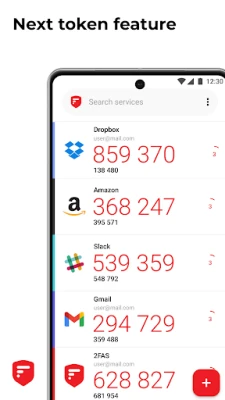
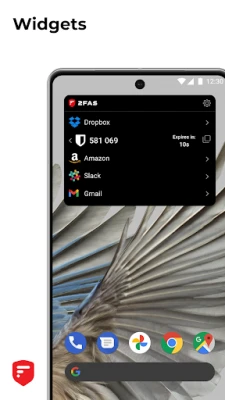
2FA Authenticator, developed by 2FAS, is a free Android application that generates time‑based (TOTP) and counter‑based (HOTP) one‑time passwords. It helps you add an extra layer of security to any service that supports two‑factor authentication.
Main features
- Offline code generation – Works without an internet connection.
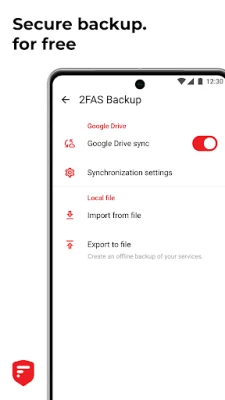
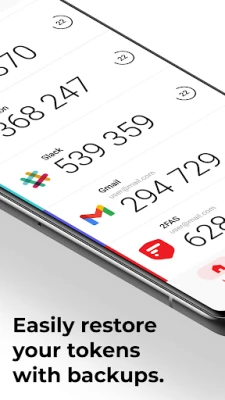
- Backup and restore – Export and import your token list securely.
- App protection – Optional lock with a PIN, pattern, or biometric authentication.
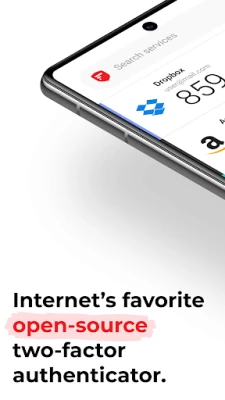
- Open‑source – The code is publicly available for review.
- Multi‑language support – Interface available in several languages.
How it works
After installing the app, you add a new account by scanning a QR code or entering a secret key provided by the service you want to protect. The app then calculates a short numeric code that changes every 30 seconds (TOTP) or after each use (HOTP). When you log in, you enter this code in addition to your regular password.
Practical uses
Any online service that offers two‑factor authentication can be secured with 2FA Authenticator, including email providers, social networks, banking apps, and cloud storage. Using the app reduces the risk of unauthorized access even if your primary password is compromised.
Installation information
The app can be downloaded from the Google Play Store using the package name com.twofasapp. Installation follows the standard Android process: tap “Install,” grant any required permissions, and launch the app.
Things to know before installing
- The app does not store your passwords or personal data.
- All generated codes are kept locally on the device unless you choose to back them up.
- Backup files should be stored securely, as they contain the secret keys for your accounts.
Who may find it useful?
Anyone who wants to protect personal or professional accounts with two‑factor authentication, especially users who prefer an offline, open‑source solution without a cloud‑based account.
Frequently asked questions
Do I need an internet connection to generate codes?
No. The app calculates codes locally, so it works in airplane mode or without data.
Can I sync codes across multiple devices?
Sync is possible by exporting the backup file from one device and importing it on another. The app does not provide automatic cloud sync.
Is the app free forever?
Yes, 2FA Authenticator is released under a free license and does not require a purchase.
Rate the App
User Reviews















Popular Apps










 Games
 Entertainment
 Communication
 E-mail
 Security
 Tools
 Media
 Internet
 Finance
 Design
 Education
 Android Firmwares
 Travel & Local
 Android
 Windows
 Linux