


Latest Version
August 13, 2026
zoom.com
Finance
Android
299
Free
us.zoom.videomeetings
Report a Problem
More About Zoom Workplace – Unified Collaboration for Android
What is Zoom Workplace?
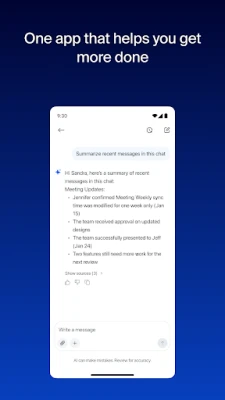
Zoom Workplace is a single Android application that combines several collaboration tools into one interface. It lets you join video meetings, exchange instant messages, make phone calls, edit shared documents, and manage calendar events without switching between separate apps.
Main features
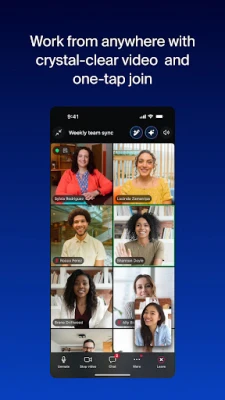
- Video meetings – Start or join a Zoom meeting with a single tap. The app supports screen sharing and basic meeting controls directly from your device.
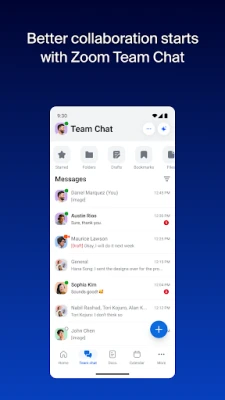
- Team chat – Send direct messages or create group conversations. You can share files, images and links within the chat.
- Phone integration – Place and receive calls using Zoom Phone, including the ability to send SMS messages where supported.
- Document collaboration – Create, edit and comment on shared documents without leaving the app.
- Calendar & email – View upcoming meetings and appointments, and access email linked to your Zoom account.
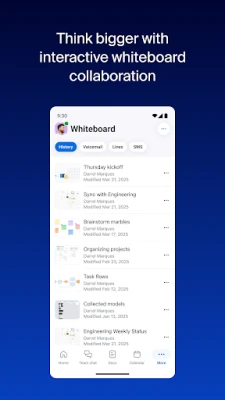
- Whiteboard – Open a virtual whiteboard during a meeting to sketch ideas or annotate together.
How it works
After installing the app, you sign in with your Zoom credentials. The home screen presents a unified dashboard where upcoming meetings, recent chats and recent documents are displayed. Selecting a meeting opens the video interface; tapping a chat thread opens the messaging view. The app uses the same cloud infrastructure as Zoom’s desktop and web services, so any changes you make—such as editing a document or adding a calendar entry—are synchronized across all your devices.
Practical uses
- Remote teams can hold video calls, discuss topics in chat, and edit project files without juggling multiple apps.
- Field workers can join meetings on the go, receive calls, and view schedules while away from a desk.
- Small businesses benefit from having a single point of contact for meetings, phone support and document sharing.
Installation information
The app is available for free on the Google Play Store. Search for “Zoom Workplace” or use the package name us.zoom.videomeetings. After downloading, grant the permissions required for camera, microphone and storage to enable full functionality.
Compatibility
Zoom Workplace runs on Android devices that meet the minimum system requirements defined by Zoom. Specific version numbers are not listed here, but the app generally supports recent Android releases.
Things to know before installing
- A Zoom account is required; free accounts provide basic meeting and chat capabilities, while additional features may need a paid subscription.
- Some advanced functionalities—such as large‑scale webinars or certain AI‑driven tools—might not be available on all devices or in every region.
- Data usage can increase during video calls, so consider a Wi‑Fi connection if you have limited mobile data.
Who may find it useful?
Anyone who regularly participates in video conferences, needs to stay in touch with teammates via chat, or collaborates on shared documents will benefit from having Zoom Workplace on their Android device. It is especially handy for professionals who travel frequently and prefer a single app for all communication needs.
Frequently asked questions
- Do I need a separate app for Zoom Phone? No. Zoom Phone is integrated within Zoom Workplace, so you can make and receive calls directly from the same interface used for meetings and chat.
- Can I use the app offline? Core functions like viewing previously downloaded documents are available offline, but joining meetings or syncing new messages requires an internet connection.
- Is my data secure? Zoom follows its standard security practices for encryption and authentication. Specific security details are managed by Zoom’s service policies.
Rate the App
User Reviews















Popular Apps










 Games
Games Entertainment
 Communication
 E-mail
 Security
 Tools
Tools Media
Media Internet
 Finance
 Design
 Education
 Android Firmwares
 Travel & Local
 Android
 Windows
 Linux
Linux