




Latest Version
Latest
September 16, 2026
VPBANK
Finance
Android
91
Free
com.vpbank.b2b
Report a Problem
More About VPBank NEOBiz – Mobile Banking for Businesses
What is VPBank NEOBiz?
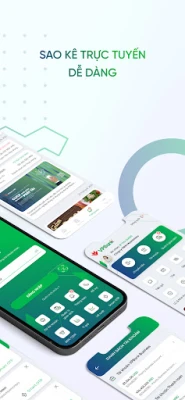
VPBank NEOBiz is a mobile banking solution designed specifically for corporate customers of VPBank. It brings core banking functions to a smartphone, allowing business owners, finance teams and authorized staff to handle daily financial tasks without needing to visit a branch.
Main features
- Secure access – Login can be protected with fingerprint or facial recognition, adding a biometric layer to the traditional password.
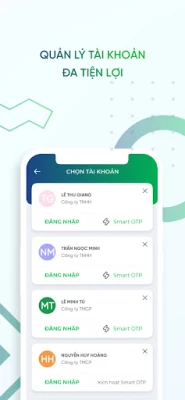
- Role‑based permissions – The app lets administrators assign different rights to users, such as creating payment orders or approving them, which helps keep internal controls clear.
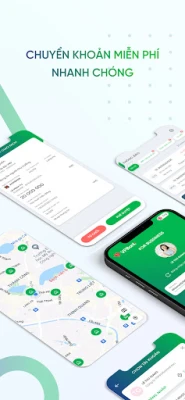
- Instant transfers – Users can initiate internal transfers, fast 24/7 payments and inter‑bank transfers directly from the app.
- Real‑time balance and statements – Account balances update instantly and statements can be exported or sent to email for record‑keeping.
- Branch and ATM locator – A built‑in search shows the nearest VPBank branches, ATMs and cash‑deposit machines.
- Market rates – Current exchange rates and interest‑rate information are displayed within the app.
How it works
After downloading the app from a trusted source, users register with their corporate VPBank account credentials. The first login prompts the setup of a biometric method if the device supports it. Once logged in, the dashboard presents an overview of available accounts, recent transactions and quick‑action buttons for common tasks such as fund transfers or statement requests.
Practical uses
- Approve supplier payments while traveling.
- Monitor cash flow throughout the day without waiting for end‑of‑day reports.
- Send account statements to accountants directly from the phone.
- Locate the nearest VPBank ATM when cash is needed for petty‑cash expenses.
Installation information
The app is free to install. Users should download it from a reputable Android marketplace and ensure their device runs a recent version of Android that supports biometric authentication for the best experience.
Things to know before installing
- Access requires an existing VPBank corporate account; the app does not create new accounts.
- Biometric login works only on devices with the appropriate hardware.
- Internet connectivity is required for real‑time data and transaction processing.
Who may find it useful?
Small‑to‑medium enterprises, startups and larger corporations that already bank with VPBank can benefit from the convenience of managing finances on the go. Finance managers, accountants and authorized staff who need to approve or track transactions will find the role‑based controls particularly helpful.
Frequently asked questions
Is the app compatible with all Android phones?
It works on Android devices that support the operating system version required by VPBank’s security framework and have biometric sensors for fingerprint or facial recognition.
Can I use the app for personal banking?
VPBank NEOBiz is targeted at business accounts. Personal banking features are available in VPBank’s consumer‑focused apps.
How are transactions secured?
In addition to biometric login, the app uses encrypted communication with VPBank’s servers and may require one‑time passwords or other verification steps for high‑value transfers.
Rate the App
User Reviews















Popular Apps










 Games
 Entertainment
 Communication
 E-mail
 Security
 Tools
 Media
 Internet
 Finance
 Design
 Education
 Android Firmwares
 Travel & Local
 Android
 Windows
 Linux