

Latest Version
Latest
September 15, 2026
Horoscope365
Finance
Android
4
Free
com.freeman.moneymanager
Report a Problem
More About Money Tracker – Expense & Budget
What is Money Tracker?
Money Tracker is a free Android app that lets you record income and expenses, organize them into categories, and see how your money moves over time. It is designed for users who want a straightforward way to monitor personal or small‑business finances without complex setups.
Main features
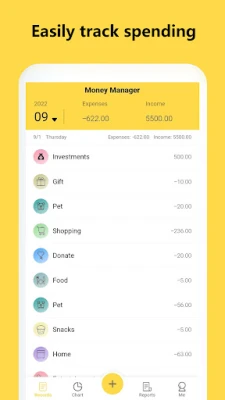
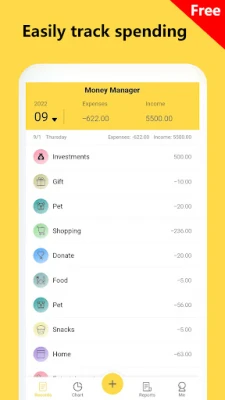
- Expense and income logging – Add transactions quickly with amount, date, and optional notes.
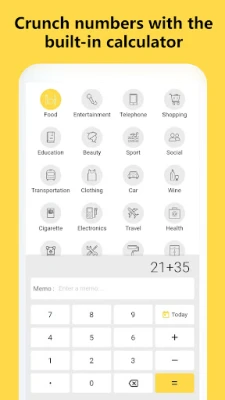
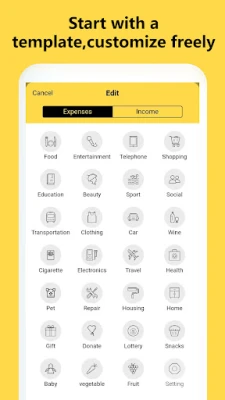
- Category organization – Assign each entry to a category such as Food, Transport, Salary, etc., to keep spending clear.
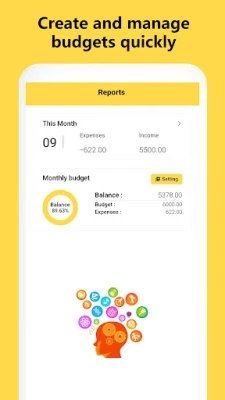
- Budget overview – Define a budget for a period and see how actual spending compares.
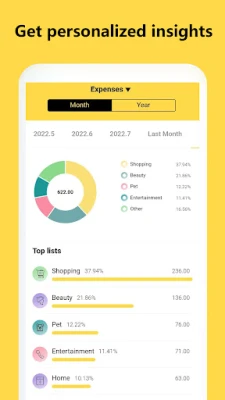
- Simple reports – View daily, weekly, or monthly summaries that highlight total income, total expenses, and net balance.
- Data export – Export your transaction list as a CSV file for further analysis or backup.
How it works
After installing, open the app and create your first transaction by tapping the “Add” button. Choose whether the entry is an income or an expense, enter the amount, pick a date, and select a category. The app automatically updates the running balance and reflects the change in any active budget.
Reports are generated from the stored data; you can switch between view modes (daily, weekly, monthly) to spot trends. The budget screen lets you set a target amount for a chosen period; the app then shows a progress bar indicating how much of the budget has been used.
Practical uses
- Monitoring household spending to identify areas for savings.
- Keeping a record of freelance or side‑gig income and related expenses.
- Planning a vacation budget and tracking actual costs against the plan.
- Maintaining a simple ledger for small business cash flow.
Installation information
The app is available through the Google Play Store. Search for the package name com.freeman.moneymanager or the title “Money Tracker – Expense & Budget” and tap Install. The download size and Android version requirements are shown on the store page.
Things to know before installing
- The app is free to use; no in‑app purchases are required for core functionality.
- Data is stored locally on the device; regular backups are recommended if you rely on the information.
- Permissions are limited to storage access for exporting data and basic device information needed for date and time handling.
Who may find it useful?
Anyone who wants a lightweight tool for tracking personal finances, students managing a limited budget, freelancers handling irregular income, or small business owners needing a simple ledger can benefit from Money Tracker.
Frequently asked questions
Can I sync my data across multiple devices?
Money Tracker stores information locally. To use the same data on another device, export the CSV file from one device and import it on the other.
Is there a way to protect my financial data?
The app does not include built‑in password protection. Users who need extra security should consider using a device‑level lock or encrypting exported files.
What categories are available?
The app comes with common default categories, and you can add custom ones to match your personal spending habits.
Rate the App
User Reviews













Popular Apps










 Games
Games Entertainment
 Communication
 E-mail
 Security
 Tools
Tools Media
Media Internet
 Finance
 Design
 Education
 IT Tools
 Travel & Local
 Android
 Windows
 Linux
Linux