

Latest Version
September 11, 2026
Madze Apps
Finance
Android
10
Free
com.cardvaultwallet.app
Report a Problem
More About Cards: Digital Card Wallet – Your Personal Mobile Wallet
What is Cards: Digital Card Wallet?
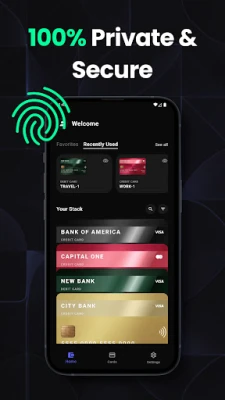
Cards: Digital Card Wallet is a free Android app from Madze Apps that turns your smartphone into a compact, searchable repository for the cards you normally keep in a physical wallet. By keeping the data on the device itself, the app lets you manage payment cards, loyalty cards, membership cards and other digital passes without relying on cloud services.
Main Features
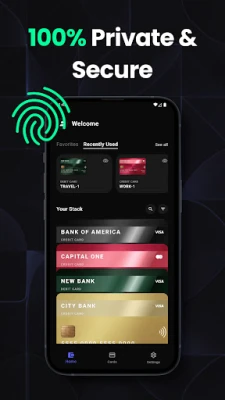
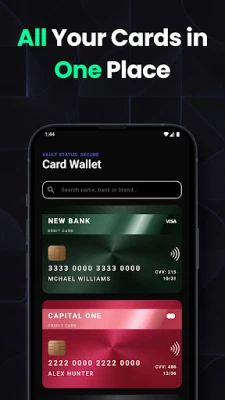
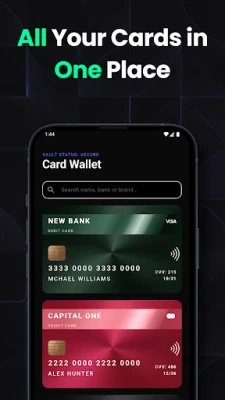
- All‑in‑one storage – Add credit, debit, prepaid, loyalty, and membership cards in a single place.
- Quick access – Tap a card from the home screen or use the app’s search to retrieve it instantly.
- Local‑only data – Card information is saved on the phone; the app does not upload data to external servers.
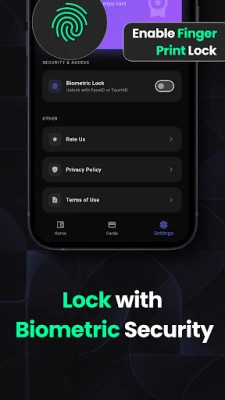
- Biometric protection – Optional fingerprint or face unlock adds an extra layer of security.
- Simple organization – Group cards by type, rename them, and reorder for fast retrieval.
- Lightweight design – The interface is clean and responsive, suitable for daily use.
How It Works
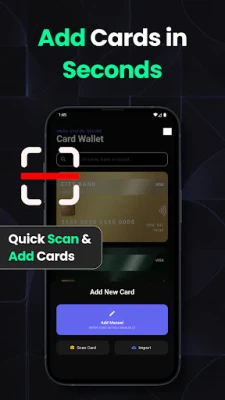
After installing the app, you can start adding cards manually by entering the card number, expiration date and any additional details the app requests. Some cards can be captured with the device’s camera, allowing the app to read the numbers automatically. Once saved, each card appears as a thumbnail that can be tapped to view full details or to copy the number to the clipboard.
The app stores all information in an encrypted database on the device. Because there is no cloud sync, the data remains under your control, and you can back up the app’s data using standard Android backup tools if you wish.
Practical Uses
- Travel – Keep airline loyalty numbers, hotel membership cards and transit passes handy without digging through a physical wallet.
- Everyday purchases – Pull up a credit or debit card quickly when a merchant accepts card numbers entered manually.
- Reward programs – Access loyalty numbers at checkout to earn points without carrying extra cards.
- Emergency situations – With biometric unlock, you can retrieve essential card information even if your physical wallet is lost.
Installation Information
The app is available for free on the Google Play Store. Search for “Cards: Digital Card Wallet” or use the package name com.cardvaultwallet.app to locate it. Installation follows the standard Android process: tap Install, grant the requested permissions (camera for scanning, storage for saving images of cards), and launch the app.
Things to Know Before Installing
- The app does not replace a payment terminal; it stores card details for reference only.
- Because data is stored locally, switching to a new device requires a manual backup and restore.
- Biometric protection is optional; you can also secure the app with a PIN or pattern if preferred.
Who May Find It Useful?
Anyone who prefers a minimalist physical wallet will benefit from this app—students, frequent travelers, and users who collect multiple loyalty or membership cards. It is also handy for people who want a quick way to reference card numbers without exposing them to cloud‑based services.
Frequently Asked Questions
Is my card information safe?
All data is encrypted and kept on the device. The app does not upload information to external servers, and you can enable biometric or PIN protection for additional security.
Can I use the app to make payments?
No. The app is designed for storage and reference only; it does not integrate with payment terminals or NFC payment systems.
What types of cards can I add?
Credit, debit, prepaid, loyalty, membership and other printable cards that contain a number and expiration date can be stored. The app does not support government‑issued IDs or passports.
Do I need an internet connection?
Only for the initial download. After installation, all functions work offline because the data resides on the phone.
Rate the App
User Reviews














Popular Apps










 Games
Games Entertainment
 Communication
 E-mail
 Security
 Tools
Tools Media
Media Internet
 Finance
 Design
 Education
 IT Tools
 Travel & Local
 Android
 Windows
 Linux
Linux