
Latest Version
Latest
September 17, 2026
Blackhawk Network
Finance
Android
39
Free
com.blackhawk.myprepaidcenter
Report a Problem
More About My Card Wallet – Manage Your Prepaid Cards on Android
What is My Card Wallet?
My Card Wallet, developed by Blackhawk Network, is a free Android application that helps you keep your prepaid cards organized in one place. It lets you add cards to your device’s digital wallet, check balances, and retrieve card details when you need them.
Main Features
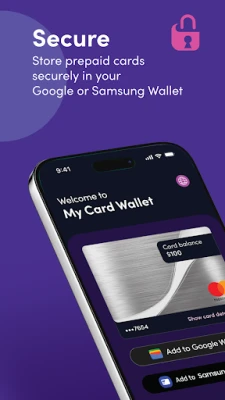
- Card storage – Save multiple prepaid cards securely within the app.
- Balance overview – View the current balance of each card at a glance.
- Digital wallet integration – Add cards to Google Wallet or Samsung Wallet for contact‑less payments in stores and online checkout.
- Quick card details – Access full card numbers, expiration dates and CVV when a merchant does not support mobile‑pay options.
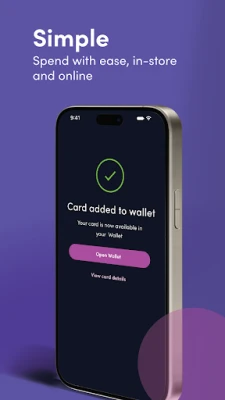
- Simple setup – Guided steps to add a card and set a primary payment method.
How It Works
After installing the app, you create a secure profile and then add a prepaid card by entering its number, expiration date and security code. The app stores this information encrypted on your device. When you choose to add the card to Google or Samsung Wallet, the app transfers the necessary data so you can tap‑to‑pay at compatible terminals or select the card during online checkout.
Practical Uses
- Keep track of multiple gift cards, travel cards or reloadable debit cards without carrying the physical cards.
- Check balances instantly before making a purchase, avoiding declined transactions.
- Use contact‑less payment in stores that accept your prepaid card, reducing the need to type long numbers.
- Retrieve full card details for websites that do not yet support mobile wallets.
Installation Information
The app is available for free on the Google Play Store. Search for “My Card Wallet” or use the package name com.blackhawk.myprepaidcenter. Tap Install, grant the requested permissions, and launch the app to begin adding your cards.
Things to Know Before Installing
- The app requires a device running Android with Google Play Services to enable wallet integration.
- For security, the app stores card data locally; it does not sync cards to a cloud service.
- You will need the original card information (number, expiration, CVV) to add a card.
Who May Find It Useful?
Anyone who uses prepaid cards for gifts, travel, or everyday spending can benefit from a single, organized view of their balances and the ability to pay with a phone. Parents managing allowance cards, frequent travelers with reloadable travel cards, and shoppers who prefer digital wallets will find the app especially handy.
Frequently Asked Questions
Is my card information safe?
My Card Wallet stores data on your device using encryption. The app does not transmit card details to external servers beyond what is required for wallet integration.
Can I add more than one card?
Yes, the app supports multiple prepaid cards. You can set any added card as the primary payment method in your digital wallet.
What if a retailer does not accept mobile payments?
You can open the app, view the full card number and other details, and enter them manually at checkout.
Do I need an internet connection?
An internet connection is required when initially adding a card and when syncing with Google or Samsung Wallet. Balance updates may also need connectivity.
Rate the App
User Reviews














Popular Apps










 Games
Games Entertainment
 Communication
 E-mail
 Security
 Tools
Tools Media
Media Internet
 Finance
 Design
 Education
 Android Firmwares
 Travel & Local
 Android
 Windows
 Linux
Linux