


Latest Version
Latest
September 15, 2026
PayPal Mobile
Finance
Android
97
Free
com.venmo
Report a Problem
More About Venmo – Simple Peer‑to‑Peer Payments
What is Venmo?
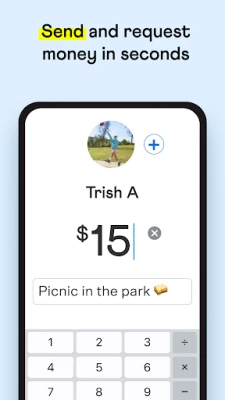
Venmo is a mobile payment service that enables users to transfer money to each other quickly and securely. Developed by PayPal Mobile, the app focuses on making everyday transactions—such as splitting a dinner bill, paying rent, or sending a gift—straightforward and social.
Main Features
- Instant transfers: Send money to contacts in real time, with optional instant bank transfers.
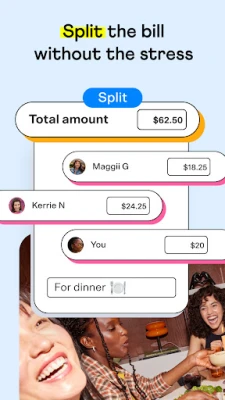
- Expense splitting: Request payments from multiple friends at once and customize each share.
- Notes and emojis: Attach a short message or emoji to each transaction, making payments more personal.
- Linked bank accounts: Connect a bank account or debit card to fund transfers.
How It Works
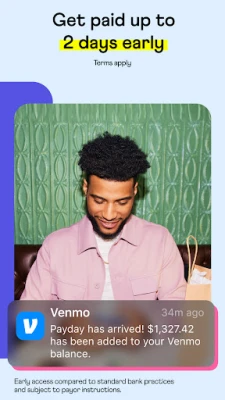
After installing the app, you create a Venmo account using an email address or phone number. Once your account is set up, you can link a bank account, debit card, or credit card to fund payments. To send money, you select a contact, enter the amount, add an optional note, and confirm. Recipients receive a notification and can accept the funds, which appear in their Venmo balance and can be transferred to a linked bank account.
Practical Uses
- Splitting meals, rides, or travel costs with friends.
- Paying rent or utilities to roommates.
- Sending gifts or cash to family members.
- Receiving payments for small freelance jobs or side‑hustles.
Installation Information
The Venmo app is available for free on the Google Play Store. Search for "Venmo" by PayPal Mobile, tap Install, and follow the on‑screen prompts to set up your account.
Things to Know Before Installing
- You must be at least 18 years old and reside in the United States or its territories.
- A valid email address or phone number is required for registration.
- Linking a bank account or card may involve verification steps.
Who May Find Venmo Useful?
Anyone who regularly shares expenses with friends, family, or roommates will benefit from Venmo’s quick and social payment flow. It is also handy for small‑scale sellers or freelancers who need a simple way to receive payments.
Frequently Asked Questions
Is Venmo free to use?
Sending money using a linked bank account or debit card is free. Instant transfers to a bank account may incur a small fee.
Can I withdraw cash from my Venmo balance?
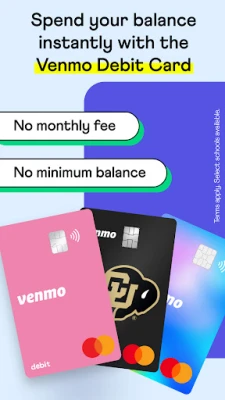
Yes, you can transfer funds to a linked bank account or request a debit card (where available) to access cash.
Is my money secure?
Venmo uses encryption and security measures typical of financial apps, but users should protect their login credentials and enable any available security options.
Rate the App
User Reviews












Popular Apps










 Games
 Entertainment
 Communication
 E-mail
 Security
 Tools
 Media
 Internet
 Finance
 Design
 Education
 Android Firmwares
 Travel & Local
 Android
 Windows
 Linux