

Latest Version
September 17, 2026
Blusalt Inc
Finance
Android
31
Free
net.blusalt.payment_pro_merchant
Report a Problem
More About Payment Pro (Merchant) – Mobile Payments for Small Businesses
What is Payment Pro (Merchant)?
Payment Pro (Merchant) is a free Android app from Blusalt Inc designed to help merchants handle everyday payment tasks from a smartphone. It combines invoicing, payment‑link generation, and basic transaction management in a single interface, allowing business owners to stay on top of cash flow without needing a separate desktop system.
Main features
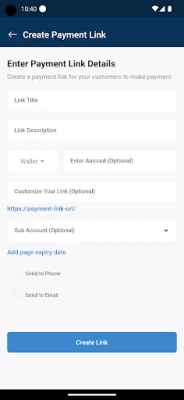
- Custom invoices and payment links – Create simple invoices or generate shareable payment links that can be sent to customers via messaging apps or email.
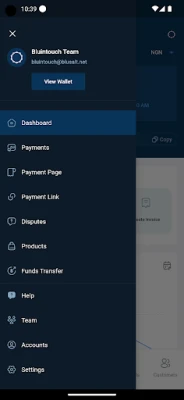
- Terminal and product management – Keep a list of your point‑of‑sale terminals, products and pricing information in the app.
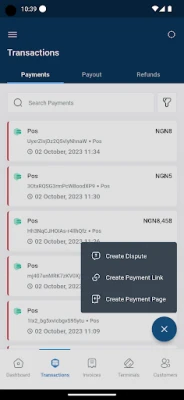
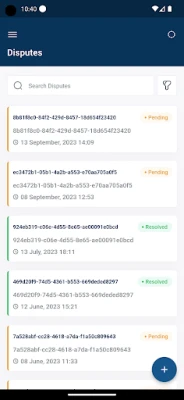
- Transaction overview – View recent payments, filter by date or status, and export basic reports.
- Team access – Add additional users so staff can help process payments or view transaction history.
- Bank settlement – Transfer collected funds to a linked bank account when you are ready.
How it works
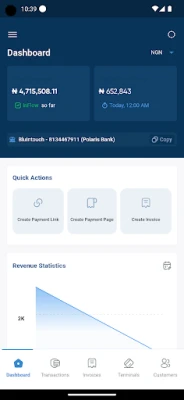
After installing the app, merchants sign in with their existing payment‑service account (or create a new one). The dashboard presents a quick‑access panel for common actions: generate an invoice, share a payment link, or view recent transactions. When a customer pays, the app records the transaction and updates the balance automatically. Funds can be moved to a bank account through the built‑in settlement feature, which typically follows the schedule defined by the payment provider.
Practical uses
Whether you run a coffee shop, a freelance consultancy, or a pop‑up market stall, Payment Pro (Merchant) can simplify the checkout process. Small retailers can issue on‑the‑spot invoices for walk‑in customers, while service providers can email payment links after completing a job. The ability to add team members makes it suitable for businesses with multiple cashiers or sales agents.
Installation information
The app is available through the Google Play Store. Search for the package name net.blusalt.payment_pro_merchant or the title “Payment Pro (Merchant)”. Tap Install and grant the permissions the app requests during setup. Because the app handles financial data, it may ask for access to the device’s storage for exporting reports and to the internet for processing payments.
Things to know before installing
- Make sure your device runs a recent version of Android that supports the Play Store.
- You will need an active merchant account with the underlying payment processor; the app itself does not create a payment gateway.
- Internet connectivity is required for real‑time transaction processing and fund transfers.
Who may find it useful?
Payment Pro (Merchant) is aimed at small‑to‑medium business owners, freelancers, and anyone who needs a portable way to request and receive payments. It is also handy for teams that need shared access to transaction data without a full‑scale ERP system.
Frequently asked questions
- Is the app really free? Yes, the download and core functionality are provided at no cost. Additional services, such as payment processing fees, are determined by the payment provider.
- Can I use the app offline? Basic invoice creation works offline, but payment acceptance and fund transfers require an internet connection.
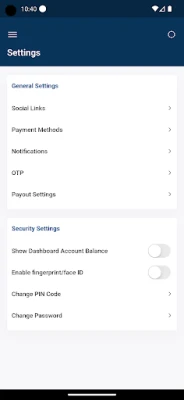
- How secure is my data? The app follows standard Android security practices and communicates with the payment provider over encrypted connections. Specific security certifications are managed by the provider, not the app itself.
Rate the App
User Reviews















Popular Apps










 Games
Games Entertainment
 Communication
 E-mail
 Security
 Tools
Tools Media
Media Internet
 Finance
 Design
 Education
 Android Firmwares
 Travel & Local
 Android
 Windows
 Linux
Linux