Latest Version
Latest
September 16, 2026
DApps Platform, Inc.
Finance
Android
34
Free
com.wallet.crypto.trustapp
Report a Problem
More About Trust: Crypto & Bitcoin Wallet – Secure Mobile Crypto Manager
What is Trust: Crypto & Bitcoin Wallet?
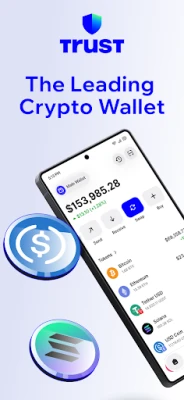
Trust is a mobile cryptocurrency wallet for Android devices. Developed by DApps Platform, Inc., it provides a self‑custody solution that lets you manage a variety of digital assets directly from your phone. Because the wallet stores your private keys locally, you remain in full control of your funds without relying on a third‑party service.
Main features
- Self‑custody – Your private keys are generated and kept on the device, encrypted for added safety.
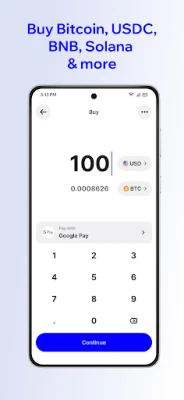
- Multi‑currency support – The app can hold Bitcoin, Ethereum and many other tokens that are compatible with the supported blockchains.
- Send and receive – Simple QR‑code scanning and address entry let you transfer assets quickly.
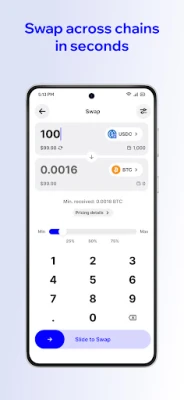
- In‑app token swaps – When supported, you can exchange one cryptocurrency for another without leaving the wallet.
- Free to use – The application is offered at no cost, with no subscription fees.
How it works
When you first launch Trust, the app creates a new wallet and generates a seed phrase. This phrase is the only backup you need; write it down and store it securely. All subsequent transactions are signed locally using the private keys derived from that seed. Because the keys never leave your device, only you can authorize transfers.
Practical uses
- Store everyday crypto holdings such as Bitcoin or Ethereum.
- Receive payments from friends, services or exchanges by sharing your wallet address or QR code.
- Swap tokens directly within the app when you want to diversify or take advantage of market movements.
- Manage multiple assets in a single interface, reducing the need for several separate wallets.
Installation information
The app can be downloaded from the Google Play Store using the package name com.wallet.crypto.trustapp. After installation, open the app, follow the onboarding steps to create or import a wallet, and you’ll be ready to add your first cryptocurrency.
Things to know before installing
- Make sure you have enough storage space for the app and any future updates.
- Back up the seed phrase immediately; losing it means losing access to your funds.
- Keep the app updated to benefit from security improvements and new features.
Who may find Trust useful?
Anyone who wants a straightforward, free way to manage crypto assets on Android will benefit from Trust. It is suitable for beginners who need a simple onboarding experience as well as more experienced users who appreciate having full control over their private keys.
Frequently asked questions
Is Trust a custodial wallet?
No. Trust is a non‑custodial wallet; you retain ownership of your private keys.
Can I import an existing wallet?
Yes. During setup you can choose to import a wallet using a seed phrase or private key.
Does the app charge fees for transactions?
Network fees are required for blockchain transactions and are paid to the network, not to the app. Any swap fees depend on the service used within the app.
Is my data collected by the developer?
The wallet is designed to operate without collecting personal data, but you should review the privacy policy within the app for the latest details.
Rate the App
User Reviews













Popular Apps










 Games
Games Entertainment
 Communication
 E-mail
 Security
 Tools
Tools Media
Media Internet
 Finance
 Design
 Education
 Android Firmwares
 Travel & Local
 Android
 Windows
 Linux
Linux