

Latest Version
August 12, 2026
zoom.com
Finance
Android
348
Free
us.zoom.videomeetings
Report a Problem
More About Zoom Workplace – Unified Collaboration for Android
What is Zoom Workplace?
Zoom Workplace is an Android application that combines several collaboration tools into one package. It lets you join or start video meetings, exchange instant messages, make phone calls, edit shared documents, and manage calendar events without leaving the app. The goal is to reduce the need to switch between separate services and keep your workflow streamlined.
Main features
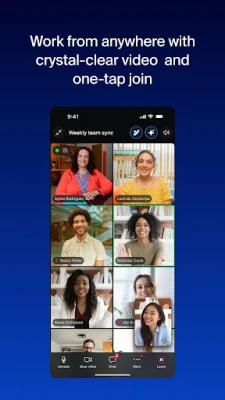
- Video meetings – One‑tap join for scheduled meetings or instant start of a new call. Supports screen sharing and basic controls such as mute, video on/off, and participant management.
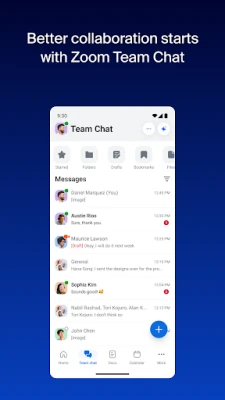
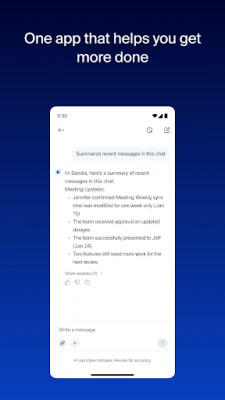
- Team chat – Send direct messages or create group conversations. Messages are stored within the app so you can refer back to past discussions.
- Phone integration – Place and receive voice calls using a Zoom‑provided number, and send SMS messages where supported.
- Document collaboration – Create, edit, and share simple documents with teammates. Changes are saved in the cloud and visible to all participants.
- Calendar & email – View upcoming meetings and appointments, and access a basic email inbox linked to your Zoom account.
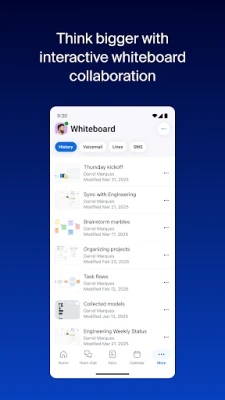
- Whiteboard – A digital canvas for quick sketches or brainstorming during a meeting.
How it works
After installing the app, you sign in with your Zoom credentials. The home screen presents a unified view of upcoming meetings, recent chats, and any pending calls. Selecting a meeting opens the video interface, while tapping a chat thread opens the messaging view. All content is synchronized with Zoom’s cloud services, so you can continue a conversation on another device and pick up where you left off.
Practical uses
- Remote teams can hold video conferences, share notes, and edit documents without needing separate apps.
- Field workers benefit from the ability to join meetings and send messages while on the move.
- Small businesses can use the integrated phone feature to manage calls through a single number.
Installation information
The app is available through the Google Play Store. Search for "Zoom Workplace" or use the package name us.zoom.videomeetings. The download size and Android version requirements are listed on the store page; ensure your device meets those specifications before installing.
Things to know before installing
- The core functionality—video meetings, chat, and basic document editing—is free, but some advanced features may require a paid Zoom Workplace subscription.
- Because the app stores meeting content in the cloud, an internet connection is needed for most activities.
- Permissions typically include access to the camera, microphone, contacts and storage for sharing files.
Who may find it useful?
Anyone who regularly participates in video calls, needs quick messaging, or collaborates on shared documents can benefit. This includes remote workers, project teams, educators, and small‑to‑medium enterprises looking for an all‑in‑one communication solution.
Frequently asked questions
Do I need a Zoom account?
Yes. Signing in with a Zoom account links the app to your existing meetings and contacts.
Can I use the app on a tablet?
The Android version works on tablets as long as the device meets the minimum OS requirement shown in the store listing.
Is there a limit to the number of participants?
Participant limits depend on your Zoom subscription level, not the Android app itself.
How are meetings recorded?
If your Zoom plan includes cloud recording, you can start a recording from within the app and access the file later through your Zoom web portal.
Rate the App
User Reviews















Popular Apps










 Games
Games Entertainment
 Communication
 E-mail
 Security
 Tools
Tools Media
Media Internet
 Finance
 Design
 Education
 Android Firmwares
 Travel & Local
 Android
 Windows
 Linux
Linux