


Latest Version
Latest
August 13, 2026
Wire Swiss GmbH
Finance
Android
332
Free
com.wire
Report a Problem
More About Wire – Secure Messenger for Android
What is Wire?
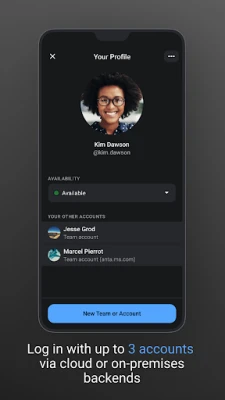
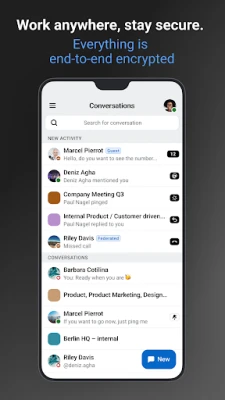
Wire is a communication app designed for people who value privacy and ease of use. It provides end‑to‑end encrypted messaging, voice calls, video calls and file sharing, allowing individuals and small groups to stay connected without compromising their data.
Main features
- End‑to‑end encryption – All messages, calls and shared files are encrypted on the device and can only be read by the intended recipients.
- Text, voice and video – Send instant messages, record audio notes, or start high‑quality voice and video calls directly from the app.
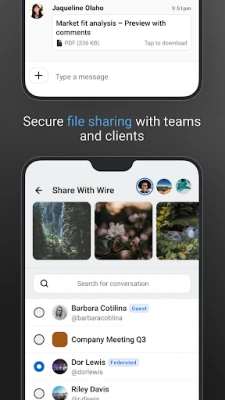
- File sharing – Attach documents, photos, and other files to conversations, with the same level of encryption.
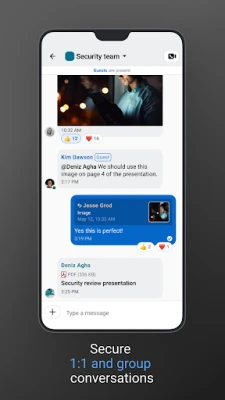
- Group conversations – Create private groups for friends, family, or work teams, and manage participants easily.
- Self‑destructing messages – Set a timer for messages that automatically disappear after they have been read.
- Customizable interface – Choose themes, colors and text size to suit personal preferences.
How it works
When you install Wire, you create an account linked to your phone number or email address. The app generates cryptographic keys on your device; these keys never leave the device, ensuring that only you and the people you communicate with can decrypt the content. Calls and messages are routed through Wire’s servers, but the servers only handle encrypted data, not the plaintext content.
Practical uses
Wire can be useful in a variety of scenarios:
- Personal communication – Keep chats with friends and family private.
- Remote work – Collaborate with teammates through secure group chats and share project files.
- Client interactions – Exchange confidential information with customers or partners without exposing data to third parties.
Installation information
The app is available through the Google Play Store. After downloading, follow the on‑screen prompts to verify your contact information and set up a secure password. No additional configuration is required to start using encrypted messaging.
Things to know before installing
- Wire requires an internet connection (Wi‑Fi or mobile data) for messaging and calls.
- The free version includes core messaging and calling features; additional business‑oriented tools may be offered separately.
- All data is stored on your device unless you choose to back it up through Wire’s optional cloud service.
Who may find Wire useful?
Anyone who wants a straightforward, privacy‑first messaging solution can benefit from Wire. It is especially appealing to users who need secure communication for personal relationships, freelancers handling client data, or small teams looking for an easy‑to‑manage collaboration tool.
Frequently asked questions
Is Wire free to use?
Yes, the basic version of Wire is free and includes encrypted messaging, voice and video calls, and file sharing.
Can I use Wire on multiple devices?
Wire supports synchronization across devices, allowing you to access your conversations from a phone, tablet, or desktop computer after logging in with the same account.
How secure is the encryption?
Wire uses industry‑standard end‑to‑end encryption, meaning that only the participants in a conversation can decrypt the content.
Do I need a separate account for each device?
No. One account can be linked to multiple devices, and each device generates its own encryption keys.
Rate the App
User Reviews















Popular Apps










 Games
Games Entertainment
 Communication
 E-mail
 Security
 Tools
Tools Media
Media Internet
 Finance
 Design
 Education
 Android Firmwares
 Travel & Local
 Android
 Windows
 Linux
Linux