

Latest Version
August 13, 2026
Cisco Systems, Inc.
Finance
Android
308
Free
com.cisco.wx2.android
Report a Problem
More About Webex – Secure Meetings, Messaging & Calls
What is Webex?
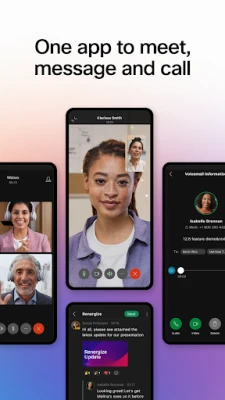
Webex is a communication suite from Cisco Systems that combines video conferencing, instant messaging and voice calling into one Android application. It is designed for individuals and teams who need to stay connected across devices and locations, whether for work, education or personal projects.
Main features
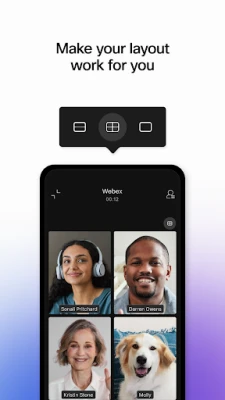
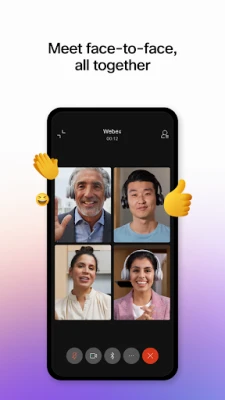
- Video meetings – Join or start high‑definition video calls with participants inside and outside your organization.
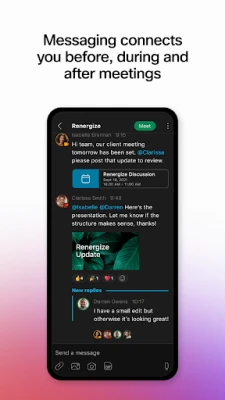
- Instant messaging – Send one‑to‑one or group messages, share files and keep a conversation thread linked to a meeting.
- Voice calling – Use the app as a business phone, place calls, access voicemail and switch between audio and video seamlessly.
- Cross‑platform access – Meetings started on Android can be continued on desktop or web browsers without interruption.
How it works
After installing the app, you sign in with your Cisco, Microsoft or Google account. The home screen presents three primary tabs: Meetings, Messages and Calls. Selecting a tab opens the corresponding workflow:
- Meetings – Schedule a new meeting, copy a join link or enter a meeting ID to connect instantly.
- Messages – Start a chat, add participants by email address, and attach documents directly from your device.
- Calls – Dial a number, view recent calls and manage voicemail from within the same interface.
Practical uses
Webex is useful for:
- Remote teams that need regular video check‑ins.
- Educators conducting virtual classes or office hours.
- Customer support agents who prefer a single app for calls and screen sharing.
- Individuals who want a reliable way to stay in touch with friends and family.
Installation information
The app is available for free on the Google Play Store. Search for "Webex" or use the package name com.cisco.wx2.android to locate the correct listing. Tap Install and wait for the download to complete. The initial launch will prompt you to grant permissions needed for camera, microphone and storage access; these are required for video, audio and file sharing.
Things to know before installing
- Because the app handles video and audio streams, a stable internet connection (Wi‑Fi or cellular) improves call quality.
- The app stores meeting data locally until you sign out, so consider device security settings if the device is shared.
- Some enterprise features, such as advanced meeting controls, may require a corporate subscription; the free version still supports basic meetings and messaging.
Who may find it useful?
Anyone who needs a unified communication tool on Android can benefit from Webex. This includes small business owners, project managers, teachers, students, and remote workers who prefer a single app rather than juggling separate video, chat and phone applications.
Frequently asked questions
Do I need a Cisco account to use Webex?
No. You can sign in with a Cisco, Microsoft or Google account, depending on what your organization supports.
Can I join a meeting without an account?
Yes. If you receive a meeting link, you can join as a guest, though some features may be limited.
Is the app free?
The core app is free to download and use for basic meetings, messaging and calls. Additional premium features may be offered through paid plans.
What devices are supported?
Webex runs on Android smartphones and tablets that meet the Play Store’s minimum requirements. Specific version numbers are listed on the store page.
Rate the App
User Reviews















Popular Apps










 Games
Games Entertainment
 Communication
 E-mail
 Security
 Tools
Tools Media
Media Internet
 Finance
 Design
 Education
 Android Firmwares
 Travel & Local
 Android
 Windows
 Linux
Linux