

Latest Version
Latest
August 12, 2026
Clare.AI
Finance
Android
330
Free
com.clareai.wati
Report a Problem
More About WATI – Team Inbox for WhatsApp
What is WATI?
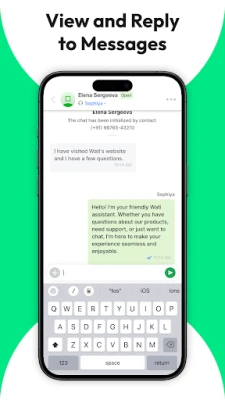
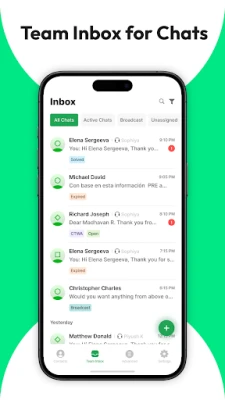
WATI – Team Inbox for WhatsApp is a mobile client that lets businesses and support teams manage a WhatsApp Business account together. Developed by Clare.AI, the app provides a shared inbox where multiple agents can respond to customer chats, organize contacts and run broadcast messages without leaving the phone.
Main features
- Shared team inbox – Multiple users can log in with the same WhatsApp Business account, keeping conversations synchronized across devices.
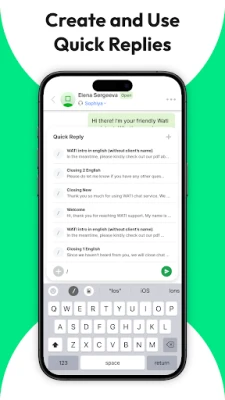
- Quick replies – Save frequently used responses and insert them with a tap to speed up support.
- Broadcast management – Create and monitor WhatsApp Business broadcast messages directly from the app.
- Contact organization – Tag and filter contacts to segment audiences for targeted communication.
How it works
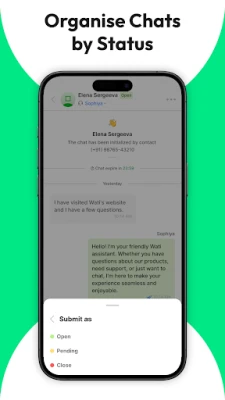
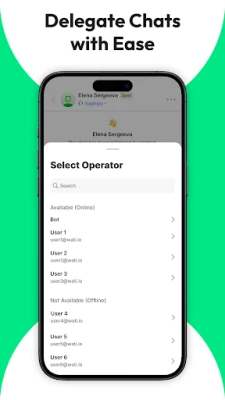
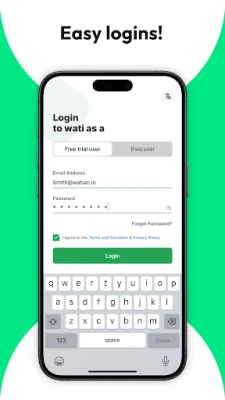
After installing the app, you sign in with the credentials provided by your WATI account. The app connects to the WhatsApp Business API, pulling in all incoming and outgoing messages. Agents can reply, assign chats, or use quick‑reply templates. Broadcasts are composed in the app and sent through the same API, with basic delivery statistics shown after sending.
Practical uses
- Customer support teams can handle inquiries without each agent needing a separate phone number.
- Marketing teams can launch time‑sensitive promotions to large contact lists using the broadcast feature.
- Small businesses can keep a consistent tone by sharing reply templates across the team.
Installation information
Search for WATI – Team Inbox for WhatsApp in the Google Play Store, tap Install, and grant the permissions required for messaging and network access. The app is free to download and use.
Things to know before installing
- You need an active WATI account that is linked to a WhatsApp Business API number.
- The app does not replace the official WhatsApp Business app; it works alongside it as a management layer.
- All messaging is routed through the WhatsApp Business API, so standard WhatsApp policies apply.
Who may find it useful?
Any organization that uses WhatsApp Business for customer interaction—such as e‑commerce stores, service providers, or support centers—can benefit from a shared inbox and the ability to coordinate replies among several agents.
Frequently asked questions
Do I need a separate phone number for each agent?
No. All agents use the same WhatsApp Business number that is linked to your WATI account.
Is the app compatible with all Android devices?
The app runs on devices that support the current Android version required by the Google Play Store. Specific version requirements are listed on the store page.
Can I use the app without an internet connection?
Messaging requires an active internet connection; the app will sync messages once connectivity is restored.
Rate the App
User Reviews














Popular Apps










 Games
Games Entertainment
 Communication
 E-mail
 Security
 Tools
Tools Media
Media Internet
 Finance
 Design
 Education
 Android Firmwares
 Travel & Local
 Android
 Windows
 Linux
Linux