
Latest Version
Latest
September 09, 2026
Pershing
Finance
Android
3
Free
com.primerica.netxinvestor
Report a Problem
More About Primerica Advisors – Account Access for Clients
What is Primerica Advisors?
Primerica Advisors is a mobile application developed by Pershing for clients who participate in the Primerica Advisors Lifetime Investment Program. The app provides a convenient way to view and manage investment information directly from an Android device.
Main features
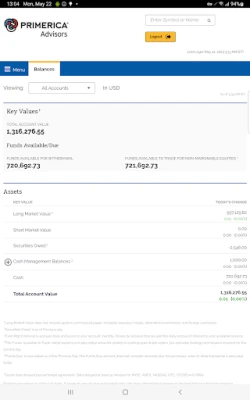
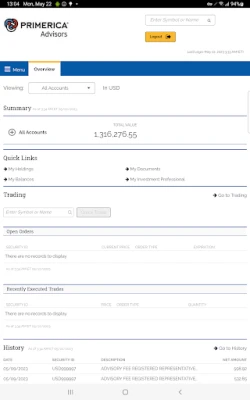
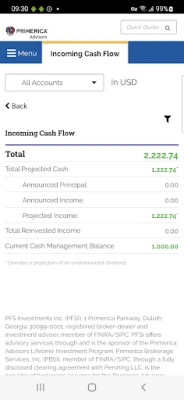
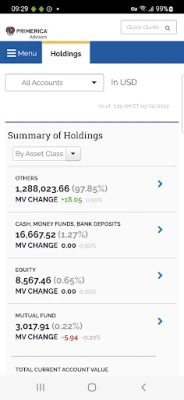
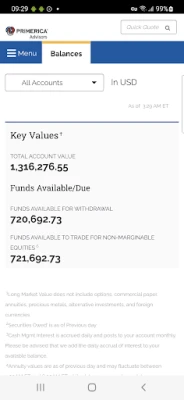
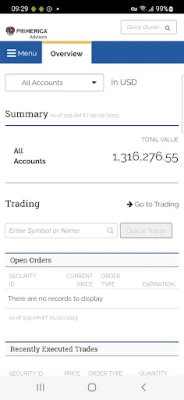
- Account overview – See a summary of your holdings, current value and recent performance.
- Portfolio details – Drill down into individual positions, asset allocation and historical performance.
- Transaction history – Review past trades, deposits, withdrawals and other account activity.
- Document access – Open statements, tax documents and other files that have been uploaded to your account.
- Secure login – Use the credentials provided by Pershing to sign in safely.
How it works
After installing the app, you log in with the username and password associated with your Lifetime Investment Program account. Once authenticated, the app retrieves the latest data from Pershing’s secure servers. All information is displayed in a format optimized for small screens, allowing you to check balances, performance charts and recent activity without needing a desktop computer.
Practical uses
The app is useful for clients who need quick insight into their investments while traveling, during meetings, or whenever a desktop connection is not convenient. It can help you:
- Confirm that a recent trade has been processed.
- Monitor portfolio diversification before making a new investment decision.
- Access the most recent monthly statement for tax or planning purposes.
Installation information
Search for “Primerica Advisors” in the Google Play Store, then tap Install. The download size is not specified, but the app requires a standard Android device with internet connectivity. After installation, open the app and follow the on‑screen prompts to enter your login credentials.
Things to know before installing
- The app is intended exclusively for clients of the Primerica Advisors Lifetime Investment Program. If you are not a registered client, you will not be able to log in.
- All data is transmitted over encrypted connections; however, you should keep your device’s operating system up to date and use a strong device lock.
- No additional fees are associated with the app itself, as it is offered free of charge by Pershing.
Who may find it useful?
Current participants in the Primerica Advisors Lifetime Investment Program who want on‑the‑go access to their account information will benefit most. Financial advisors who manage client portfolios through this program may also use the app to review client data quickly.
Frequently asked questions
Do I need a separate account for the app?
No. The app uses the same credentials you receive when you enroll in the Lifetime Investment Program.
Can I perform trades from the app?
The app is designed for viewing information and accessing documents. It does not provide trading functionality.
What should I do if I forget my password?
Contact Pershing’s client support to reset your login credentials. The app does not include a password‑reset feature.
Is the app compatible with all Android versions?
Specific version requirements are not listed, but the app runs on devices that support the Google Play Store and have a recent Android operating system.
Rate the App
User Reviews











Popular Apps










 Games
Games Entertainment
 Communication
 E-mail
 Security
 Tools
Tools Media
Media Internet
 Finance
 Design
 Education
 IT Tools
 Travel & Local
 Android
 Windows
 Linux
Linux