





Latest Version
Latest
August 28, 2026
VPBANK
Finance
Android
173
Free
com.vnpay.vpbankonline
Report a Problem
More About VPBank NEO – Mobile Banking App
What is VPBank NEO?
VPBank NEO is the official Android application developed by VPBANK for customers who prefer to handle their banking needs on a smartphone. The app provides a digital channel for everyday financial tasks, allowing users to stay connected with their accounts without visiting a branch.
Main capabilities
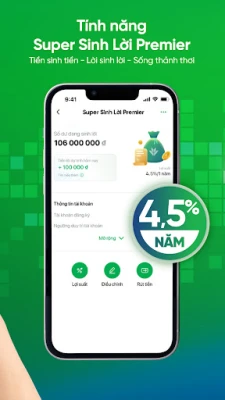
- Account overview – View balances, recent transactions and account details in real time.
- Money transfers – Send funds to other VPBANK accounts or to external banks using the app’s built‑in transfer function.
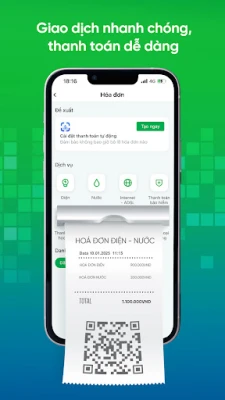
- Bill payments – Pay utilities, phone top‑ups and other recurring bills directly from the app.
- Card management – Activate, block or set limits for debit and credit cards linked to your VPBANK account.
- Security features – The app supports biometric login (fingerprint or face) and transaction verification methods to protect user data.
How it works
After downloading the app from a trusted source, you create a new account or log in with existing VPBANK credentials. The onboarding process includes identity verification, which may involve entering personal details and confirming a one‑time password sent via SMS. Once set up, the dashboard presents a clear overview of your financial status and shortcuts to the most common actions.
Practical uses
Whether you need to check your balance during a commute, transfer money to a family member, or settle a utility bill after work, VPBank NEO puts those functions at your fingertips. The app also allows you to monitor transaction history, helping you keep track of spending and detect any unexpected activity.
Installation information
The application is distributed as a free download. To install, open the Google Play Store on your Android device, search for "VPBank NEO" or use the package name com.vnpay.vpbankonline, and tap Install. The download size and required Android version are not specified, so ensure your device has sufficient storage and runs a recent Android release.
Things to consider before installing
- Make sure you have a stable internet connection for the initial download and for ongoing transactions.
- Keep your device’s operating system up to date to benefit from the latest security patches.
- Prepare your VPBANK account number and any personal identification details that may be required during registration.
Who may find VPBank NEO useful?
The app is aimed at existing VPBANK customers who want a convenient way to manage their finances on the go. It is also suitable for anyone looking for a mobile‑first banking experience that includes basic account management, transfers and bill payments.
Frequently asked questions
- Is the app free to use? Yes, VPBank NEO is offered at no cost.
- Can I use the app without an existing VPBANK account? You need an active VPBANK account to log in and access the features.
- What security measures are in place? The app supports biometric authentication and transaction verification to help protect your data.
- Where can I get support? For assistance, contact VPBANK through the official customer service channels provided within the app or on the bank’s website.
Rate the App
User Reviews














Popular Apps










 Games
 Entertainment
 Communication
 E-mail
 Security
 Tools
 Media
 Internet
 Finance
 Design
 Education
 Android Firmwares
 Travel & Local
 Android
 Windows
 Linux