




Latest Version
Latest
August 17, 2026
VNPAY
Finance
Android
100
Free
com.vnpay.merchant
Report a Problem
More About VNPAY Merchant – Mobile tool for Vietnamese merchants
What is VNPAY Merchant?
VNPAY Merchant is a free Android application developed by VNPAY, a leading payment‑service provider in Vietnam. The app is designed for merchants who accept VNPAY QR codes, VNPAY POS terminals or other VNPAY payment methods. It offers a mobile dashboard where business owners can monitor transactions, check available balances and perform simple account actions without needing a desktop portal.
Main features
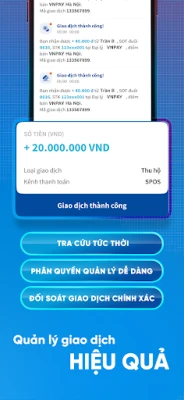
- Transaction overview – View recent sales, filter by date and see the total amount processed through VNPAY channels.
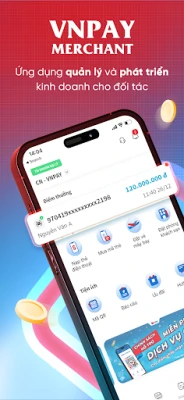
- Balance management – Check the amount of funds that VNPAY has credited to your merchant account and see any pending settlements.
- Withdraw to bank or VNPAY wallet – Initiate a transfer of available funds to a linked bank account or to a VNPAY e‑wallet directly from the app.
- Service marketplace – Use the balance that VNPAY holds for you to purchase selected services such as utility bill payments, mobile top‑up or ticket bookings, all within the same interface.
- Reward points – Earn VNPAY loyalty points for each transaction and view the accumulated total for future redemption.
How it works
After installing the app, merchants log in with the credentials used for their VNPAY merchant account. The home screen presents a summary of today’s sales, the current available balance and any pending settlements. From the navigation menu, users can open detailed transaction lists, start a withdrawal request, or explore the service marketplace. All actions are processed through VNPAY’s secure backend, and confirmations appear as in‑app notifications.
Practical uses
- Small retailers can quickly verify that a day's sales have been recorded correctly.
- Restaurant owners can withdraw cash to their bank account at the end of the shift without visiting a branch.
- Service providers can use earned balances to pay utility bills or purchase prepaid phone cards, reducing the need for separate payment apps.
Installation information
The application is distributed as a free download from the Google Play Store. Search for VNPAY Merchant or use the package name com.vnpay.merchant. The download size and required Android version are not specified, so ensure your device runs a recent version of Android and has sufficient storage.
Things to know before installing
- Only merchants who already have a VNPAY merchant account can use the app; the login credentials are provided by VNPAY.
- All financial operations are subject to VNPAY’s standard terms and conditions.
- Internet connectivity is required for real‑time transaction data and fund transfers.
Who may find it useful?
Any business that accepts VNPAY payments – from street‑side stalls to boutique shops – can benefit from the mobile dashboard. The app is especially handy for owners who need on‑the‑go access to sales data and quick fund withdrawals.
Frequently asked questions
- Do I need a separate VNPAY account? Yes. The app works with an existing VNPAY merchant account.
- Can I use the app to pay my own bills? The marketplace allows you to spend the balance held by VNPAY on selected services such as utilities, mobile top‑up and ticket purchases.
- Is there a fee for withdrawing funds? Withdrawal fees, if any, follow VNPAY’s standard policy and are displayed during the request process.
- What security measures are in place? Authentication relies on the merchant’s VNPAY credentials, and all data transmission is encrypted through VNPAY’s servers.
Rate the App
User Reviews















Popular Apps










 Games
Games Entertainment
 Communication
 E-mail
 Security
 Tools
Tools Media
Media Internet
 Finance
 Design
 Education
 Android Firmwares
 Travel & Local
 Android
 Windows
 Linux
Linux