

Latest Version
Latest
September 01, 2026
Swatch LTD
Finance
Android
7
Free
com.wearonize.swatchpay
Report a Problem
More About Swatch Pay – Contactless Payments with Your Swatch Watch
What is Swatch Pay?
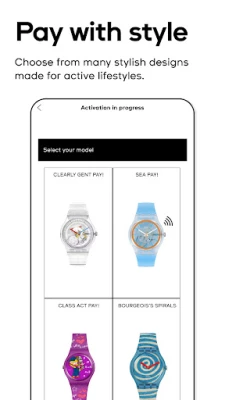
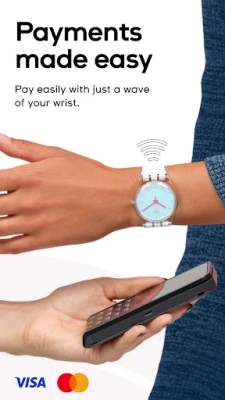
Swatch Pay is a companion app for Swatch smart watches that enables contactless payments. By pairing a supported Swatch watch with the app, you can store a payment card on the watch and pay by simply tapping the device at a compatible terminal.
Main features
- Card linking – Add a Visa, Mastercard or other supported payment card through the app’s secure interface.
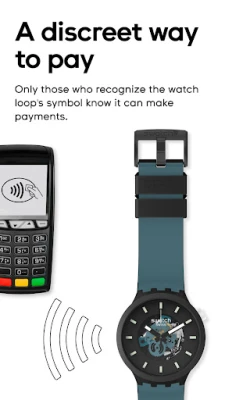
- Tap‑to‑pay – Once linked, the watch works like any other NFC payment method; bring it close to the terminal and the transaction is processed.
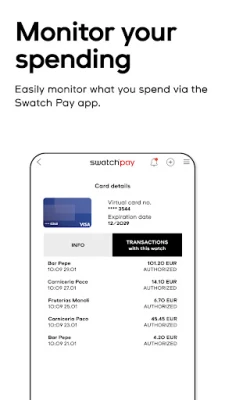
- Spending overview – The app shows a basic list of recent payments, helping you keep track of your activity.
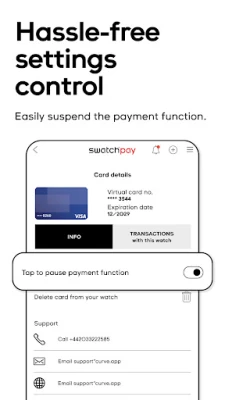
- Remote control – If the watch is misplaced, you can suspend or delete the payment function from the app.
- Battery‑friendly – The payment function is designed to have minimal impact on the watch’s battery life.
How it works
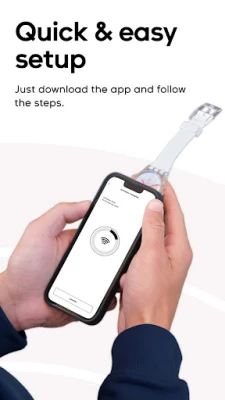
After installing Swatch Pay, you open the app and follow the on‑screen prompts to add a payment card. The app communicates with the watch via Bluetooth, transferring the encrypted card data to the watch’s NFC chip. When you need to pay, the watch presents the token to the terminal, completing the transaction without exposing the actual card number.
Practical uses
- Leave your wallet at home for quick coffee runs or short trips.
- Pay while exercising or swimming, as many Swatch watches are water‑resistant.
- Manage your payment method from the wrist, useful for people who prefer minimal phone interaction.
Installation information
Search for Swatch Pay in the Google Play Store, tap Install, and wait for the download to finish. Once installed, launch the app and follow the setup wizard to pair your Swatch watch.
Compatibility
The app works with Swatch smart watches that support NFC payments. Compatibility details are provided within the app during the pairing process.
Things to know before installing
- You will need a compatible Swatch watch with NFC capability.
- A supported payment card (Visa, Mastercard, etc.) is required to activate the service.
- Internet access is needed during the initial card linking step.
Who may find Swatch Pay useful?
Anyone who already owns a Swatch smart watch and wants a convenient way to pay without pulling out a phone or wallet. It is especially handy for active users who appreciate a water‑resistant device that can handle everyday transactions.
Frequently asked questions
Is my payment information safe?
Swatch Pay stores card data in an encrypted form and uses tokenisation for each transaction, meaning the actual card number is never transmitted to the merchant.
Can I use multiple cards?
The app allows you to add more than one card, but only one can be active for payments at a time. You can switch the active card within the app.
What happens if I lose my watch?
You can suspend or delete the payment function remotely through the app, preventing unauthorized use.
Will using Swatch Pay drain my watch’s battery quickly?
The payment feature is designed to be low‑power; most users report negligible impact on daily battery life.
Rate the App
User Reviews














Popular Apps










 Games
Games Entertainment
 Communication
 E-mail
 Security
 Tools
Tools Media
Media Internet
 Finance
 Design
 Education
 IT Tools
 Travel & Local
 Android
 Windows
 Linux
Linux