

Latest Version
Latest
August 22, 2026
State Farm Insurance
Finance
Android
159
Free
com.statefarm.pocketagent
Report a Problem
More About State Farm® – Insurance Management & Claims
What is the State Farm® app?
The State Farm® app is a mobile tool provided by State Farm Insurance that lets policyholders access their insurance information and services directly from an Android phone. It consolidates common tasks such as viewing policy details, paying premiums, filing claims, and requesting roadside assistance into a single, secure interface.
Main features
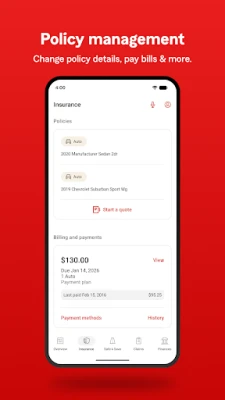
- Policy overview – See a summary of your auto, home, renters, or other State Farm policies, including coverage limits and deductible information.
- Bill payment – Pay upcoming premiums quickly using saved payment methods, including support for Google Pay where available.
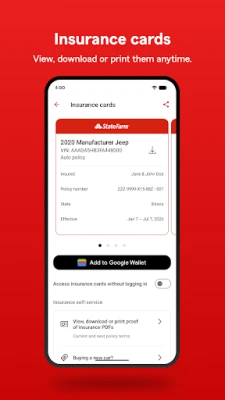
- Digital insurance card – View your insurance card on the screen and add it to Google Pay for easy access when needed.
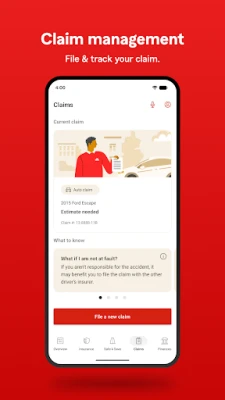
- Claims filing – Start a new claim for vehicle, property, or glass damage, upload photos, and provide basic details without calling.
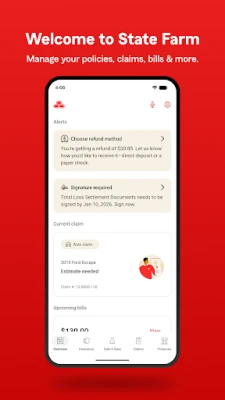
- Claims tracking – Monitor the progress of an open claim, receive status updates, and see estimated timelines.
- Roadside assistance – Request help for flat tires, dead batteries, lockouts, or other emergencies directly from the app.
- Secure login – Use a PIN, fingerprint, or facial recognition to protect your account.
- Messaging support – Send a secure message to State Farm representatives for non‑urgent questions.
- Notifications – Get reminders for upcoming payments, claim updates, and personalized alerts.
How it works
After downloading the app, you create or sign in to your State Farm account using your existing online credentials. The app authenticates your identity and then presents a dashboard tailored to the policies linked to your account. From there, you can tap any section—such as "Pay Bill" or "File a Claim"—to start the corresponding workflow. The interface guides you step‑by‑step, prompting for required information and allowing you to attach photos or documents as needed.
Practical uses
- Pay a premium before the due date while you’re on the go.
- Check your coverage limits before renting a car.
- File a claim after a minor fender‑bender and receive a claim number instantly.
- Request roadside help when you’re stranded, without needing to search for a phone number.
- Keep a digital copy of your insurance card handy for police checks or rental agencies.
Installation information
The app is available for free from the Google Play Store. Search for "State Farm" or use the package name com.statefarm.pocketagent to locate the official version. Installation follows the standard Android process: tap "Install," wait for the download, and then open the app to begin setup.
Things to know before installing
- You will need an existing State Farm account or must create one during the onboarding process.
- Some features, such as Google Pay integration, require the corresponding service to be set up on your device.
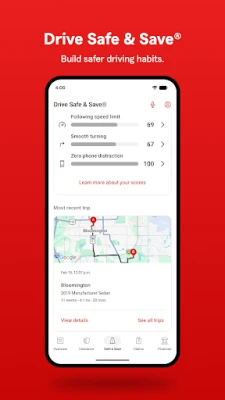
- Location services may be used when you request roadside assistance or enable certain safety programs.
Who may find it useful?
Current State Farm policyholders who want quick access to their insurance information, as well as anyone considering a State Farm policy and looking for a convenient way to manage it, will benefit from the app. Drivers who travel frequently and need reliable roadside assistance can also rely on the built‑in request feature.
Frequently asked questions
Is the app free?
Yes, the State Farm® app can be downloaded and used at no cost.
Can I add my insurance card to Google Pay?
Yes, the app includes an option to add a digital version of your card to Google Pay for easy access.
What should I do if I forget my login PIN?
Use the "Forgot PIN" link on the login screen to reset it via your registered email address.
Are my personal details secure?
The app uses industry‑standard encryption and offers biometric login options to protect your information.
Rate the App
User Reviews














Popular Apps










 Games
 Entertainment
 Communication
 E-mail
 Security
 Tools
 Media
 Internet
 Finance
 Design
 Education
 Android Firmwares
 Travel & Local
 Android
 Windows
 Linux