

Latest Version
Latest
August 21, 2026
PayPal Mobile
Finance
Android
188
Free
com.paypal.android.p2pmobile
Report a Problem
More About PayPal – Pay, Send, Save
What is PayPal – Pay, Send, Save?
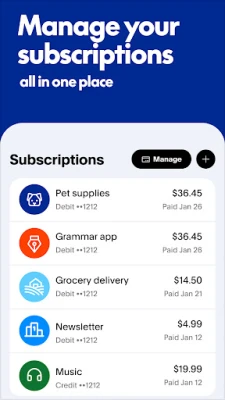
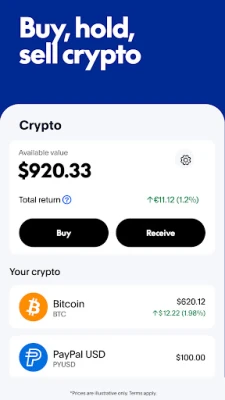
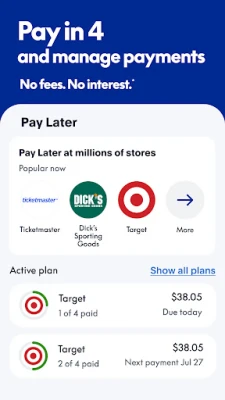
PayPal – Pay, Send, Save is the official mobile client for PayPal’s digital wallet. It lets you access your PayPal balance, move money to friends or merchants, and keep track of promotions tied to your account.
Main features
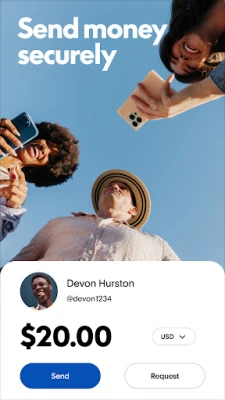
- Send and request money – Transfer funds to contacts in supported countries or request payments with a few taps.
- Balance management – View your current PayPal balance, recent transactions, and linked bank or card details.
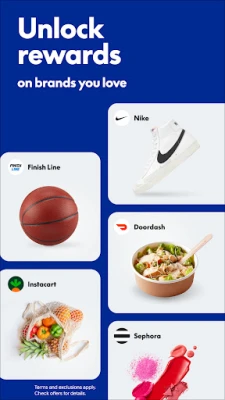
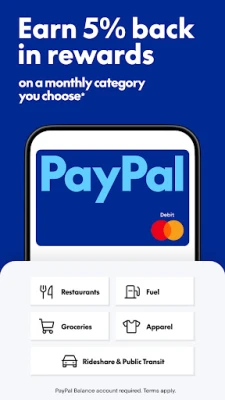
- Cash‑back and rewards – Browse available cash‑back offers and redeem points where applicable.
- Secure authentication – Use fingerprint, face recognition, or a PIN to protect access to the app.
- Transaction history – Search and filter past payments, refunds, and merchant purchases.
How it works
After installing the app, you sign in with your existing PayPal credentials. The home screen presents a summary of your balance and quick actions for sending money or viewing offers. When you initiate a payment, you choose a recipient from your contacts or enter an email/phone number, specify the amount, and confirm. Incoming payments appear instantly in the balance view.
Practical uses
- Splitting a dinner bill with friends.
- Paying for online purchases without sharing card details.
- Receiving freelance or small‑business payments directly to your PayPal account.
- Tracking cash‑back promotions while you shop.
Installation information
The app is available for free on the Google Play Store. Search for the package name com.paypal.android.p2pmobile or the app title and tap “Install.” A stable internet connection is required for the initial download and for subsequent transactions.
Things to know before installing
- You need an existing PayPal account; the app does not create new accounts.
- Supported countries and currencies vary; check PayPal’s website for the latest list.
- Some features, such as cash‑back offers, may be limited to specific regions or merchants.
Who may find it useful?
Anyone who regularly sends or receives money digitally—students, freelancers, small business owners, and travelers—will benefit from the convenience of managing payments on a mobile device.
Frequently asked questions
Is the app free to use?
Downloading and installing the app is free. Sending money to friends or family in the United States is free when funded from a linked bank account or PayPal balance. Other transaction types may incur fees as described by PayPal.
Can I link multiple bank accounts?
Yes. Within the app’s settings you can add, verify, and remove bank accounts or cards that you wish to use for funding or withdrawing.
How secure is the app?
The app uses industry‑standard encryption and supports biometric authentication. Always keep your device’s operating system up to date and enable a strong lock screen.
Rate the App
User Reviews












Popular Apps










 Games
 Entertainment
 Communication
 E-mail
 Security
 Tools
 Media
 Internet
 Finance
 Design
 Education
 Android Firmwares
 Travel & Local
 Android
 Windows
 Linux