
Latest Version
September 09, 2026
The N&D® Group
Finance
Android
3
Free
com.nd.myinsurance
Report a Problem
More About My Insurance® Mobile Account – Manage Your Policies on the Go
What is My Insurance® Mobile Account?
My Insurance® Mobile Account is a free Android app from The N&D® Group that lets policyholders view and manage their insurance information from a smartphone. The app centralises data for home, auto and business policies, giving you a convenient way to stay on top of coverage, billing and communication with your insurer.
Main features
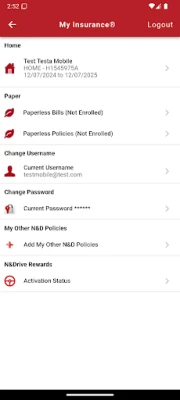
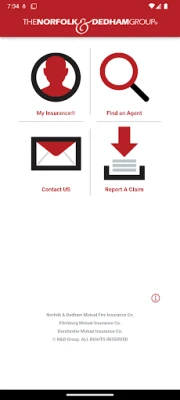
- Policy overview – See key details for each of your N&D policies, including coverage limits, effective dates and agent information.
- Bill payment options – Pay outstanding invoices, set up scheduled payments or enable automatic payments using the payment method you prefer.
- Billing history – Review past statements and payment records without needing to dig through email or paper documents.
- Claims and support – Initiate a claim or contact customer service directly from the app, with quick‑access links to phone, email or chat.
- Paperless preferences – Opt‑in to receive electronic bills and policy documents, reducing clutter and speeding up access.
- Agent connection – Store your independent agent’s contact details and launch a call or email with a single tap.
How it works
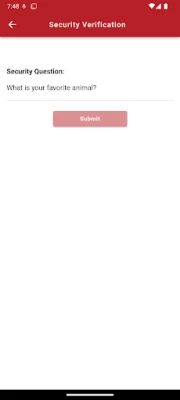
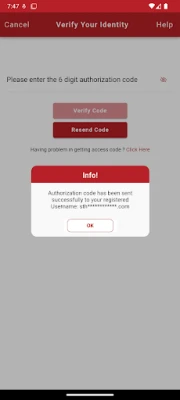
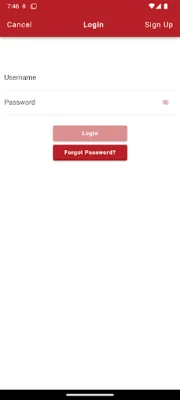
After downloading the app, you create or sign in to a My Insurance® account using your policy number. Once authenticated, the app synchronises your policy data from The N&D® Group’s servers. All interactions – from viewing a policy summary to submitting a payment – happen within the secure app environment.
Practical uses
- Check coverage limits before a trip or a home renovation.
- Set up AutoPay to avoid missed due dates.
- Download a recent bill to attach to expense reports.
- Report a minor incident while you’re on the road, using the claim shortcut.
- Find the nearest independent agent when you need in‑person assistance.
Installation information
The app is available for free on the Google Play Store. Search for "My Insurance® Mobile Account" or use the package name com.nd.myinsurance to locate it. Installation follows the standard Android process: tap Install, grant the requested permissions, and launch the app.
Things to know before installing
- The app requires an active internet connection for initial login and for syncing policy data.
- Some features, such as payment processing, may depend on third‑party services; the app will guide you through any additional steps.
- All personal and payment information is stored according to The N&D® Group’s privacy policy, which you can review within the app.
Who may find it useful?
Any existing customer of The N&D® Group who holds one or more insurance policies can benefit from the app. It is especially handy for busy individuals who prefer digital billing, frequent travelers who need quick policy checks, and small‑business owners who manage multiple coverage types from a single device.
Frequently asked questions
Do I need an existing My Insurance® account?
Yes. If you already have an online account, simply sign in. New users can register using their policy number directly in the app.
Can I add multiple policies?
Absolutely. The app supports linking several home, auto or business policies under the same login, allowing you to switch between them effortlessly.
Is the payment feature secure?
Payments are processed through encrypted connections and use the payment method you select. The app does not store raw card numbers; it relies on trusted payment gateways.
What if I lose my phone?
You can log in to your account from another device or the web portal. It is advisable to enable a screen lock and, if available, remote wipe through Android’s Find My Device service.
How do I contact support?
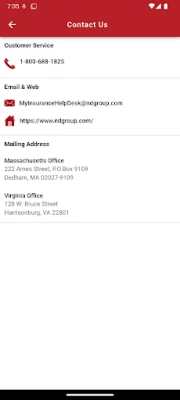
Within the app, use the “Contact Us” section to start a chat, call the support line, or send an email. Your policy number is automatically attached to the request.
Rate the App
User Reviews













Popular Apps










 Games
Games Entertainment
 Communication
 E-mail
 Security
 Tools
Tools Media
Media Internet
 Finance
 Design
 Education
 IT Tools
 Travel & Local
 Android
 Windows
 Linux
Linux