
Latest Version
Latest
August 16, 2026
MTN
Finance
Android
90
Free
com.consumerug
Report a Problem
More About MTN MoMo – Mobile Money Management
What is MTN MoMo?
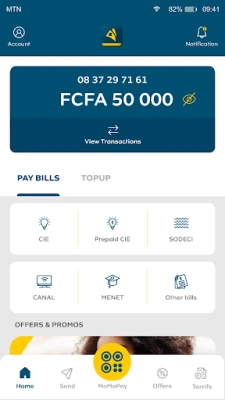
MTN MoMo is a mobile‑money application developed by MTN. It provides a digital wallet that lets users move money, purchase airtime, pay utility bills and handle everyday financial tasks without needing a traditional bank account.
Main features
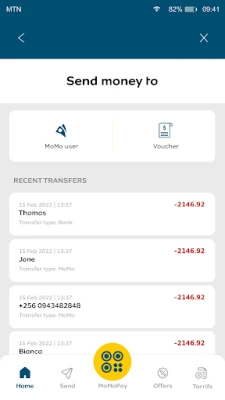
- Peer‑to‑peer transfers – Send cash instantly to contacts who also use the service.
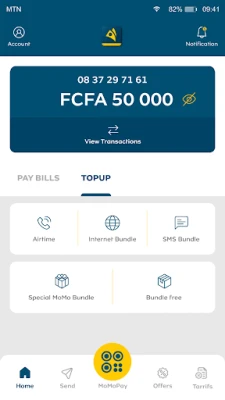
- Airtime top‑up – Recharge your own phone or that of a friend in a few taps.
- Bill payments – Pay electricity, water, internet and other recurring bills directly from the app.
- Merchant payments – Use the wallet to settle purchases at participating merchants.
- Transaction history – View a chronological list of all incoming and outgoing payments.
How it works
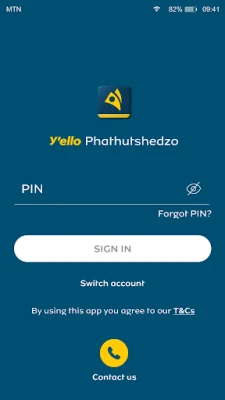
After installing the app, you register with your mobile number and create a secure PIN. Funds are added to the wallet by depositing cash at an MTN agent, linking a bank account, or receiving transfers from other users. Once the balance is available, you can choose the desired service – for example, selecting a contact, entering an amount, and confirming with your PIN.
Practical uses
- Send money to family members living in another city quickly and securely.
- Top up your own or a relative’s phone credit without visiting a retailer.
- Pay monthly utility bills from home, avoiding queues.
- Shop at participating stores that accept mobile‑money payments.
Installation information
The app is available for free on the Google Play Store. Search for "MTN MoMo" and tap Install. The download size is modest, and the installation process follows the standard Android flow.
Things to know before installing
- Ensure your device runs a recent version of Android that supports the Play Store.
- You will need an active MTN mobile number to register and use the wallet.
- Keep your PIN confidential; it protects access to your funds.
Who may find it useful?
Anyone who uses MTN services and prefers a cash‑less way to handle everyday payments will benefit. The app is especially handy for users without a traditional bank account, frequent travelers within the MTN network, and small business owners who receive payments from customers.
Frequently asked questions
Is there a fee for sending money?
Fees, if any, are set by MTN and may vary by transaction type. Check the app’s fee schedule for the latest information.
Can I link a bank account?
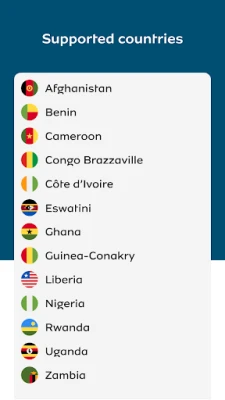
Linking a bank account is supported where MTN offers that integration. The option appears during the setup process if it is available for your region.
What should I do if I forget my PIN?
Use the "Forgot PIN" feature in the app to reset it. You will need to verify your identity through the registered mobile number.
Rate the App
User Reviews














Popular Apps










 Games
Games Entertainment
 Communication
 E-mail
 Security
 Tools
Tools Media
Media Internet
 Finance
 Design
 Education
 Android Firmwares
 Travel & Local
 Android
 Windows
 Linux
Linux