Latest Version
Latest
August 26, 2026
MTN
Finance
Android
143
Free
com.mtn.merchantapp
Report a Problem
More About MoMo Merchant – Mobile Payments for Small Businesses
What is MoMo Merchant?
MoMo Merchant is a free Android application developed by MTN that provides a mobile‑first way for merchants and small business owners to handle everyday financial tasks. The app focuses on simplifying cash flow, allowing users to accept payments, settle supplier invoices, and keep a record of transactions without needing a separate point‑of‑sale system.
Main features
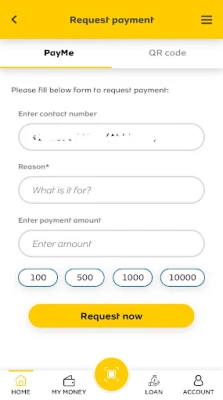
- Receive customer payments – Generate a payment request that customers can settle instantly using their mobile wallets.
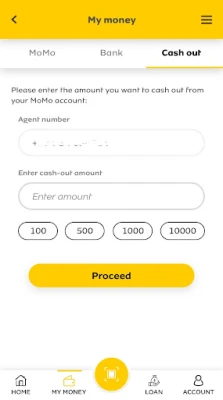
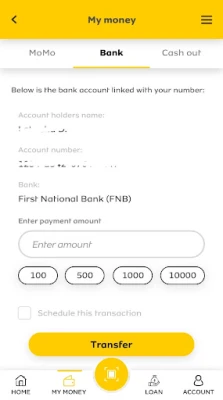
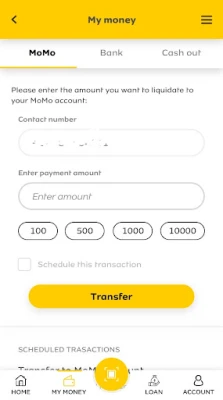
- Pay bills and salaries – Send payments for utilities, supplier invoices or employee salaries directly from the app.
- Transaction history – View a chronological list of incoming and outgoing payments, with basic details such as amount, date and counterpart.
- Airtime and bill services for customers – Offer to top‑up mobile airtime or pay utility bills on behalf of clients, expanding the range of services your business can provide.
How it works
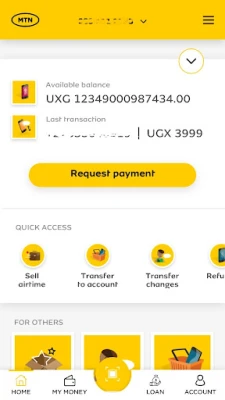
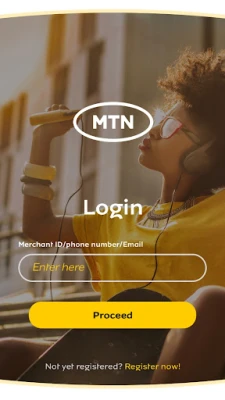
After installing the app, merchants create a profile linked to their MTN account. Once set up, the interface provides a simple dashboard where users can choose the type of transaction they need to perform. For incoming payments, a QR code or numeric reference can be shared with the payer. Outgoing payments require the merchant to enter the recipient’s mobile number or bill reference, confirm the amount, and authorize the transaction.
Practical uses
- Street vendors can accept digital payments instead of handling cash.
- Small retailers can settle supplier invoices quickly, reducing the need for bank visits.
- Service providers (e.g., electricians, plumbers) can request payment after completing a job and receive confirmation instantly.
- Businesses that sell airtime or pay utility bills for customers can do so from a single screen, improving efficiency.
Installation information
The app is distributed through the Google Play Store. Search for MoMo Merchant or use the package name com.mtn.merchantapp. Tap Install and wait for the download to complete. The installation size is modest, and the app does not require additional plug‑ins.
Things to know before installing
- The app requires an active MTN mobile account to link payments.
- Internet connectivity (mobile data or Wi‑Fi) is needed for transaction processing.
- Permissions are limited to those necessary for network access and basic device information; the app does not request access to contacts or location.
Who may find MoMo Merchant useful?
Anyone who runs a small shop, market stall, or service‑based business and wants a straightforward way to accept digital payments and manage outgoing payments will benefit from MoMo Merchant. It is also handy for entrepreneurs who provide ancillary services such as airtime resale or utility bill payments for their customers.
Frequently asked questions
Is there a cost to use MoMo Merchant?
The application itself is free to download and install. Transaction fees, if any, are applied by the underlying mobile payment network and are not set by the app.
Can I use the app on tablets?
Yes, the app runs on Android tablets that meet the standard system requirements for Google Play apps.
What should I do if a transaction fails?
Check your internet connection, ensure the recipient’s mobile number is correct, and verify that your MTN account has sufficient balance or credit. The app provides an error message that can guide further steps.
Rate the App
User Reviews










Popular Apps










 Games
 Entertainment
 Communication
 E-mail
 Security
 Tools
 Media
 Internet
 Finance
 Design
 Education
 Android Firmwares
 Travel & Local
 Android
 Windows
 Linux