

Latest Version
Latest
August 16, 2026
MTN GROUP FINTECH (PTY) LTD
Finance
Android
92
Free
mtnft.momo.consumer
Report a Problem
More About MoMo – Mobile Money Management App
What is MoMo?
MoMo is a mobile‑first financial application developed by MTN GROUP FINTECH (PTY) LTD. It is designed to give users a convenient way to handle everyday money‑related activities without needing to visit a bank or a physical outlet. The app focuses on core mobile‑money functions such as peer‑to‑peer transfers, bill payments and basic account management.
Main Features
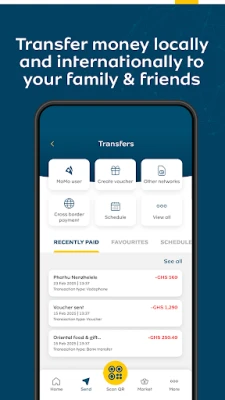
- Send and receive money – Transfer funds to contacts or receive payments directly into your MoMo account.
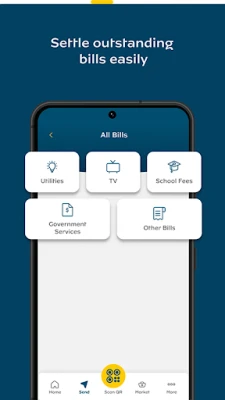
- Bill payments – Pay utilities, school fees or other recurring charges from the app.
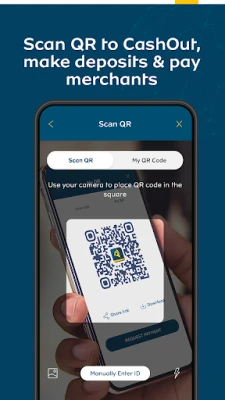
- QR code payments – Scan a merchant’s QR code to complete a purchase instantly.
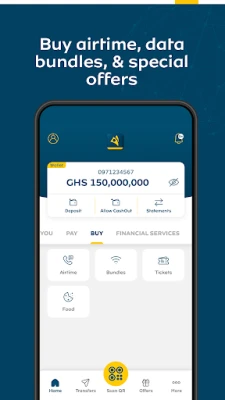
- Top‑up services – Purchase airtime or data bundles for your mobile line.
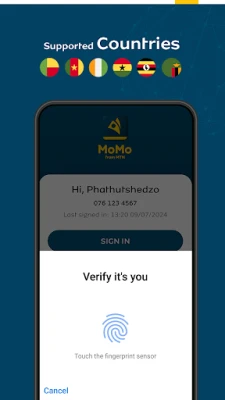
- Secure login – Use device biometrics (fingerprint or face) to access the app quickly and safely.
How It Works
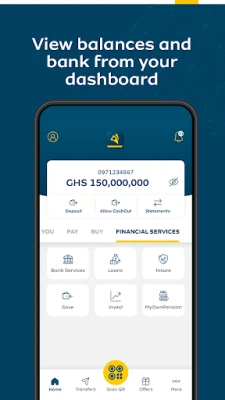
After installing MoMo, you create an account by providing basic personal details and linking a mobile number. Once the account is verified, you can add funds through approved channels such as bank transfers, partner agents or direct top‑up. The app’s interface groups common actions on the home screen, allowing you to choose a task – for example, “Send Money” – and follow a short, guided flow that confirms the amount, recipient and any required PIN or biometric verification.
Practical Uses
MoMo is useful for anyone who needs to move money quickly without a traditional bank account. Typical scenarios include:
- Splitting a restaurant bill with friends.
- Paying a landlord or utility provider.
- Sending funds to family members in another city.
- Purchasing mobile data while on the go.
Installation Information
The app is distributed through the Google Play Store. Search for the package name mtnft.momo.consumer or the app title “MoMo”. Tap “Install” and wait for the download to complete. The installation size is modest, so it works well on devices with limited storage.
Compatibility
MoMo runs on Android devices that meet the minimum system requirements set by the Play Store. While the exact Android version is not listed, the app is built to support a wide range of recent releases, ensuring compatibility with most smartphones released in the last several years.
Things to Know Before Installing
- Make sure you have a stable internet connection for the initial download and for ongoing transactions.
- Some features may be limited to specific countries where MTN operates; check local availability within the app after installation.
- Keep your device’s operating system up to date to benefit from the latest security patches.
Who May Find MoMo Useful?
Anyone who prefers digital cash handling over cash‑only transactions can benefit from MoMo. This includes students, small business owners, freelancers, and families who regularly send money to relatives. The app’s simple design also makes it accessible to users who are new to mobile‑money services.
Frequently Asked Questions
Is there a cost to use MoMo?
MoMo is offered as a free download. Transaction fees, if any, are applied by the service provider and are displayed before you confirm a payment.
Can I link a bank account?
Linking a bank account is possible where the feature is supported. The app guides you through the linking process during account setup.
What security measures protect my money?
MoMo uses biometric authentication and PIN protection to restrict access. All communications between the app and the server are encrypted.
What should I do if I lose my phone?
Contact MTN GROUP FINTECH support as soon as possible. You can also use the “Log out remotely” option, if available, from another device.
Rate the App
User Reviews














Popular Apps










 Games
Games Entertainment
 Communication
 E-mail
 Security
 Tools
Tools Media
Media Internet
 Finance
 Design
 Education
 Android Firmwares
 Travel & Local
 Android
 Windows
 Linux
Linux