

Latest Version
Latest
August 13, 2026
Microsoft Corporation
Finance
Android
548
Free
com.microsoft.teams
Report a Problem
More About Microsoft Teams – Collaboration and Communication Hub
What is Microsoft Teams?
Microsoft Teams is a unified communication platform that combines messaging, video meetings, file sharing, and task management. Developed by Microsoft Corporation, the app is free to download and use on Android devices, offering a single space where groups can stay connected and work together.
Main Features
- Chat and Messaging – Send instant messages to individuals or groups, use mentions to draw attention, and enrich conversations with emojis, GIFs, and stickers.
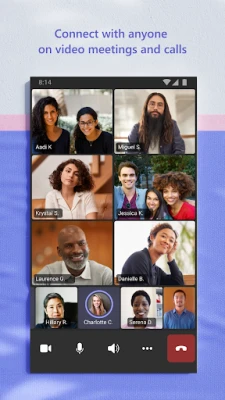
- Audio & Video Calls – Start one‑to‑one calls or group meetings with high‑quality audio and video. Participants can join via a link or calendar invitation.
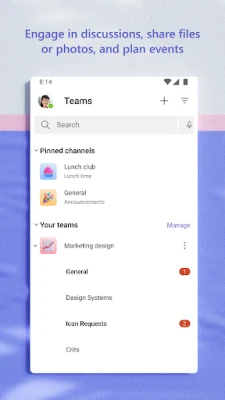
- Channels and Communities – Organize discussions by topic, project, or interest using dedicated channels. Each channel keeps its own conversation history, files, and tabs.
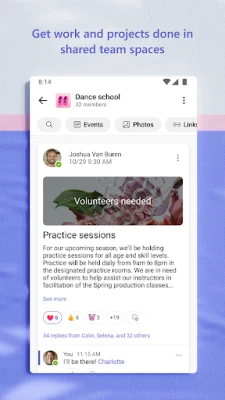
- File Collaboration – Share documents, photos, and videos directly in chats or channels. Integrated with Microsoft OneDrive, files can be opened, edited, and co‑authored without leaving the app.
- Task Lists – Create simple to‑do items, assign them to teammates, set due dates, and track progress within a channel.
- Screen Sharing & Whiteboard – During meetings, present your screen or use a digital whiteboard to brainstorm ideas in real time.
How It Works
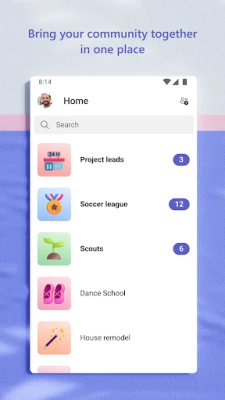
After installing the app, you sign in with a Microsoft account (personal or work/school). The home screen shows recent chats and upcoming meetings. From there you can:
- Start a new chat or create a channel for a specific group.
- Schedule a meeting by selecting a date and inviting participants via email or a shareable link.
- Upload files directly into a conversation or channel; the app automatically stores them in the cloud.
- Use the built‑in task feature to break down projects into actionable items.
Practical Uses
Microsoft Teams is versatile enough for many scenarios:
- Workplace collaboration – Teams, projects, and departments can keep all communication and files in one place, reducing email overload.
- Education – Teachers create class channels, share assignments, and hold virtual lessons.
- Community groups – Clubs, hobby groups, or volunteer organizations can coordinate events and share resources.
- Family and friends – Simple group chats and video calls make staying in touch easy.
Installation Information
The app is available through the Google Play Store. Search for "Microsoft Teams" or use the package name com.microsoft.teams. The download size varies by device and network conditions; the store will display the exact size before you begin.
Things to Know Before Installing
- A Microsoft account is required for full functionality.
- Some advanced features (e.g., enterprise‑level security, compliance tools) are tied to paid Microsoft 365 subscriptions, but the core messaging and meeting capabilities remain free.
- Data usage can increase during video calls; consider Wi‑Fi for longer sessions.
Who May Find It Useful?
Anyone who needs a reliable way to communicate and collaborate on Android devices can benefit—from remote workers and students to hobby clubs and family groups.
Frequently Asked Questions
Do I need a Microsoft 365 subscription?
No. The free tier provides chat, video meetings, and basic file sharing. Paid plans add additional administration and security tools.
Can I join a meeting without an account?
Yes. Meeting organizers can share a link that allows guests to join as temporary participants.
Is my data stored securely?
Microsoft applies standard encryption for data in transit and at rest. For organizations, additional compliance options are available through Microsoft 365.
Can I use Teams on multiple devices?
Yes. Your chats, files, and meetings sync across Android, iOS, Windows, and web clients when you sign in with the same account.
Rate the App
User Reviews















Popular Apps










 Games
Games Entertainment
 Communication
 E-mail
 Security
 Tools
Tools Media
Media Internet
 Finance
 Design
 Education
 Android Firmwares
 Travel & Local
 Android
 Windows
 Linux
Linux