

Latest Version
Latest
August 13, 2026
Meta Platforms, Inc.
Finance
Android
360
Free
com.facebook.pages.app
Report a Problem
More About Meta Business Suite – Manage Facebook & Instagram Pages
What is Meta Business Suite?
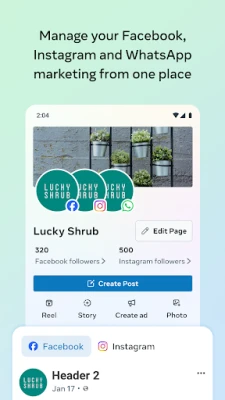
Meta Business Suite is an official mobile application from Meta Platforms, Inc. that brings the core management functions of Facebook Pages and Instagram accounts onto Android devices. It is designed for business owners, social media managers, and anyone who needs to keep a presence on both platforms without switching between separate apps.
Main capabilities
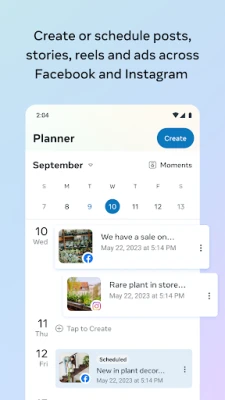
- Unified publishing – Draft, schedule, and publish posts or stories to a Facebook Page and its linked Instagram account from a single screen.
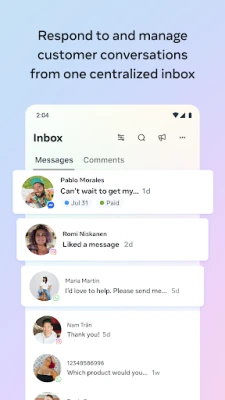
- Message hub – View and reply to comments, direct messages, and Instagram DMs in one inbox, helping you stay responsive.
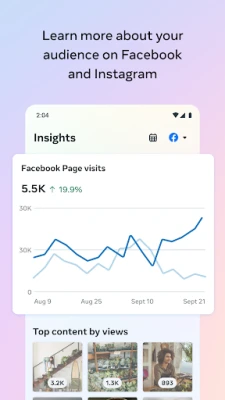
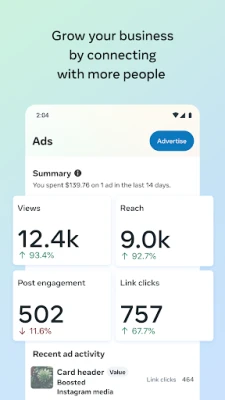
- Insights at a glance – Access basic performance metrics such as reach, engagement, and follower growth for each piece of content.
- Notifications & to‑do list – Receive alerts for new interactions, upcoming scheduled posts, and suggested actions to keep your page active.
- Quick calls – Initiate a phone call to a customer directly from the conversation view when a phone number is available.
How it works
After installing the app, you sign in with the Facebook account that administers the desired Page. The app automatically links any Instagram account that is connected to that Page. From the home screen you can switch between a feed view, an inbox view, and an insights view. Creating a post follows the same steps as on the web: add text, attach media, choose where to publish, and set a publishing time. The inbox aggregates all incoming messages, letting you reply, react, or forward them without leaving the app.
Practical uses
- Schedule a week’s worth of content while commuting, freeing up time for other tasks.
- Respond to customer inquiries quickly, improving satisfaction and reducing missed opportunities.
- Monitor which posts generate the most interaction and adjust your strategy on the fly.
- Keep track of pending actions—such as unanswered comments or upcoming scheduled posts—through the built‑in to‑do list.
Installation information
The app is available through the Google Play Store. Search for "Meta Business Suite" or use the package name com.facebook.pages.app. Installation follows the standard Android process: tap Install, grant the requested permissions, and launch the app.
Things to know before installing
- The app requires a Facebook account that has admin or editor rights on at least one Page.
- To access Instagram features, the Instagram account must be linked to the same Facebook Page.
- Permissions requested typically include access to storage for media uploads and contacts for quick calling.
Who may find it useful?
Small business owners, social media marketers, community managers, and nonprofit organizations that maintain a presence on both Facebook and Instagram will benefit from the consolidated workflow.
Frequently asked questions
Do I need a separate Instagram app?
No. Once your Instagram account is linked to a Facebook Page, the Suite app handles posting and messaging for both platforms.
Can I schedule posts for the future?
Yes. The scheduling feature lets you set a specific date and time for each post or story.
Is the app free?
Yes, Meta Business Suite is offered at no cost.
What kind of insights are available?
Basic metrics such as reach, likes, comments, shares, and follower changes are displayed for each piece of content.
Rate the App
User Reviews















Popular Apps










 Games
Games Entertainment
 Communication
 E-mail
 Security
 Tools
Tools Media
Media Internet
 Finance
 Design
 Education
 Android Firmwares
 Travel & Local
 Android
 Windows
 Linux
Linux