

Latest Version
Latest
September 03, 2026
ICICI Prudential Life Insurance
Finance
Android
3
Free
com.ipru.iciciprulife.advisor.release
Report a Problem
More About IPRU EDGE – Advisor Mobile Toolkit
What is IPRU EDGE?
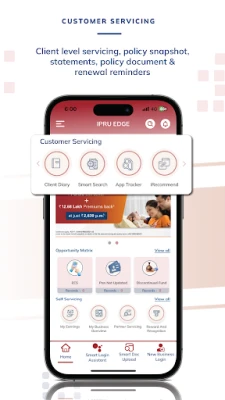
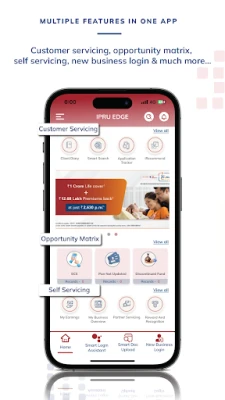
IPRU EDGE is a mobile application developed by ICICI Prudential Life Insurance for its network of advisors. It provides a convenient way for advisors to handle everyday tasks such as logging new business, checking the status of policy applications, and reviewing personal performance metrics while on the move.
Main features
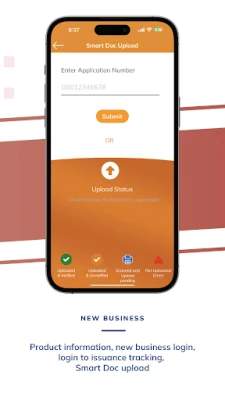
- Business entry – Quickly start a new policy application or record a client interaction.
- Application tracker – View the current status of pending applications and receive updates on processing stages.
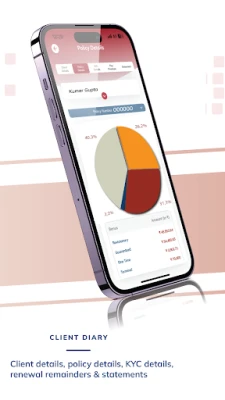
- Customer lookup – Search for existing clients to retrieve contact details, policy information, and history.
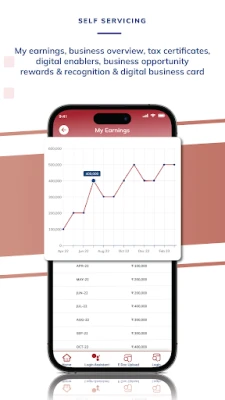
- Performance dashboard – Access self‑performance data, including sales figures and target progress.
- Rewards overview – See earned recognitions and upcoming incentive programs.
- Statement download – Retrieve account statements or policy documents for offline reference.
How it works
After installing the app, advisors log in with their existing ICICI Prudential credentials. The home screen presents a concise menu that groups core activities: new business, tracker, client search, and performance. Selecting a function opens a form or list that pulls real‑time data from the insurer’s backend systems, ensuring that the information displayed reflects the latest updates.
Practical uses
- Enter a new policy request during a client meeting without needing a laptop.
- Check the approval status of a pending application while traveling between offices.
- Review monthly sales targets and compare them with actual results to plan next steps.
- Download a client’s policy statement to share via secure messaging or print on the spot.
Installation information
The app is distributed as a free download from the Google Play Store. Users need an Android device that meets the minimum system requirements defined by the Play Store. Installation follows the standard process: tap “Install,” wait for the download to complete, and then open the app to begin the login process.
Things to know before installing
- Access is limited to authorized ICICI Prudential Life advisors; a valid employee or partner account is required.
- The app synchronizes with internal company servers, so a stable internet connection is recommended for the most up‑to‑date information.
- Data displayed within the app is subject to the same privacy and security policies that govern the insurer’s internal systems.
Who may find it useful?
Any field‑based advisor, sales representative, or support staff who needs to manage client interactions, monitor application progress, and stay informed about personal performance can benefit from IPRU EDGE. The app is especially helpful for professionals who split time between office and client sites and require quick access to core business tools.
Frequently asked questions
Do I need a separate account for IPRU EDGE?
No. Advisors use the same credentials they employ for other ICICI Prudential internal systems.
Can I use the app on a tablet?
Yes, the app is designed to work on any Android device that meets the Play Store’s minimum specifications.
Is my client data secure?
The app follows the insurer’s established security protocols, including encrypted communication with backend servers.
What should I do if I forget my login details?
Contact your regional support team or use the password‑reset option provided within the login screen.
Rate the App
User Reviews














Popular Apps










 Games
Games Entertainment
 Communication
 E-mail
 Security
 Tools
Tools Media
Media Internet
 Finance
 Design
 Education
 IT Tools
 Travel & Local
 Android
 Windows
 Linux
Linux