


Latest Version
Latest
September 01, 2026
ICICI Prudential Life Insurance
Finance
Android
4
Free
com.ipru.iciciprulife.customer.release
Report a Problem
More About ICICI Prudential Life App – Manage Your Insurance on Android
What is the ICICI Prudential Life App?
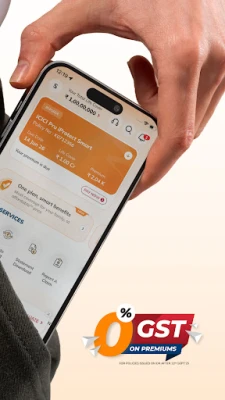
The ICICI Prudential Life App is a mobile tool provided by ICICI Prudential Life Insurance for Android users. It offers a convenient way to keep track of existing life‑insurance policies, make premium payments, and learn about the range of products the insurer offers, all from a smartphone or tablet.
Main Features
- Policy overview – View details of each active policy, including sum assured, term dates and beneficiary information.
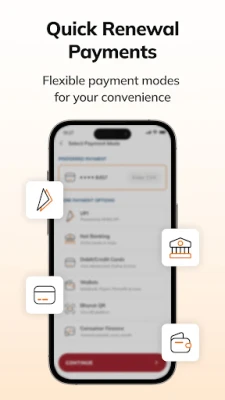
- Premium payments – Pay upcoming premiums using supported payment methods and set up reminders for due dates.
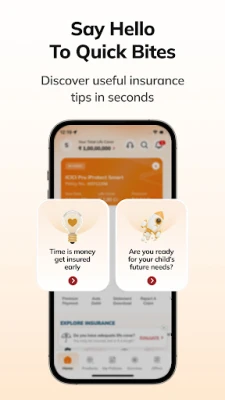
- Product information – Browse descriptions of term plans, ULIPs, savings and retirement options, and health riders.
- Quote tools – Generate preliminary quotes for new plans using built‑in calculators.
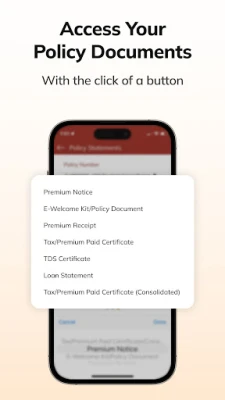
- Document access – Download policy documents and certificates for offline reference.
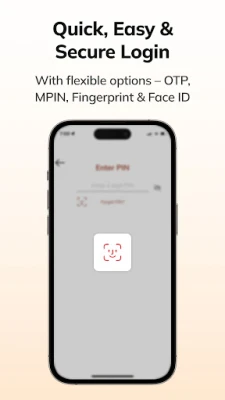
- Secure login – Access the app with a personal password or biometric authentication, depending on device capabilities.
How It Works
After installing the app from the Google Play Store, you create an account using your mobile number or email address. Once logged in, the dashboard presents a summary of any policies linked to your profile. From there you can tap a policy to see full details, update personal information, or initiate a premium payment. The app also includes a simple calculator where you enter basic data (age, coverage amount, term) to receive an estimate for a new term plan.
Practical Uses
- Check the status of a recently purchased policy without waiting for paper documents.
- Set up a one‑time or recurring premium payment to avoid missed renewals.
- Compare key features of different insurance products before deciding on a new purchase.
- Download and store policy PDFs for easy reference during tax filing or loan applications.
Installation Information
The app is listed as free on the Google Play Store under the package name com.ipru.iciciprulife.customer.release. Installation follows the standard Android process: tap “Install,” wait for the download to complete, and then open the app to begin registration.
Compatibility
While the exact Android version requirement is not published, the app targets devices that support the current Google Play services framework. Users with Android 6.0 (Marshmallow) or newer should be able to install and run the application without issues.
Things to Know Before Installing
- Ensure you have a stable internet connection for registration and premium transactions.
- Keep your mobile number or email address handy for verification steps.
- For premium payments, you will need a linked bank account, debit/credit card, or supported digital wallet.
Who May Find It Useful?
Existing policyholders of ICICI Prudential Life Insurance who want quick access to their coverage details will benefit from the app. Prospective customers who are researching life‑insurance options can also use the quote tools to get a sense of costs before contacting an agent.
Frequently Asked Questions
Do I need an account to view my policy?
Yes. The app requires you to register with your contact details to link your policies securely.
Can I add or change a nominee through the app?
Nominee updates are supported; the app guides you through the required steps and may request supporting documents.
Is my personal data protected?
The app uses encrypted connections for login and transactions, and it follows the security standards set by the developer.
What if I forget my password?
You can reset it using the “Forgot password” link, which sends a verification code to your registered email or phone number.
Rate the App
User Reviews















Popular Apps










 Games
Games Entertainment
 Communication
 E-mail
 Security
 Tools
Tools Media
Media Internet
 Finance
 Design
 Education
 IT Tools
 Travel & Local
 Android
 Windows
 Linux
Linux