

Latest Version
Latest
August 13, 2026
G-Pay Joint Stock Company
Finance
Android
277
Free
vn.gutina.origin
Report a Problem
More About Gpay: Thanh toán & Chuyển tiền – Vietnamese Mobile Wallet
What is Gpay?
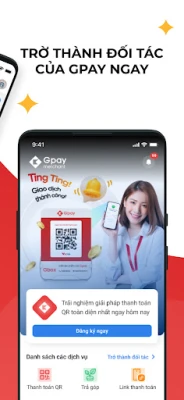
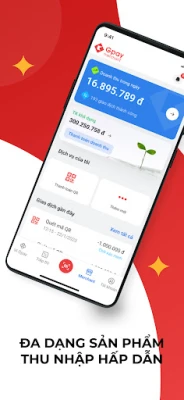
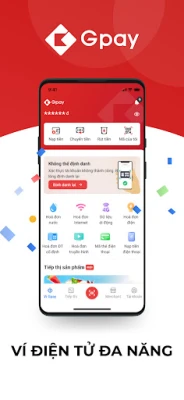
Gpay is a mobile wallet developed by G‑Pay Joint Stock Company for Android devices. It brings together common financial tasks—such as sending money to friends, paying utility bills, topping up phone credit and buying mobile data—into a single, easy‑to‑use interface.
Main features
- Money transfers: Send funds to other Gpay users or bank accounts with a few taps.
- Bill payments: Settle electricity, water and other household bills without leaving the app.
- Phone top‑up: Recharge prepaid mobile numbers quickly, supporting all major Vietnamese carriers.
- Data packages: Purchase 3G/4G data bundles directly from the app.
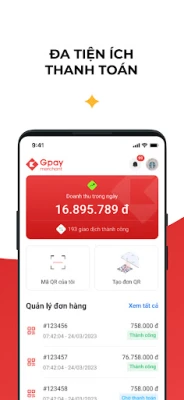
- QR code payments: Pay at participating merchants by scanning a QR code.
How it works
After installing Gpay, you create an account using your phone number. The app guides you through linking a bank card or a local bank account, which becomes the source of funds for all transactions. Once linked, you can choose a service—such as “Pay electricity bill”—enter the required details, confirm the amount and authenticate the payment using a password, fingerprint or face recognition, depending on your device settings.
Practical uses
Gpay is handy for everyday situations:
- Household budgeting: Keep track of recurring expenses by viewing paid bills in the app’s history.
- Quick top‑ups: When your prepaid phone credit runs low, open Gpay, select the carrier and complete the recharge in seconds.
- Sharing money: Split a restaurant bill or send a small amount to a family member without needing cash.
- On‑the‑go purchases: Use QR code payment at stores that accept mobile wallets, avoiding the need to carry physical cards.
Installation information
The app is distributed as a free download from the Google Play Store. Search for the exact name “Gpay: Thanh toán & Chuyển tiền” or use the package identifier vn.gutina.origin to ensure you get the official version.
Things to know before installing
- Internet connection is required for all transactions.
- The app stores transaction history locally; regular backups of your device help preserve this data.
- Some features, such as QR code payments, depend on merchant participation.
Who may find Gpay useful?
Anyone who prefers handling routine financial tasks from a smartphone will benefit. It is especially convenient for:
- Urban residents who pay multiple utility bills each month.
- Students and young professionals who frequently transfer small amounts to peers.
- People who use prepaid mobile services and need fast top‑ups.
Frequently asked questions
Is Gpay linked to my bank account?
During setup you can add a bank card or connect a local bank account. The linked source is used for payments and transfers.
What security measures are in place?
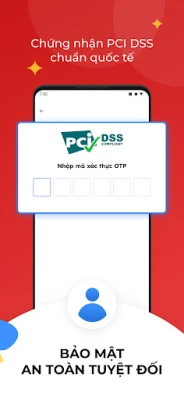
Gpay supports password protection, fingerprint authentication and face ID where available. Transactions are encrypted during transmission.
Can I use Gpay without an internet connection?
Basic navigation is possible offline, but any payment, transfer or top‑up requires an active internet connection.
How do I contact support?
The app includes a help section with contact details for customer assistance.
Rate the App
User Reviews














Popular Apps










 Games
Games Entertainment
 Communication
 E-mail
 Security
 Tools
Tools Media
Media Internet
 Finance
 Design
 Education
 Android Firmwares
 Travel & Local
 Android
 Windows
 Linux
Linux