
Latest Version
September 03, 2026
SendErrand Inc
Finance
Android
2
Free
com.mygovsolutions.gpay
Report a Problem
More About GPay – Simple Digital Payment Collection for Businesses
What is GPay?
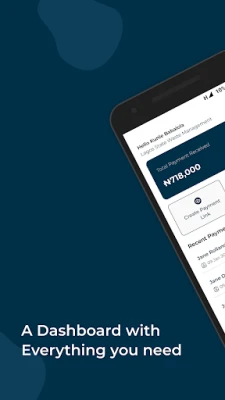
GPay is a free Android application developed by SendErrand Inc. It is designed to help small businesses, community groups, and service providers collect payments digitally. Instead of relying on paper invoices or manual cash handling, users can generate electronic payment requests and monitor their status directly from their mobile device.
Main Features
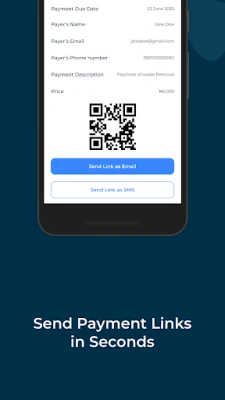
- Digital payment requests – Create a payment request with a unique identifier that can be shared with customers via messaging, email, or QR code.
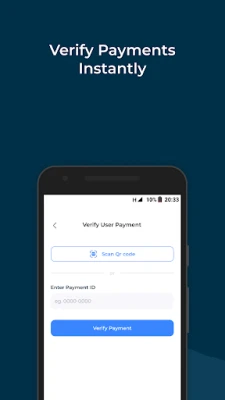
- QR code verification – Scan a QR‑coded receipt presented by the payer to confirm that a payment has been made instantly.
- Multiple payment types – Accept fees, invoices, service charges, or custom amounts without needing separate apps.
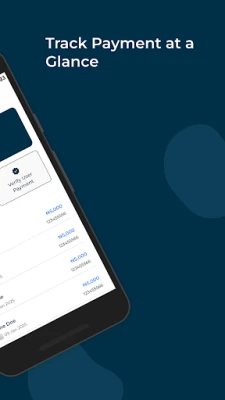
- Real‑time synchronization – All transactions are updated immediately, so you always see the latest payment status.
How It Works
After installing GPay, you start by setting up a basic profile for your business or organization. From the main screen you can tap Create Request to enter the amount, a brief description, and any reference number you need. The app generates a unique ID and, optionally, a QR code that you can send to the payer.
When the payer completes the payment using their preferred method, they can present the QR code or the request ID. You open GPay, select Verify Payment, and scan the QR code or enter the ID manually. The app checks the payment status and marks the request as paid, updating your transaction list instantly.
Practical Uses
- Local retailers collecting payments for orders placed over the phone.
- Community groups managing membership dues or event fees.
- Freelancers invoicing clients for one‑off services.
- Schools or clubs tracking activity fees without paper forms.
Installation Information
GPay is available for free on the Google Play Store. Search for the package name com.mygovsolutions.gpay or the app name GPay, then tap Install. The download size and Android version requirements are listed on the store page; ensure your device meets those specifications before installing.
Things to Know Before Installing
- The app requires internet access to sync payment data and verify QR codes.
- All payment processing is handled by the payment methods you choose to accept; GPay itself does not store financial credentials.
- Because the app deals with financial transactions, it is advisable to keep the device’s operating system up to date and use a secure lock screen.
Who May Find GPay Useful?
Anyone who needs a lightweight, on‑the‑go solution for issuing and confirming payments can benefit from GPay. This includes small shop owners, market vendors, nonprofit organizers, tutors, and any service provider who prefers digital records over handwritten receipts.
Frequently Asked Questions
Is GPay a replacement for a full‑featured accounting system?
No. GPay focuses on the payment request and verification workflow. For comprehensive bookkeeping, you may still need a dedicated accounting tool.
Can I customize the appearance of the QR code?
The app generates a standard QR code that contains the payment request ID. Custom branding is not currently supported.
What happens if a payment fails?
If a verification attempt shows the payment as pending or failed, the request remains open in the app, allowing you to retry verification or contact the payer.
Is there a limit to the number of requests I can create?
There is no hard‑coded limit; the practical limit depends on your device’s storage and the app’s internal database capacity.
Rate the App
User Reviews













Popular Apps










 Games
Games Entertainment
 Communication
 E-mail
 Security
 Tools
Tools Media
Media Internet
 Finance
 Design
 Education
 IT Tools
 Travel & Local
 Android
 Windows
 Linux
Linux