
Latest Version
August 16, 2026
Google LLC
Finance
Android
67
Free
com.google.android.apps.walletnfcrel
Report a Problem
More About Google Wallet – Digital Payments & Card Storage
What is Google Wallet?
Google Wallet is a digital wallet app from Google that lets you keep payment cards, transit passes, tickets, loyalty cards and other everyday essentials on your Android phone. By consolidating these items in one place, the app enables tap‑to‑pay transactions and quick access to the information you need while on the go.
Main features
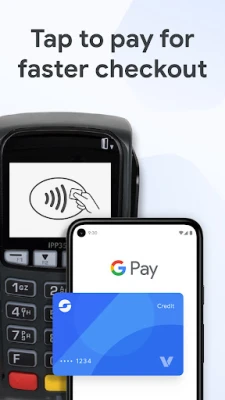
- Tap‑to‑pay – Use NFC to pay at merchants that accept Google Pay.
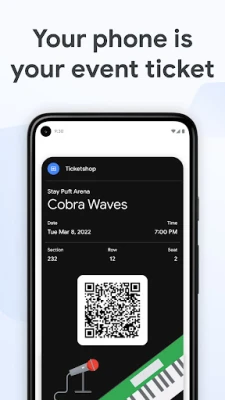
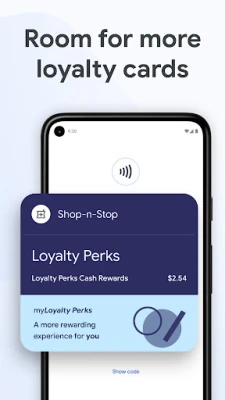
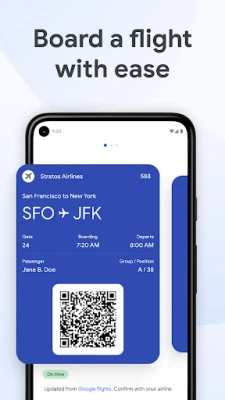
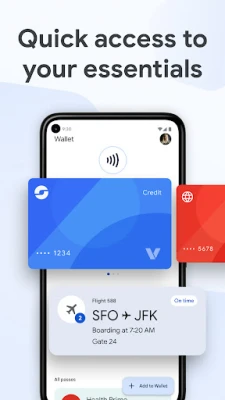
- Card and pass storage – Add credit and debit cards, loyalty cards, boarding passes, event tickets and more.
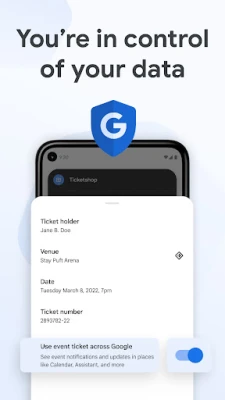
- Integration with Google services – Information such as flight updates or transit schedules can appear in Google Assistant and Google Maps.
- Wear OS support – Access your wallet directly from a Wear OS watch face.
- Secure handling – The app relies on Android’s built‑in security features to protect stored data.
How it works
After installing the app, you can add a card by scanning it or entering the details manually. Google verifies the card with the issuing bank and, once approved, stores a token that is used for NFC transactions. When you need to pay, simply hold your phone near a contactless terminal. For passes and tickets, the app can display a barcode or QR code that can be scanned at the point of entry.
Practical uses
- Pay for groceries, coffee or transport without pulling out a physical card.
- Store boarding passes and receive flight‑related notifications such as gate changes.
- Keep loyalty cards handy and let the app show point balances in compatible Google services.
- Access transit passes for buses or trains directly from the phone.
Installation information
The app is available through the Google Play Store. Search for "Google Wallet" or use the package name com.google.android.apps.walletnfcrel. Installation follows the standard Play Store process: tap Install, grant required permissions, and open the app to begin adding items.
Things to know before installing
- Device must support NFC for tap‑to‑pay functionality.
- Some features, such as digital driver’s licenses, may be limited to specific regions.
- Google may request access to location data to provide context‑aware notifications (e.g., flight updates).
Who may find it useful?
Anyone who prefers a paper‑less approach to payments and tickets will benefit. Frequent travelers, commuters, shoppers who use loyalty programs, and users of Wear OS watches find particular value in the seamless integration.
Frequently asked questions
Is a Google account required?
Yes, the app links to your Google account to sync data and provide personalized notifications.
Can I use Google Wallet without an internet connection?
Stored cards and passes work offline for NFC payments and barcode scanning, but updates such as flight changes require a connection.
How is my data protected?
The app stores only encrypted tokens, not the actual card numbers, and relies on Android’s security framework, including screen lock and biometric authentication.
Rate the App
User Reviews














Popular Apps










 Games
Games Entertainment
 Communication
 E-mail
 Security
 Tools
Tools Media
Media Internet
 Finance
 Design
 Education
 Android Firmwares
 Travel & Local
 Android
 Windows
 Linux
Linux