

Latest Version
August 12, 2026
Google LLC
Finance
Android
354
Free
com.google.android.apps.dynamite
Report a Problem
More About Google Chat – Secure Team Messaging for Workspace
What is Google Chat?
Google Chat is a messaging and collaboration tool built by Google for users of Google Workspace. It provides a space where individuals, groups, and whole organizations can converse, exchange files, and keep track of project‑related conversations without leaving the Google ecosystem.
Main features
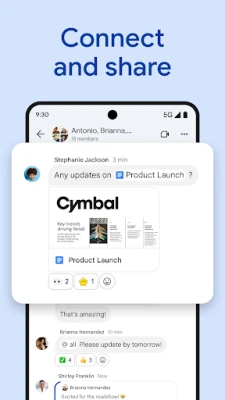
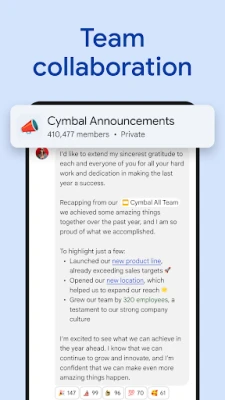
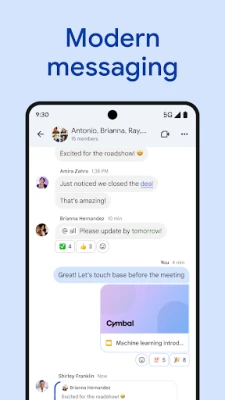
- Direct and group conversations: Start one‑on‑one chats or create rooms for teams, projects, or topics.
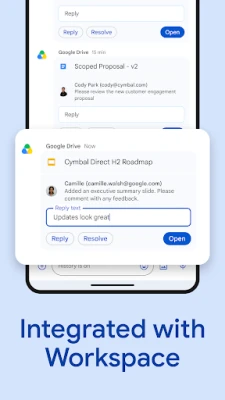
- Integration with Workspace apps: Quickly share Gmail messages, Calendar events, Drive files, and Meet links directly within a chat.
- Rich media support: Send text, emojis, images, documents, and short audio or video clips.
- Status indicators: Let colleagues know when you’re available, busy, or away with customizable status messages.
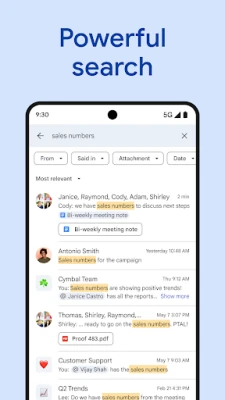
- Searchable history: All messages are stored in the cloud and can be searched, making it easy to retrieve past discussions.
How it works
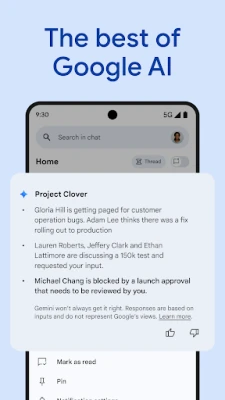
When you open Google Chat, you see a list of recent conversations and any rooms you belong to. Selecting a conversation opens a threaded view where you can type messages, attach files from Drive, or add quick reactions. The app syncs automatically across devices, so a message sent from a phone appears instantly on a laptop.
Practical uses
- Project coordination: Create a room for each project, pin important documents, and keep decisions in one place.
- Quick questions: Use direct messages for fast, informal queries without cluttering email inboxes.
- Remote collaboration: Share meeting links and follow‑up notes right after a Google Meet session.
Installation information
Google Chat is available from the Google Play Store. Search for “Google Chat” or use the package name com.google.android.apps.dynamite. The app is free to download and install.
Things to know before installing
- The app requires a Google account that is part of a Workspace organization to access full collaboration features.
- All data is stored in Google’s cloud infrastructure, which means messages are accessible from any signed‑in device.
- Standard Android permissions for internet access and storage are requested to enable file sharing.
Who may find it useful?
Anyone who uses Google Workspace—whether in a business, educational, or personal setting—can benefit from Google Chat. It is especially helpful for teams that need a lightweight, always‑on communication channel that ties directly into Gmail, Drive, and Meet.
Frequently asked questions
Do I need a paid Workspace subscription?
Google Chat is included with most Workspace plans. Some advanced features may require a higher‑tier subscription, but basic messaging works for all users.
Can I use Google Chat without a Workspace account?
Personal Google accounts can access the consumer version of Google Chat, though integration with enterprise‑level tools may be limited.
Is the chat history stored permanently?
Message history is retained according to the organization’s retention policies set in the Workspace admin console.
Rate the App
User Reviews















Popular Apps










 Games
Games Entertainment
 Communication
 E-mail
 Security
 Tools
Tools Media
Media Internet
 Finance
 Design
 Education
 Android Firmwares
 Travel & Local
 Android
 Windows
 Linux
Linux