

Latest Version
Latest
August 13, 2026
Aqua Mail Inc
Finance
Android
313
Free
org.kman.AquaMail
Report a Problem
More About Email Aqua Mail – Fast, Secure Email for Android
What is Aqua Mail?
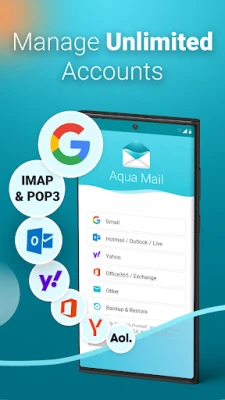
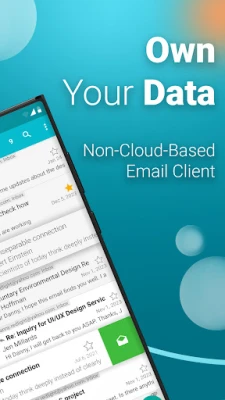
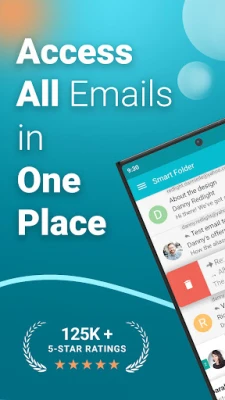
Aqua Mail is a free email client for Android devices, developed by Aqua Mail Inc. It lets you add and manage several email accounts in one place, supporting common protocols such as IMAP, POP3 and Exchange. The app is designed to be responsive and to keep your messages private while giving you control over the look and feel of your inbox.
Main features
- Multiple account support – Add Gmail, Yahoo, Outlook, iCloud, or any other IMAP/POP3 service and switch between them effortlessly.
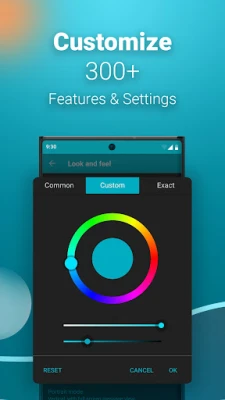
- Customizable interface – Choose themes, layout options, and notification settings that match your workflow.
- Secure login – Uses OAuth2 where available and supports SSL/TLS encryption for all connections.
- Smart inbox navigation – Swipe gestures, quick reply, and bulk actions help you process messages quickly.
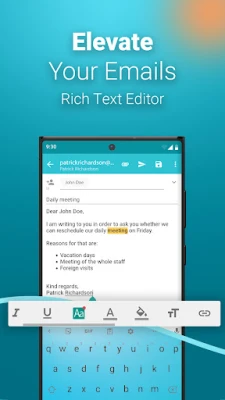
- Rich text composer – Format outgoing messages with bold, italics, lists and attachments.
How it works
After installing the app, you start by adding an email account. Aqua Mail guides you through the required server settings; for popular services it can retrieve the configuration automatically via OAuth2. Once the account is set up, the app synchronizes your folders and displays messages in a unified inbox or separate account views, depending on your preference. The interface offers a preview pane, search bar, and customizable swipe actions for archiving, deleting or marking messages.
Practical uses
Whether you need a single personal mailbox or you juggle work and personal addresses, Aqua Mail keeps everything accessible from your phone. The app’s offline caching lets you read previously synced messages without a data connection, and its notification controls let you stay informed without being overwhelmed.
Installation information
Search for Email Aqua Mail – Fast, Secure in the Google Play Store, then tap Install. The download size and Android version requirements are listed on the store page; ensure your device meets the minimum specifications before proceeding.
Things to know before installing
- The app is free to use, with optional in‑app purchases for additional themes or advanced features.
- It does not store your passwords on external servers; credentials remain on the device.
- Some email providers may require you to enable “less secure apps” or generate an app‑specific password if OAuth2 is not available.
Who may find it useful?
Anyone who wants a single, customizable client for multiple email services will benefit from Aqua Mail. It is especially suitable for users who value privacy, need offline access, or prefer a more hands‑on approach to organizing their inbox.
Frequently asked questions
Can I use Aqua Mail with corporate Exchange accounts?
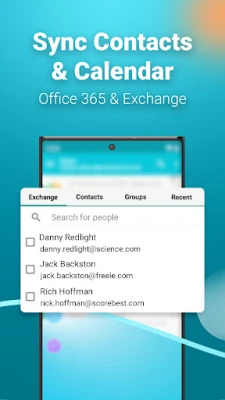
Yes. The app supports Exchange ActiveSync, allowing you to connect to many corporate mail servers.
Is there a way to back up my settings?
Aqua Mail includes an export option that saves account configurations and preferences to a file you can restore later.
Does the app display push notifications?
Push notifications are available for services that support them; otherwise the app can poll for new mail at intervals you define.
Rate the App
User Reviews















Popular Apps










 Games
Games Entertainment
 Communication
 E-mail
 Security
 Tools
Tools Media
Media Internet
 Finance
 Design
 Education
 Android Firmwares
 Travel & Local
 Android
 Windows
 Linux
Linux