

Latest Version
Latest
September 06, 2026
Block, Inc.
Finance
Android
11
Free
com.squareup.cash
Report a Problem
More About Cash App – Simple Money Management for Android
What is Cash App?
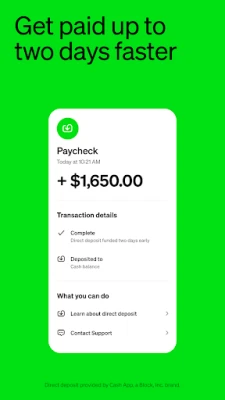
Cash App is a mobile financial service developed by Block, Inc. It provides a straightforward way to move money between people, keep a small balance, and access a debit‑card‑like payment option. The app is free to download and use, and it works on Android devices that meet the basic system requirements.
Main Features
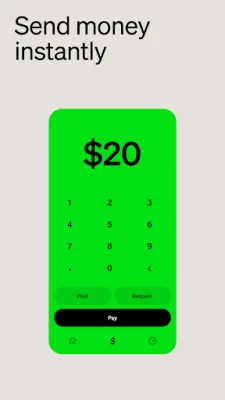
- Peer‑to‑peer payments – Send money instantly to contacts using a phone number, email address, $Cashtag, or QR code.
- Receive payments – Accept funds from friends, family, or customers directly into the app.
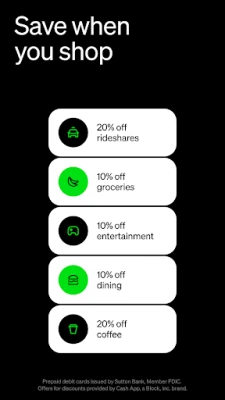
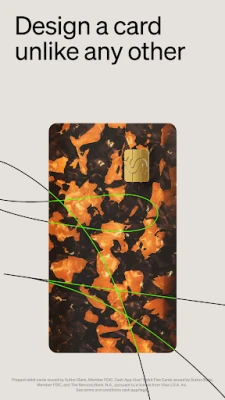
- Cash Card – Option to order a customizable debit card that can be added to Google Pay and used wherever Visa is accepted.
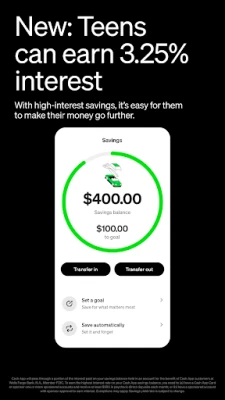
- Basic savings – Hold a balance in the app and move money to a linked bank account when needed.
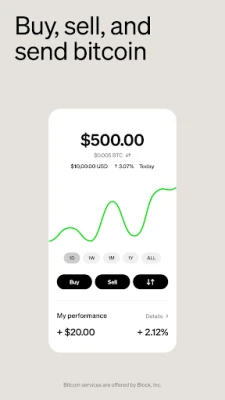
- Simple investing – Purchase fractional shares of stocks or small amounts of Bitcoin without commission fees.
How It Works
After installing the app, you create an account by linking a mobile phone number and providing basic personal information. Once verified, you can add funds from a bank account, debit card, or another Cash App user. Money can be sent with a few taps, and recipients are notified instantly. If you choose to order a Cash Card, it arrives by mail and can be activated within the app, allowing you to spend your balance in stores or online.
Practical Uses
- Split a dinner bill with friends quickly.
- Pay rent or utilities to a roommate or landlord.
- Receive a small freelance payment without needing a traditional bank account.
- Save spare change automatically by rounding up purchases (if you enable the feature).
- Invest modest amounts in stocks or Bitcoin as a way to start building a portfolio.
Installation Information
The app is available through the Google Play Store. Search for “Cash App” by Block, Inc., tap “Install,” and follow the on‑screen prompts. The download size is modest, and the app does not require a large amount of storage.
Compatibility
Cash App runs on Android devices that support the standard Google Play services. Specific minimum Android version details are not disclosed, but the app is designed for modern smartphones and tablets.
Things to Know Before Installing
- While the core app is free, optional services such as the Cash Card may involve fees for certain transactions.
- The app stores a limited cash balance; it is not a full‑featured bank account.
- Security features include PIN or biometric lock, transaction alerts, and the ability to freeze the Cash Card from within the app.
- For users under 18, a parent or guardian must sponsor the account.
Who May Find It Useful?
Anyone who needs a quick way to move money without visiting a bank can benefit from Cash App. It is especially handy for students, freelancers, small‑business owners, and families who share expenses.
Frequently Asked Questions
Is Cash App safe to use?
Cash App employs encryption and authentication measures typical of mobile payment services. Users should enable all available security options, such as two‑factor authentication and device lock.
Can I withdraw cash from the app?
Yes, you can transfer funds to a linked bank account or use the Cash Card at ATMs that accept Visa cards, subject to any applicable fees.
Do I need a traditional bank account?
A bank account is not required to receive or send money, but linking one allows you to add or withdraw larger amounts.
What happens if I lose my phone?
You can log in on a new device using your phone number and verification code. It is advisable to set up a PIN or biometric lock to protect the app.
Rate the App
User Reviews












Popular Apps










 Games
Games Entertainment
 Communication
 E-mail
 Security
 Tools
Tools Media
Media Internet
 Finance
 Design
 Education
 IT Tools
 Travel & Local
 Android
 Windows
 Linux
Linux