

Latest Version
August 25, 2026
Farmers Group Inc
Finance
Android
172
Free
com.bristolwest.app
Report a Problem
More About Bristol West Insurance – Mobile Policy Management
What is the Bristol West Insurance app?
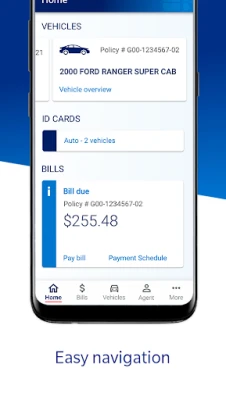
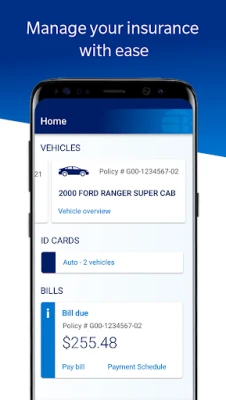
The Bristol West Insurance app, developed by Farmers Group Inc, is a free Android tool that lets policyholders manage their auto insurance from a smartphone. It provides a secure way to view policy details, access digital ID cards, make payments and start a claim without needing to call an agent.
Main features
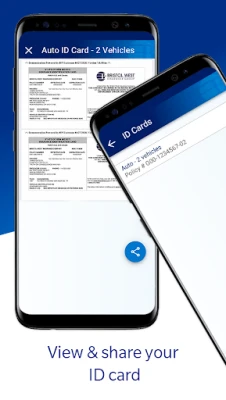
- Digital ID cards – View and share your auto‑insurance ID card instantly.
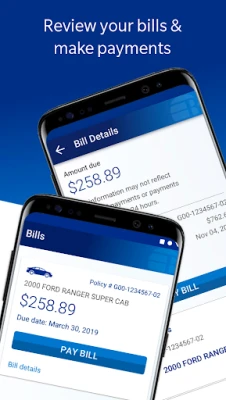
- Bill overview and payments – See current balances, upcoming due dates and pay directly through the app.
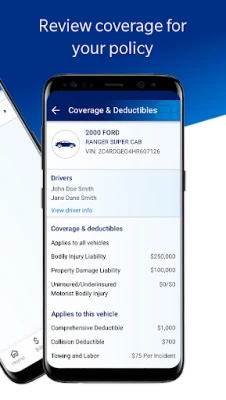
- Policy information – Review coverage limits, deductible amounts and other key details.
- Claims reporting – Start a new claim, upload photos and track its status.
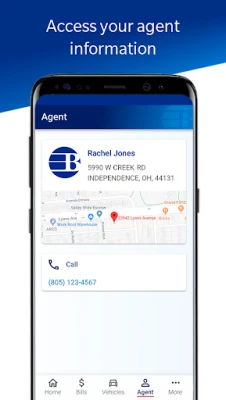
- Agent contact – Find phone numbers or email addresses for your assigned agent.
How it works
After downloading the app from the Google Play Store, you log in with the credentials you use for your Bristol West online account. The app remembers your device, so subsequent sign‑ins are quick. Once authenticated, the dashboard presents a summary of your policy, recent payments and any pending actions. Selecting a section—such as "Payments" or "Claims"—takes you to a dedicated screen where you can complete the task.
Practical uses
Whether you’re at the wheel, in a repair shop, or simply reviewing your coverage, the app puts essential information at your fingertips. For example, you can show a police officer your digital ID card after an accident, or settle a premium bill while waiting in line at a coffee shop. The claims feature lets you document damage with photos and submit them immediately, which can speed up processing.
Installation information
Search for "Bristol West Insurance" in the Google Play Store, tap Install, and wait for the download to complete. The app requires an internet connection for login and for syncing policy data. No additional configuration is needed beyond entering your existing account credentials.
Things to know before installing
- The app is free to download and use.
- You must already have a Bristol West auto insurance policy to access its features.
- All transactions are processed through the secure servers used by Bristol West and its underwriting partners.
Who may find it useful?
Current Bristol West auto‑insurance customers who prefer managing their policy on the go will benefit most. The app is also handy for drivers who travel frequently and need quick access to proof of insurance.
Frequently asked questions
Do I need a separate account for the app?
No. Use the same username and password you use on the Bristol West website.
Can I add a new vehicle to my policy through the app?
Adding or modifying vehicles typically requires speaking with your agent; the app provides contact details for that purpose.
Is my personal information safe?
The app follows the security standards employed by Bristol West and its underwriting companies. Data is encrypted during transmission and stored on protected servers.
What should I do if I forget my password?
Use the "Forgot password" link on the login screen to reset it via your registered email address.
Rate the App
User Reviews












Popular Apps










 Games
 Entertainment
 Communication
 E-mail
 Security
 Tools
 Media
 Internet
 Finance
 Design
 Education
 Android Firmwares
 Travel & Local
 Android
 Windows
 Linux