



Latest Version
Latest
August 16, 2026
zoom.com
BUSINESS
Android
97
Free
us.zoom.videomeetings4intune
Report a Problem
More About Zoom Workplace for Intune – Secure Enterprise Video Collaboration
What is Zoom Workplace for Intune?
Zoom Workplace for Intune is a specialized edition of Zoom designed for organizations that use Microsoft Intune to manage Android devices. It combines Zoom’s core video‑meeting capabilities with mobile application management (MAM) features, allowing IT administrators to enforce security policies and control data access on employee‑owned or corporate devices.
Main capabilities
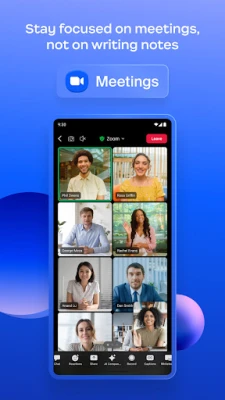
- Enterprise‑grade video meetings – Host or join high‑definition video calls, screen shares, and webinars using the familiar Zoom interface.
- Intune integration – Leverage Microsoft Intune to apply app protection policies, such as data encryption, copy‑and‑paste restrictions, and conditional access.
- Remote wipe – If a device is lost or decommissioned, administrators can remove the app and any associated corporate data without affecting personal content.
- Single sign‑on support – Users can sign in with their corporate credentials, simplifying access while maintaining compliance.
How it works
When the app is installed on an Android device that is enrolled in an Intune‑managed environment, the device receives the policies defined by the organization’s IT team. These policies may include requirements for a device password, encryption, and restrictions on data sharing between apps. The Zoom Workplace client respects those policies during every meeting, ensuring that corporate information stays within the managed context.
Practical uses
- Remote teams that need secure video collaboration while the organization controls device security.
- Field workers who use personal devices (BYOD) but must keep company data protected.
- IT departments that want to enforce consistent security standards across all communication tools.
Installation guidance
To install Zoom Workplace for Intune, users typically receive a link or QR code from their IT department. The app is distributed through the organization’s managed Google Play store or via an internal app catalog. After installation, the app will prompt for corporate credentials and automatically apply any Intune policies that have been configured.
Compatibility and requirements
The app is intended for Android devices that are enrolled in Microsoft Intune. Specific OS version requirements depend on the policies set by the organization, but the app generally supports recent Android releases that are compatible with Intune’s management framework.
Things to consider before installing
- Device enrollment – Your Android device must be enrolled in your company’s Intune environment before the app can be used.
- Corporate account – Access requires a work account provided by your organization; personal Zoom accounts are not sufficient.
- Policy impact – Some features, such as screen sharing or file transfer, may be limited by the security policies your IT team has applied.
Who will benefit?
Any organization that uses Microsoft Intune for device management and relies on Zoom for meetings will find this app useful. It is especially valuable for companies with BYOD programs, strict data‑protection regulations, or a need to quickly revoke access on compromised devices.
Frequently asked questions
Do I need a separate Zoom license?
The app uses the same Zoom licensing model as the standard Zoom Workplace offering. Your organization’s Zoom subscription determines the features you can access.
Can I use the app on a personal device?
Yes, if the device is enrolled in Intune and meets the organization’s security requirements. The app will enforce the same policies as on a corporate‑issued device.
What happens if I uninstall the app?
Uninstalling removes the Zoom client and any corporate data stored within it. Personal data on the device remains untouched.
Is the app available outside of managed environments?
No. Zoom Workplace for Intune is distributed only to devices that are part of a Microsoft Intune management setup.
Rate the App
User Reviews















Popular Apps










 Games
Games Entertainment
 Communication
 E-mail
 Security
 Tools
Tools Media
Media Internet
 Finance
 Design
 Education
 Android Firmwares
 Travel & Local
 Android
 Windows
 Linux
Linux