
Latest Version
September 18, 2026
Zoho Corporation
BUSINESS
Android
113
Free
com.zoho.iot
Report a Problem
More About Zoho IoT – Mobile Management for Connected Devices
What is Zoho IoT?
Zoho IoT is a mobile companion for Zoho’s cloud‑based Internet of Things platform. It lets users view the status of connected devices, receive alerts, and perform basic control actions directly from an Android smartphone.
Main Features
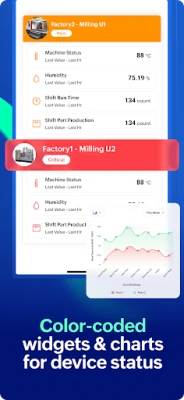
- Unified dashboard – A single screen shows key metrics, custom widgets and the health of all registered devices.
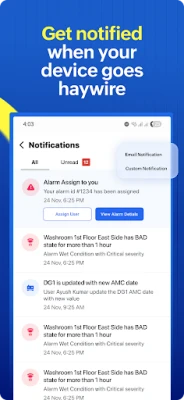
- Real‑time notifications – Push alerts inform you of incidents, threshold breaches or equipment failures as they happen.
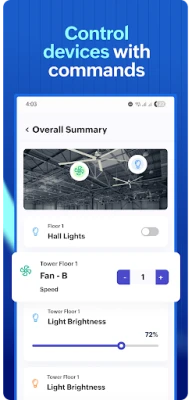
- Device control – Simple commands such as start, stop, or adjust settings can be sent to supported hardware.
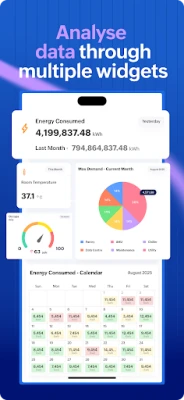
- Analytics snapshots – Access charts and trend data that are generated on the web platform, now viewable on the go.
- Custom modules – Forms created in Zoho’s low‑code builder are available in the app, allowing field data entry and workflow updates.
How It Works
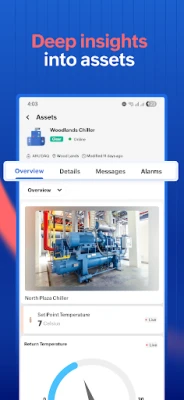
After installing the app, you sign in with the same credentials used for the Zoho IoT web console. The app synchronizes with the cloud, pulling the latest device list, dashboard configurations and alert rules. From there, you can tap a device to see its current state, historical performance graphs, or issue a command. Alerts appear as push notifications and can be opened to view details or acknowledge the event.
Practical Uses
- Industrial monitoring – Keep an eye on factory equipment, receive early warnings of overheating or vibration anomalies, and remotely stop a machine if needed.
- Facility management – Track HVAC, lighting or security sensors across multiple buildings and respond to alerts without leaving the office.
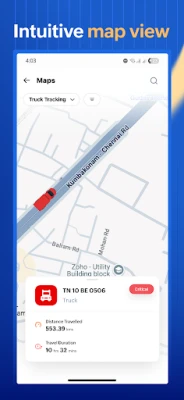
- Asset tracking – Monitor the health of mobile assets such as vehicles or generators, and log maintenance actions through custom forms.
- Remote site oversight – For off‑site installations, the app provides a quick way to verify connectivity and performance without traveling.
Installation Information
The app is distributed as a free download from the Google Play Store. Installation follows the standard Android process: tap Install, grant any required permissions, and launch the app. Because the app connects to Zoho’s cloud services, an active internet connection (Wi‑Fi or cellular) is required for initial setup and ongoing synchronization.
Things to Know Before Installing
- Make sure you already have a Zoho IoT account; the mobile app does not create a new account.
- The app does not replace the full web platform; advanced configuration and device provisioning remain web‑only.
- Push notifications rely on Google Play Services; disabling them will prevent real‑time alerts.
Who May Find It Useful?
Anyone who needs to stay connected to an existing Zoho IoT deployment can benefit—from plant supervisors and facilities engineers to field technicians and IT administrators. The app is especially handy for users who travel between sites or need quick visibility without opening a laptop.
Frequently Asked Questions
Do I need a separate license for the mobile app?
No. The app is free for users who already have access to Zoho IoT on the web.
Can I add new devices from the app?
Device onboarding is performed on the web console; the mobile app focuses on monitoring and control.
What permissions does the app request?
Typical permissions include network access for data sync and the ability to display push notifications. No access to contacts, SMS or location is required unless you enable optional location‑based services.
Is the app available for older Android versions?
The minimum Android version is defined by the Play Store listing. Check the store page for the exact requirement before installing.
Rate the App
User Reviews














Popular Apps










 Games
Games Entertainment
 Communication
 E-mail
 Security
 Tools
Tools Media
Media Internet
 Finance
 Design
 Education
 Android Firmwares
 Travel & Local
 Android
 Windows
 Linux
Linux