

Latest Version
Latest
September 19, 2026
Verizon Consumer Group
BUSINESS
Android
101
Free
com.verizon.onetalk
Report a Problem
More About One Talk – Verizon’s Mobile‑First Business Phone Solution
What is One Talk?
One Talk, developed by Verizon Consumer Group, is a business‑oriented communication app that brings together voice calls, video meetings and messaging into a single mobile‑first platform. It is positioned as a solution for companies that need flexible, reliable communication across smartphones, tablets, desktop computers and traditional desk phones.
Key capabilities
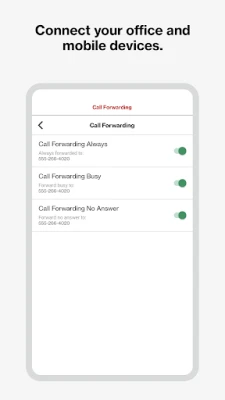
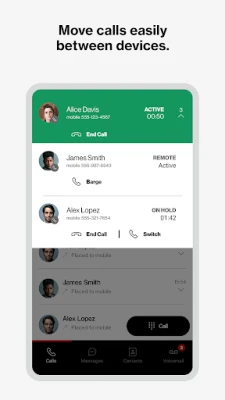
- Unified calling – Users can place and receive calls through the native smartphone dialer or via VoIP, depending on network conditions.
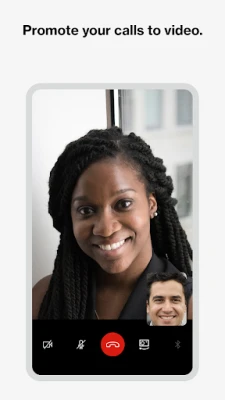
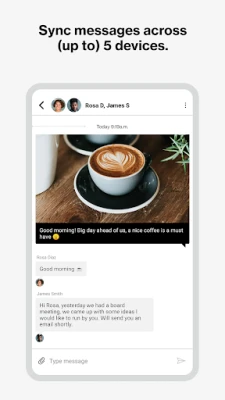
- Video and messaging – The app supports video calls and instant messaging, including SMS and IM, from the same interface.
- Device flexibility – One Talk works on smartphones, tablets, PCs, Macs and a range of Verizon‑approved desk, conference and cordless phones, including a 4G‑enabled desk phone.
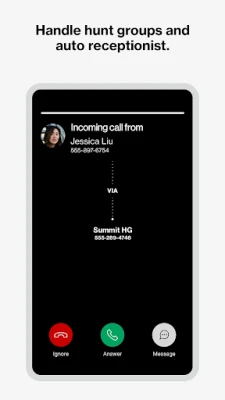
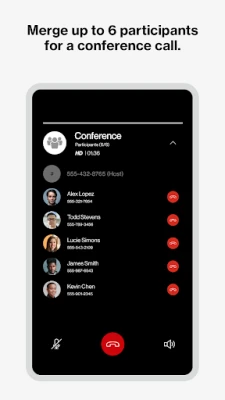
- Collaboration tools – Features such as Auto Receptionist, Hunt Groups, voicemail, and a shared directory help streamline internal and customer interactions.
How it is used
Businesses subscribe to the Verizon One Talk service, then install the app on the desired devices. After entering a One Talk phone number and completing a PIN‑based activation, employees can start making calls, joining video meetings and sending messages using a single business number.
Installation and compatibility
The app is distributed as a free download under the package name com.verizon.onetalk. Specific Android version requirements, file size and version number are not provided in the available data.
Things to consider before installing
- One Talk requires an active subscription to Verizon’s One Talk service.
- Activation involves receiving a PIN via email linked to the assigned phone number.
- The solution is designed for use on Verizon’s network, though the mobile app can run on other carriers’ devices.
Frequently Asked Questions
Is One Talk limited to Verizon smartphones?
No. While the service runs on Verizon’s network, the mobile app can be installed on smartphones and tablets from other carriers, provided the user has a valid One Talk subscription.
Can I use One Talk on a desktop computer?
Yes. A desktop application is available for both Windows PCs and macOS, allowing voice, video and SMS functionality from a computer.
What types of desk phones are supported?
One Talk supports a range of VoIP desk, conference and cordless phones, including Verizon’s 4G cellular‑enabled desk phone.
Rate the App
User Reviews














Popular Apps










 Games
 Entertainment
 Communication
 E-mail
 Security
 Tools
 Media
 Internet
 Finance
 Design
 Education
 Android Firmwares
 Travel & Local
 Android
 Windows
 Linux