

Latest Version
Latest
September 17, 2026
Viva Engage - Microsoft Corporation
BUSINESS
Android
112
Free
com.yammer.v1
Report a Problem
More About Viva Engage – Connect with Colleagues and Leaders
What is Viva Engage?
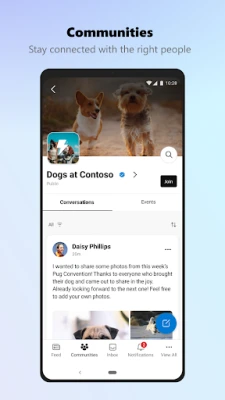
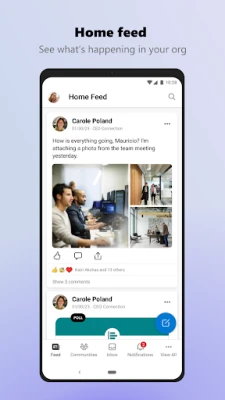
Viva Engage is Microsoft’s enterprise social platform for Android. It provides a space where employees can discuss ideas, follow leaders, and participate in organization‑wide communities. The app is free to download and works with existing Microsoft accounts.
Main features
- Community feeds – Browse posts from the groups you belong to, comment, like, and react.
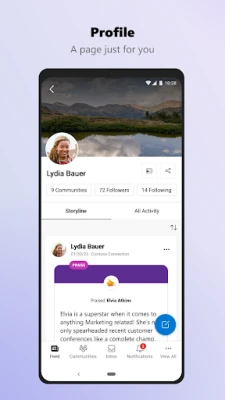
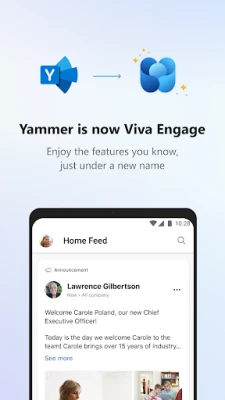
- Leadership updates – Follow announcements, town halls, and video messages from company leaders.
- Rich content sharing – Add links, photos, videos, and files to your posts.
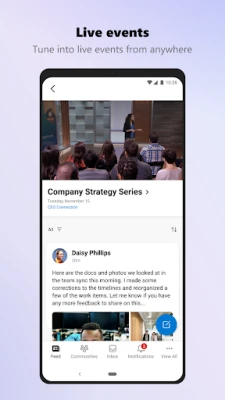
- Live events – View and interact with live streams such as all‑hands meetings.
- Notifications – Receive timely alerts for mentions, replies, and important announcements.
How it works
After installing the app, sign in with your Microsoft work or school account. The home screen shows a personalized feed based on the communities you follow. You can search for groups, join new ones, and start conversations directly from the mobile interface. Posts you create are visible to your colleagues across Viva Connections, Outlook, and Teams, keeping your voice consistent across Microsoft 365.
Practical uses
- Stay up‑to‑date with corporate news while traveling.
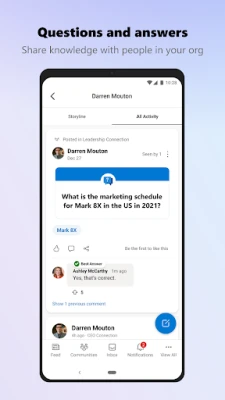
- Share project updates or ask quick questions without leaving the office.
- Participate in cross‑departmental discussions to surface ideas.
- Watch recorded town halls or live streams on the go.
Installation information
Search for “Viva Engage” in the Google Play Store, tap Install, and allow the app to access your Microsoft credentials. The installation process follows standard Android guidelines; no special permissions beyond those required for network access and notifications are requested.
Who may find it useful?
Any employee who uses Microsoft 365 and wants a mobile‑first way to engage with colleagues, leadership, and community groups will benefit from Viva Engage. It is especially helpful for remote workers, field staff, and managers who need to stay connected outside the office.
Frequently asked questions
Do I need a separate account?
No. Viva Engage uses the same credentials you use for Microsoft 365, so there is no extra sign‑up step.
Can I use the app offline?
The feed updates when you have an internet connection. Drafts can be saved locally, but they will sync once you reconnect.
Is the app free?
Yes, the app is free to download and use. Access to features depends on your organization’s Microsoft 365 subscription.
Rate the App
User Reviews















Popular Apps










 Games
Games Entertainment
 Communication
 E-mail
 Security
 Tools
Tools Media
Media Internet
 Finance
 Design
 Education
 Android Firmwares
 Travel & Local
 Android
 Windows
 Linux
Linux