

Latest Version
September 18, 2026
Zoho Corporation
BUSINESS
Android
104
Free
com.zakya.businessmanager
Report a Problem
More About Business Manager by Zoho POS – Mobile Business Insights
What is Business Manager by Zoho POS?
Business Manager is a mobile companion for Zoho POS users. It brings core retail data to your Android device, letting you stay informed about store performance without needing a desktop or being physically present at the shop.
Main features
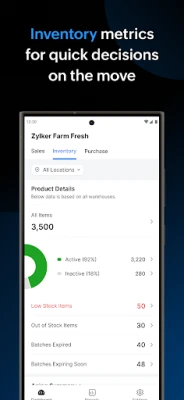
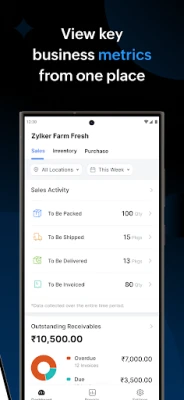
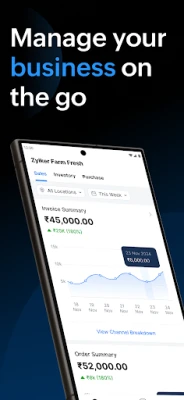
- Dashboard overview – Quick visual summaries of sales, stock levels and purchase activity.
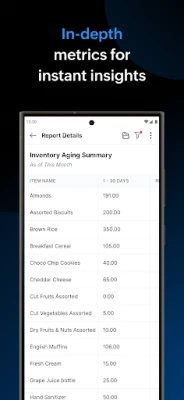
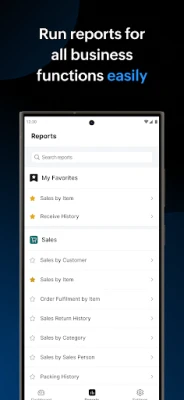
- Report generation – Create detailed reports for sales, inventory, and procurement directly from the app.
- PDF export – Save reports as PDF files for offline review or sharing with team members.
- Multi‑outlet support – If you operate more than one location, you can switch between outlets to compare performance.
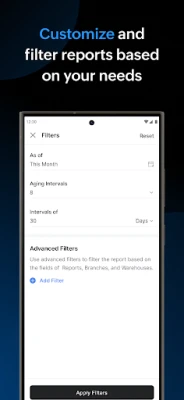
- Custom time frames – Choose daily, weekly, monthly or custom date ranges when reviewing data.
- Store profile – Keep basic store information handy, such as address and contact details.
How it works
After installing the app, you log in with the same credentials you use for Zoho POS. The app syncs with your online Zoho account, pulling the latest transaction data. From the main screen you can navigate to the dashboard, select a specific report type, set the desired date range, and generate a PDF if needed. All data is refreshed whenever you have an internet connection.
Practical uses
- Check daily sales while traveling between stores.
- Monitor inventory levels to avoid stock‑outs before placing new orders.
- Prepare end‑of‑month summaries for accountants without opening a laptop.
- Share performance snapshots with partners or investors via PDF.
Installation information
The app is available for free on the Google Play Store. Search for "Business Manager by Zoho POS" or use the package name com.zakya.businessmanager to locate it. Installation follows the standard Android process: tap Install, grant any required permissions, and open the app to begin setup.
Things to know before installing
- The app requires an active Zoho POS account; it does not function as a standalone POS system.
- An internet connection is needed for initial login and for data synchronization.
- Permissions are limited to network access and storage for saving PDF reports.
Who may find it useful?
Retail owners, store managers, and sales supervisors who need quick access to key business metrics while away from the desk will benefit most from this tool. It is also handy for accountants or consultants who require periodic snapshots of a client’s retail data.
Frequently asked questions
Do I need a Zoho POS subscription?
Yes. Business Manager connects to an existing Zoho POS account; the app itself does not provide POS functionality.
Can I use the app offline?
Data can be viewed offline only after it has been synced while online. New transactions will not appear until the next connection.
Is there a limit to the number of reports I can generate?
The app does not impose a specific limit, but very large data sets may take longer to process.
Rate the App
User Reviews















Popular Apps










 Games
Games Entertainment
 Communication
 E-mail
 Security
 Tools
Tools Media
Media Internet
 Finance
 Design
 Education
 Android Firmwares
 Travel & Local
 Android
 Windows
 Linux
Linux