
Latest Version
September 19, 2026
Zoho Corporation
BUSINESS
Android
109
Free
com.zoho.platform.crm
Report a Problem
More About CRM Platform – Mobile Access for Zoho CRM Users
What is CRM Platform?
CRM Platform is a mobile client for Zoho Corporation’s vertical CRM solutions. It is designed for users who already have a Zoho CRM account and need to stay connected with customers and teammates while away from a desktop.
Key capabilities
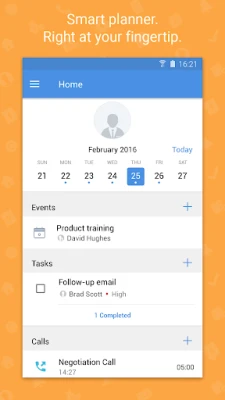
- End‑to‑end sales management – Track leads, opportunities and the full sales cycle directly from the phone.
- Contact updates on the go – Add notes, edit details or create new contacts after a meeting.
- Task and event scheduling – Create, view and monitor tasks, appointments and other activities.
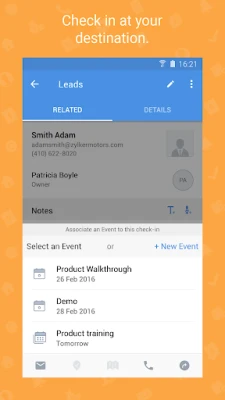
- Visit logging – Record check‑ins at customer locations, useful for field teams.
- Voice notes – Capture hands‑free audio notes that are attached to records.
- File attachments – Upload documents, images or other files straight from the device.
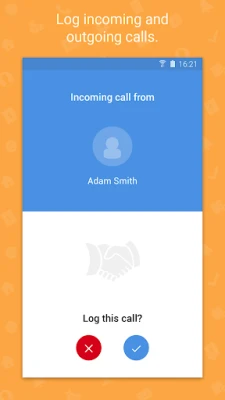
- Call logging – Instant logging of incoming and outgoing calls linked to CRM records.
- Team collaboration – Use the built‑in Feeds to post comments, @mention colleagues and share updates in real time.
Offline operation
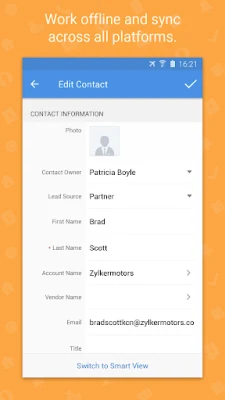
The app stores data locally when network coverage is unavailable. Once the device reconnects, changes are synchronized automatically, ensuring that work continues uninterrupted.
Installation and compatibility
CRM Platform is offered as a free download from the Google Play Store. The package name is com.zoho.platform.crm. Because specific Android version requirements are not listed, prospective users should check the Play Store listing for the minimum OS level before installing.
Things to consider before installing
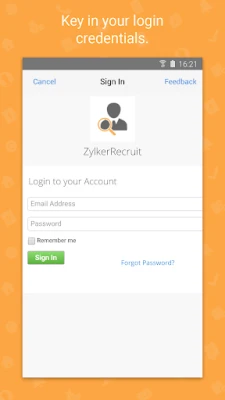
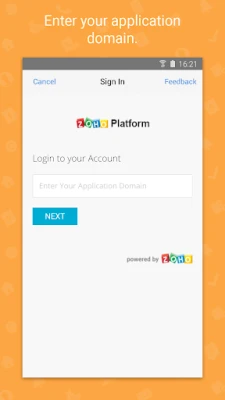
- Requires an existing Zoho CRM account; the app does not provide a standalone CRM service.
- Functionality depends on the permissions granted to the app, such as access to contacts, storage, microphone and phone state for call logging.
- Data usage may increase when the app syncs large attachments or batch updates after offline periods.
Frequently asked questions
Do I need a separate subscription for the mobile app?
No. The app is free and works with the CRM subscription you already have with Zoho.
Can I use the app without an internet connection?
Yes. The app supports offline mode, allowing you to view and edit records. Changes are queued and synchronized when connectivity returns.
How does collaboration work on the mobile client?
Through the Feeds feature you can post comments, tag teammates with @mentions, and see real‑time updates from other users who are also logged into the same Zoho CRM account.
Is the app secure for handling customer data?
Security details are not provided in the supplied facts. Users should refer to Zoho’s official documentation and the Play Store’s privacy policy for specifics.
Rate the App
User Reviews









Popular Apps









 Games
 Entertainment
 Communication
 E-mail
 Security
 Tools
 Media
 Internet
 Finance
 Design
 Education
 Android Firmwares
 Travel & Local
 Android
 Windows
 Linux