


Latest Version
September 17, 2026
Kahoot!
BUSINESS
Android
103
Free
com.kahoot.threesixty
Report a Problem
More About Kahoot! 360 – Interactive Workforce Engagement for Professionals
What is Kahoot! 360?
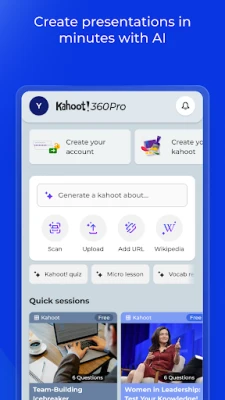
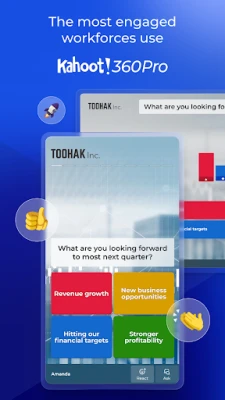
Kahoot! 360 is a free Android app designed to add live interaction to workplace presentations, training programs and corporate events. It lets facilitators embed polls, quizzes, word clouds and Q&A directly into slide decks, turning static content into two‑way conversations.
Main features
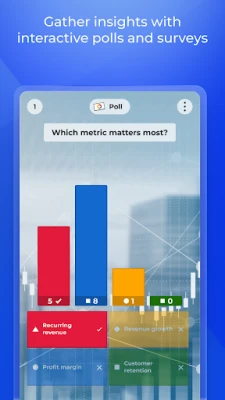
- Live polls and quizzes – Create multiple‑choice questions or quick polls that participants answer in real time.
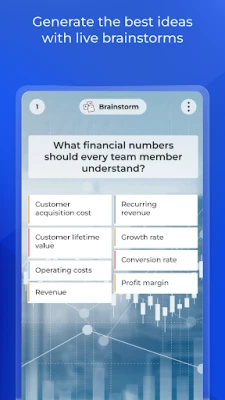
- Word clouds – Gather open‑ended responses and display them instantly as a visual cloud.
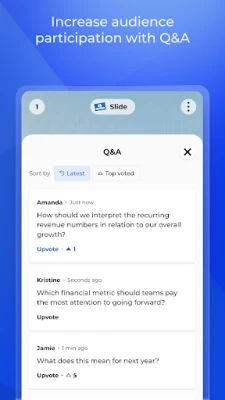
- Audience Q&A – Attendees can submit questions from any device, and moderators can display selected questions on screen.
- Integration with slide tools – The app works alongside popular presentation platforms such as Microsoft PowerPoint and Google Slides, allowing seamless insertion of interactive elements.
- Device‑agnostic participation – No app download is required for participants; they join via a web link on smartphones, tablets or laptops.
How it works
Organisers prepare their presentation in the usual slide software, then add Kahoot! 360 activities using the app’s simple editor. When the session starts, a unique join code is displayed on the screen. Participants enter the code on a web page, answer questions or submit input, and the results appear instantly on the presenter’s display. All data stays within the session, and results can be exported for later analysis.
Practical uses
- Team meetings – Quick polls can gauge sentiment or prioritize agenda items.
- Training workshops – Knowledge checks keep learners engaged and provide immediate feedback to trainers.
- Onboarding – New hires can complete interactive orientation modules that reinforce key policies.
- Company town halls – Live Q&A lets leadership address employee concerns in real time.
- Conferences and seminars – Audience‑wide quizzes add a competitive element and help speakers assess understanding.
Installation information
The app is available from the Google Play Store. Search for Kahoot! 360: For professionals or use the package name com.kahoot.threesixty. Tap Install and follow the standard Android installation prompts.
Things to know before installing
- The app is free to download and use; any premium features are managed by the organization that creates the Kahoot! sessions.
- Because participants join via a web link, the app is primarily needed by presenters who want to create and manage interactive content.
- Internet connectivity is required during live sessions to send and receive responses.
Who may find it useful?
HR professionals, trainers, team leaders, event organizers and anyone who regularly delivers presentations in a corporate setting can benefit from the added interactivity that Kahoot! 360 provides.
Frequently asked questions
- Do participants need to install the app? No. They join through a browser using a session code.
- Can I export results? Yes, after a session you can download response data for further analysis.
- Is the app compatible with older Android versions? The Play Store lists the minimum Android version required; check the store page for the exact requirement.
- Is my data secure? Kahoot! 360 follows standard security practices for enterprise tools, but specific compliance details are managed by the organization hosting the session.
Rate the App
User Reviews















Popular Apps










 Games
Games Entertainment
 Communication
 E-mail
 Security
 Tools
Tools Media
Media Internet
 Finance
 Design
 Education
 Android Firmwares
 Travel & Local
 Android
 Windows
 Linux
Linux