
Latest Version
September 18, 2026
EventMobi
BUSINESS
Android
102
Free
com.eventmobi.leadcapture
Report a Problem
More About Lead Capture by EventMobi – Mobile Lead Management for Exhibitors
What is Lead Capture by EventMobi?
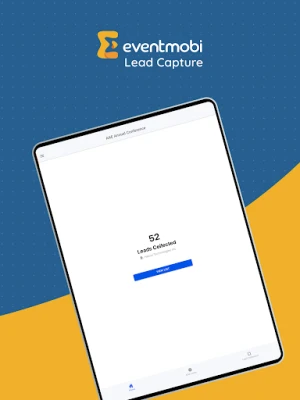
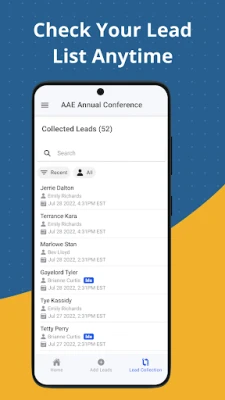
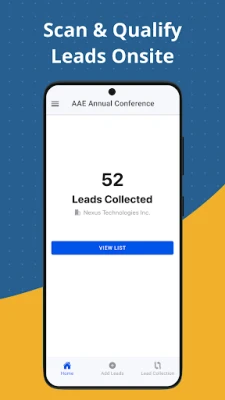
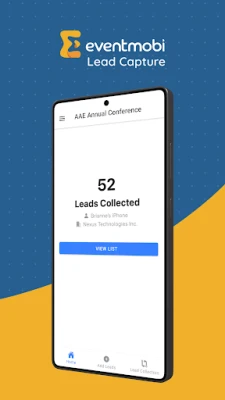
Lead Capture is a free Android app developed by EventMobi that helps exhibitors collect and manage attendee information during trade shows, conferences, or any on‑site event. The app turns a smartphone or tablet into a portable lead‑capture station, allowing staff to record contact details, answer custom qualification questions, and add notes in real time.
Main features
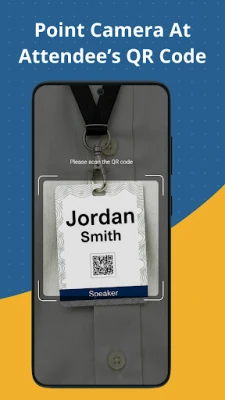
- QR‑code scanning: Quickly read QR codes printed on badges or digital tickets to pull attendee profiles into the app.
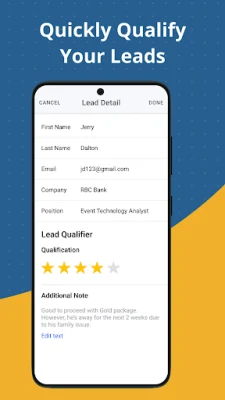
- Custom qualifiers: Event organizers can define unlimited questions that align with their sales or marketing process, and staff can answer them on the spot.
- Notes and tagging: Add free‑form notes or tags to each lead to personalize follow‑up communication.
- Data export: Collected leads can be exported through EventMobi’s web portal, making it easy to import into CRM systems or email platforms.
- Access code protection: A unique access code limits app usage to authorized booth staff, helping keep data secure.
How it works
Before the event, the organizer creates an access code and configures any custom qualifier questions in the EventMobi Company Portal. Booth staff download the Lead Capture app, enter the access code, and start scanning QR codes presented on attendee badges. Each scan pulls the basic profile (name, company, contact info) into the app, after which staff answer the predefined qualifiers and optionally add notes. At any time, the collected leads can be synced or exported via the portal for post‑event follow‑up.
Practical uses
- Trade shows: Capture high‑quality leads without manual data entry.
- Corporate events: Qualify attendees based on interest level, budget, or decision‑making authority.
- Product launches: Record feedback and interest scores directly at the booth.
Installation information
The app is available through the Google Play Store. Search for "Lead Capture by EventMobi" or use the package name com.eventmobi.leadcapture. Installation follows the standard Android process: tap Install, grant any required permissions (camera for scanning), and open the app to enter the access code provided by the event organizer.
Things to know before installing
- The app requires a device with a functional camera for QR‑code scanning.
- An internet connection is needed to sync data with the EventMobi portal, though offline capture is possible and data can be uploaded later.
- All lead data is stored within the EventMobi ecosystem; the app itself does not retain long‑term records.
Who may find it useful?
Exhibitors, sales teams, marketing professionals, and event staff who need a reliable way to collect and qualify leads on the event floor will benefit from Lead Capture. It is especially valuable for organizations that already use EventMobi’s event management platform, as the integration streamlines data flow.
Frequently asked questions
Do I need an EventMobi account to use the app?
Yes, the app works in conjunction with an EventMobi event account. The organizer supplies the access code and qualifier setup.
Can I export leads to my own CRM?
Leads are exported through the EventMobi portal, where they can be downloaded in common formats (CSV, Excel) for import into most CRM systems.
Is the app free?
The Android version is free to download and use for events that have enabled Lead Capture in EventMobi.
What permissions does the app request?
Primarily camera access for scanning QR codes and network access for syncing data. No unnecessary permissions are requested.
Rate the App
User Reviews














Popular Apps










 Games
Games Entertainment
 Communication
 E-mail
 Security
 Tools
Tools Media
Media Internet
 Finance
 Design
 Education
 Android Firmwares
 Travel & Local
 Android
 Windows
 Linux
Linux