


Latest Version
Latest
August 22, 2026
zoom.com
BUSINESS
Android
94
Free
us.zoom.videomeetingsforgood
Report a Problem
More About Zoom for BlackBerry – Secure Video Meetings on Android
What is Zoom for BlackBerry?
Zoom for BlackBerry is a version of the popular Zoom video‑conferencing app that has been adapted to run inside the BlackBerry Dynamics secure mobility platform. It provides the same core Zoom experience—high‑quality video, audio, and screen sharing—while respecting the security policies enforced by BlackBerry’s enterprise framework.
Main capabilities
- Secure meeting access: The app integrates with BlackBerry Dynamics, ensuring that meeting data is encrypted and managed according to corporate security rules.
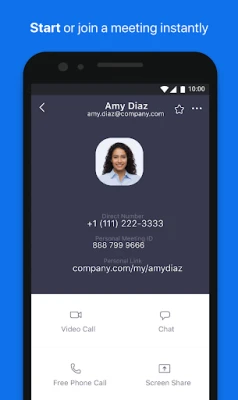
- Video and audio: Join or host meetings with clear video and audio, supporting both front‑ and rear‑camera use.
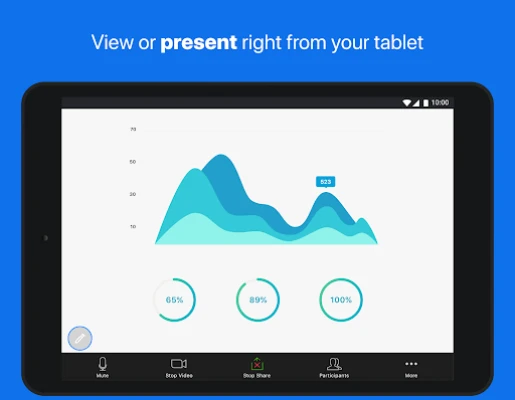
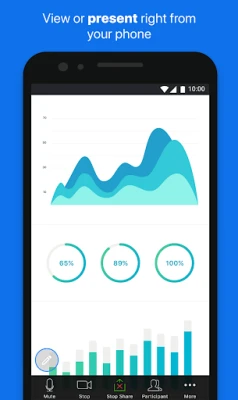
- Screen sharing: Share your Android screen or specific apps with meeting participants, useful for presentations and collaboration.
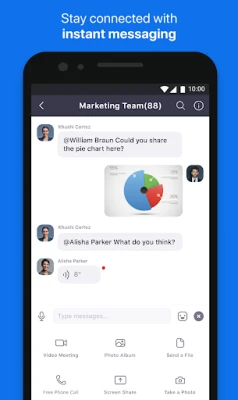
- Chat and reactions: Send text messages, emojis, and files within the meeting context.
How it works
When installed on an Android device that is enrolled in BlackBerry Dynamics, the app runs inside the secure container provided by BlackBerry. This container isolates the app’s data from other applications and applies the organization’s encryption and policy settings. Users sign in with their Zoom credentials, which are then managed by the BlackBerry authentication mechanisms.
Practical uses
Enterprises that have adopted BlackBerry Dynamics for device management can use Zoom for BlackBerry to:
- Conduct internal team meetings without exposing data to unsecured channels.
- Collaborate with external partners while still complying with corporate security standards.
- Present product demos or training sessions using screen sharing on Android tablets.
Installation information
The app is distributed through the BlackBerry Dynamics app catalog rather than the public Google Play Store. To install:
- Ensure your Android device is enrolled in BlackBerry Dynamics.
- Access the corporate app catalog provided by your IT department.
- Locate “Zoom for BlackBerry” and follow the on‑screen prompts.
After installation, the app will appear within the BlackBerry Dynamics workspace and can be launched like any other secured app.
Compatibility and requirements
Zoom for BlackBerry runs on Android devices that meet the minimum requirements set by BlackBerry Dynamics. Because the exact Android version and device specifications are defined by the enterprise policy, users should consult their IT support for precise compatibility details.
Things to know before installing
- The app is intended for users whose organization has a BlackBerry Dynamics subscription; it will not function on standard Android devices without the secure container.
- All meeting features depend on the underlying Zoom service, so a stable internet connection (Wi‑Fi or cellular) is required.
- Any Zoom licensing (free or paid) that your organization provides can be used with this app, subject to your company’s licensing agreement.
Who may find it useful?
Any employee or contractor who needs to participate in Zoom meetings while adhering to strict corporate security policies will benefit from Zoom for BlackBerry. It is especially relevant for sectors such as finance, healthcare, and government, where data protection is a top priority.
Frequently asked questions
Do I need a separate Zoom account?
No. You use the same Zoom credentials that your organization has provisioned. The app simply routes those credentials through BlackBerry Dynamics.
Can I join meetings hosted on the regular Zoom app?
Yes. The app is fully compatible with standard Zoom meetings, so you can join any meeting link provided by a host using the regular Zoom client.
Is the app free?
The app itself is distributed at no cost by the organization, but meeting participation follows the licensing terms of your Zoom subscription.
What happens if I leave the company?
When your device is removed from the BlackBerry Dynamics enrollment, the app will no longer be able to access Zoom services, and any stored meeting data will be removed according to your organization’s data‑retention policies.
Rate the App
User Reviews















Popular Apps










 Games
 Entertainment
 Communication
 E-mail
 Security
 Tools
 Media
 Internet
 Finance
 Design
 Education
 Android Firmwares
 Travel & Local
 Android
 Windows
 Linux